

Remotion: programmatic video with React components
remotion-dev/remotion · 60,385★ · 4,661 forks
Everything worth knowing about remotion-dev/remotion: a TypeScript framework for defining, previewing, and rendering real videos from React components.
What Remotion is
Remotion lets you build videos with React instead of manually editing a timeline. A composition declares its dimensions, frames per second, and duration; the component receives the current frame via useCurrentFrame() and renders to MP4 or other formats through the command-line interface, a server API, or cloud infrastructure.
The project isn’t a conventional video editor or a generative model. Its pitch is to treat repeatable, data-driven, or parameterized video as software: components, input properties, version control, tests, and automation. The same component can be used in Remotion Studio, in <Player /> inside an app, and in server-side rendering.
The origin: a library built for the web workflow
The repository was created on June 23, 2020. Documentation and the Syntax podcast identify Jonny Burger as the figure interviewed to explain the product and its programmatic-creation workflows.
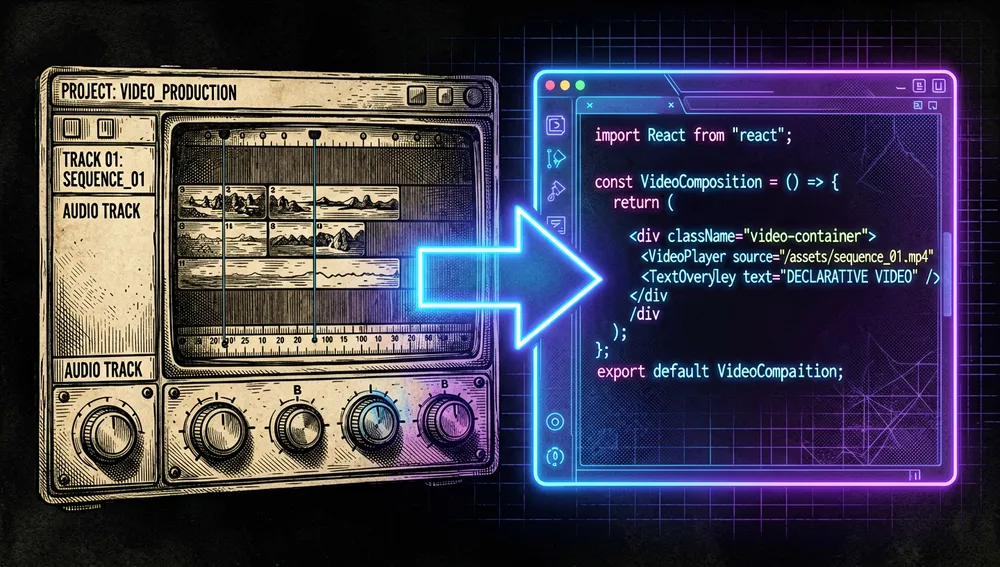
The technical context behind its appearance is a familiar tension: HTML, CSS, and React are comfortable tools for interfaces and data, while traditional video editors are better suited to manual visual tuning. Remotion deliberately takes the first path. That makes it easy to generate many variants — one video per client, language, episode, or metric set, for example — but it doesn’t remove the need to design animations, test the visual result, and manage codecs, fonts, and assets.

Philosophy and principles
- Video as a declarative interface: a composition is a React component with explicit parameters, not an opaque sequence of mouse actions.
- Reuse across views and rendering: components can be previewed in Studio, embedded with
<Player />, and rendered in a server process. - Automation over repetition: input properties let you produce variants without duplicating an editing project.
- Technical control over the output: the CLI and
remotion.config.tsexpose resolution, codec, concurrency, CRF, scale, and output path.
How it works
A composition is registered with Composition and defines id, component, durationInFrames, fps, width, and height. Inside the component, useCurrentFrame() returns a counter whose first value is 0; animations and transitions are computed from that value.

The local flow is Studio → composition → render. npx remotion studio opens the preview; npx remotion render processes a composition with Chrome Headless Shell and generates a file, whose default codec is H.264. For services, the Node/Bun API follows the bundle() → selectComposition() → renderMedia() path; the bundle can be reused for many renders with inputProps.

Remotion also offers Lambda to split rendering work across AWS, Player for a React app, templates for Next.js and other environments, and a documented flow for GitHub Actions. The documentation warns that remotion.config.ts affects the CLI and Studio, not the SSR APIs: in that case, options must be passed to the API directly.
Official and semi-official status
The repository and remotion.dev are the first-party channels. The package is distributed as a @remotion/* family on npm, and the organization maintains templates, an SDK for Lambda, and plugins/Skills for coding agents.
There are integrations with official status, but they need to be described precisely:
- Vercel: Remotion’s documentation notes its template is on Vercel’s template marketplace and documents
@remotion/vercel. That’s an integration and distribution visible in that catalog; the retrieved sources don’t prove Vercel owns the project or certifies its output. - Claude Code, Codex, Cursor, and Kimi: official documentation maintains Skills and lists plugins for those environments. Installing from Remotion’s marketplace for Claude Code is a first-party path, not a certification by each vendor.
- Mediabunny: Remotion recommends it as an independent project by Vanilagy, sponsors it as a Gold Sponsor, and is progressively retiring its own media packages in its favor. That’s a semi-official sponsorship-and-recommendation relationship, not a Remotion repository.
No formal “standard” designation was retrieved. In practice, the presence of Studio, a CLI, npm packages, templates, and SDKs makes Remotion an integrated framework for programmatic video in React, without that amounting to universal approval.
The ecosystem
First-party repositories and products
remotion-dev/skills: official Skills for creating, rendering, watermarking, maps, captions, and video apps; 4,252 stars and 489 forks.remotion-dev/claude-code-plugin,codex-plugin,cursor-plugin, andkimi-code-plugin: official connectors around those Skills. The retrieved figures were, respectively, 8, 21, 0, and 1 stars; these are small add-ons, not alternatives to the core.remotion-dev/lambda-php-sdk,lambda_go_sdk, andlambda-ruby-sdk: official SDKs for invoking Remotion Lambda from PHP, Go, and Ruby. Their READMEs state they come from the main repository’s source code and are updated alongside Remotion’s releases.remotion-dev/vue-starter,angular-starter, andsvelte-starter: official starters for integrating Remotion with those frameworks, not ports of the core renderer.remotion-dev/trailer(1,119 stars) andremotion-dev/github-unwrapped(1,309 stars) are examples/apps from the organization itself.- The official catalog also includes templates. Among the retrieved repositories are
template-tiktok(273 stars),template-audiogram(266),template-code-hike(215), andtemplate-three(107). Remotion’s store also offers first-party paid products.
Community extensions and adoption
av/remotion-bits(437 stars) gathers graphics components, transitions, and text reveals. No official support relationship was retrieved.stefanwittwer/remotion-animated(220 stars) presents itself as a declarative animation extension for Remotion.wshuyi/remotion-video-skill(333 stars) is a community Skill aimed at Claude Code, with bilingual English/Chinese material; it’s distinct fromremotion-dev/skills.nyanko3141592/remotion-voicevox-template(279 stars) is a Japanese template for VOICEVOX: a community localization/template, not an official core translation.openvideodev/react-video-editor(1,768 stars) declares it uses Remotion for a React video editor.calesthio/OpenMontage(46,467 stars) is tagged with Remotion and presents itself as an agent-assisted video production system. Both are external adopters; they shouldn’t be confused with official repositories.
The main repository’s network had 4,162 forks at measurement time. Inspecting forks sorted by stars didn’t reveal a prominent differentiated port; no maintained port of the core renderer outside TypeScript was identified either. Official SDKs and external templates/localizations were retrieved.
Repo numbers
Measured: August 10, 2026, GitHub and npm APIs.
| Metric | Value |
|---|---|
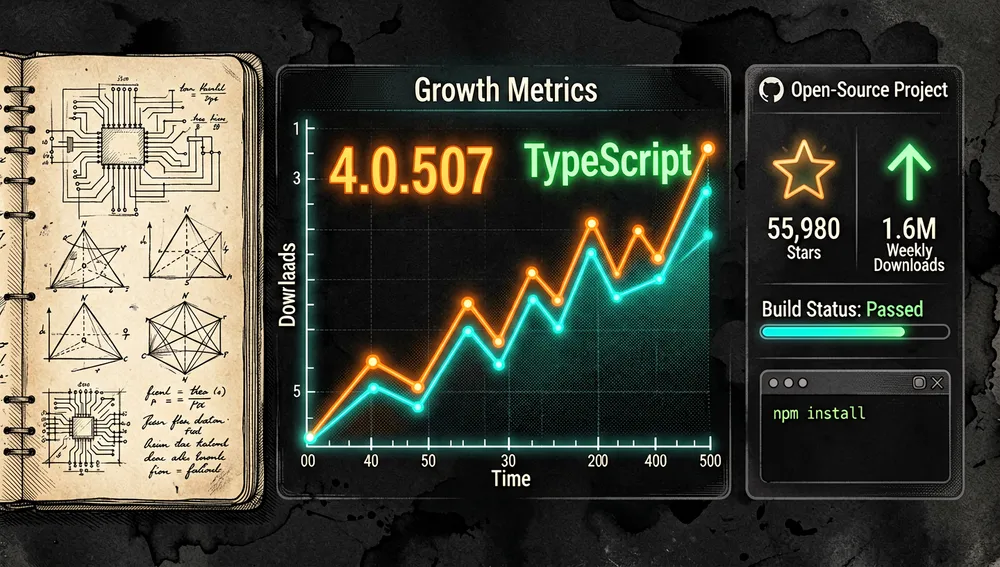
| Stars | 55,980 |
| Forks | 4,162 |
| Real subscribers | 159 |
| Open issues reported by the API | 205 |
| Primary language | TypeScript |
| Created | June 23, 2020 |
Last push activity | August 10, 2026 |
| Latest release retrieved | v4.0.507, August 7, 2026 |
npm downloads for remotion, last week | 1,689,662 |

Official packages also showed distribution activity: @remotion/cli logged 1,140,740 weekly downloads and @remotion/player, 1,463,060. These figures count downloads, not people or unique deployments. GitHub’s general API mirrors stars in watchers_count; that’s why subscribers_count is reported as real subscribers. Its open_issues_count field can include open pull requests, so it doesn’t exclusively represent issues.
The current version belongs to the v4 line. The v3 → v4 guide requires keeping remotion and every @remotion/* package on the same version, moving Config to @remotion/cli/config, and replacing npx remotion preview with npx remotion studio.
How to contribute
Remotion publishes a contribution process. For large changes, it asks that an issue be opened first to agree on intent and architecture; broader projects can be coordinated via Discord or email. The monorepo requires Bun v1.3.3 or later:
git clone --depth=1 https://github.com/remotion-dev/remotion.git
cd remotion
bun i
bun run build
bun run watch
The documentation suggests verifying with bun run test, running the example in packages/example, and rendering ten-frame-tester. For new options, it prescribes priority order Node API → Studio → CLI flag → configuration → default value, plus documenting the API, the CLI, and the version that introduced the change. The repository accepts TypeScript or Rust and requires clear names, explicit units, and forward/backward compatibility where applicable.
How the community received it
The retrieved evidence combines verifiable tutorials and use cases with limited conversation on Hacker News:
- The Hacker News submission 26067498, “Remotion: create motion graphics with React,” was posted by
tomduncalfon February 8, 2021, and had 9 points and 0 comments. A resubmission the following day, 26072767, had 8 points and 0 comments. They show distribution, not an external review or consensus. - In thread 47471601, user
TechSquidTVcommented they had used Remotion in some cases as a substitute for After Effects for a template or script generating repetitive videos, and rated it positively. The important nuance is they still produced the graphic assets in After Effects: the experience backs automation and templates, not a complete replacement of the editor. - The Fireship video, “This video was made with code. But how?”, identifies Remotion and logged 882,247 views at query time. It’s a widely-reached tutorial, not an independent quality proof.
- Mux Engineering published a Dave Kiss tutorial that calls Remotion a useful library for creating video with React and shows a project visualizing Mux data. It’s a documented integration case, not a comparative evaluation.
- Episode 1005 of Syntax, published on May 18, 2026, interviewed Jonny Burger about programmatic and Skills-based video creation. The podcast entry is a technical-distribution source; it doesn’t turn the guest’s claims into independent metrics.
No verifiable data was retrieved from Reddit due to the site’s challenge; X required authentication and Product Hunt showed a Cloudflare check. Those limitations don’t prove an absence of posts and don’t support attributing votes, comments, or reactions on those platforms.
Remotion versus other approaches
| Approach | Verifiable relationship | Verifiable difference |
|---|---|---|
| After Effects | An HN user used it alongside Remotion to automate a repetitive template. | That user was still using After Effects to create graphic assets; the source doesn’t demonstrate full functional equivalence. |
openvideodev/react-video-editor | Declares it builds a React video editor with Remotion. | It’s an editing app built on top of Remotion, while the main repository is the framework and renderer. |
| OpenMontage | Tagged with Remotion and addresses agent-assisted video production. | It’s an adjacent production system; no evidence was retrieved to turn it into a performance or architecture comparison. |
| Mediabunny | Remotion recommends it for media features and sponsors the project. | It’s an independent project, and Remotion’s documentation discusses migrating toward it from specific media packages; it doesn’t itself replace Remotion’s React compositions. |
A current practical limit shows up in issue #10235: a user requests exporting EDL, FCPXML, Premiere XML, or OTIO for an “AI does the cut → human editor finishes in DaVinci/Premiere” workflow. Per the issue, Remotion produces final video as MP4 or ProRes, not an edit-decision list. This is an open integration request, not a project promise.
Quick-start guide
Installation and first run
A Node environment compatible with npm is needed. The official starter is:
npx create-video@latestTo create a blank project non-interactively, with Tailwind and Skills:
npx create-video@latest --yes --blank my-video
cd my-video
npm i
npx remotion skills add
npm run dev
The last command opens Remotion Studio to preview compositions. On Linux, Chrome Headless Shell requires system libraries; Alpine and NixOS aren’t supported, and glibc distributions need at least glibc 2.35.
Common workflows
- Preview a local composition: run
npx remotion studio src/remotion/index.ts. Studio loads the entry point and lets you inspect the composition. - Render an MP4:
npx remotion render MyComposition out/video.mp4. If the identifier is omitted, the CLI asks for it; if the output path is omitted, it writes toout/. - Reuse the output in an app: install
remotion @remotion/cli @remotion/playerand use the component with<Player />; Player receives the component, not the list of compositions. - Render parameterized videos in a service: bundle once with
bundle(), compute metadata withselectComposition(), and callrenderMedia()withinputProps. For scalable workloads, the documentation offers Lambda on AWS.
Essential configuration
Create remotion.config.ts at the root for CLI/Studio options:
import {Config} from '@remotion/cli/config';

Config.setConcurrency(8);
Config.setPixelFormat('yuv444p');
Config.setCodec('h265');Config.setConcurrency(n): controls parallel frames; the guide suggests starting from available cores and measuring the effect on the rest of the machine.Config.setCodec(...): choose H.264, H.265, VP8, VP9, AV1, ProRes, or other available codecs.Config.setScale(2)andConfig.setCrf(16): control effective resolution and quality; the CLI argument takes priority over the file.Config.setOutputLocation(...): sets a default output path.src/Root.tsx: registers eachCompositionwith its id, size, fps, and duration; it’s the first file you modify when adding an output.
Common pitfalls and fixes
- JSON properties on Windows:
--propsdoesn’t reliably handle inline JSON due to shell quoting. Use a JSON file instead. - Quality and hardware acceleration:
--crfand--video-bitratedon’t combine; with hardware acceleration you must use bitrate, not CRF. - SSR ignores the config file: pass options to the bundling/rendering APIs directly, since
remotion.config.tsdoesn’t apply there. - Next.js: don’t use
@remotion/bundlerinside an API route, since it would try to bundle Webpack with Webpack. Build the bundle outside the route, or use Lambda/Vercel. - v3 → v4 migration: update all packages together; FFmpeg and FFprobe now ship with
@remotion/renderer, so older manual-installation flows should be removed.
Integrations and migration
The official path for agents is npx skills add remotion-dev/skills; the documentation associates that content with Claude Code, Codex, Cursor, and Kimi. For CI, the official GitHub Actions example installs dependencies, runs npx remotion render MyComp out/video.mp4, and publishes the artifact. For Node/Bun services, use SSR; for distributed rendering, Lambda; for a web app, Player and the Next.js, Vercel, Vue, Angular, or Svelte templates.
The license isn’t MIT or Apache: it’s free for individuals, nonprofit organizations, and organizations with up to three employees, even for commercial use. Organizations outside those cases need a company license; it also doesn’t allow deriving the code to sell, rent, or relicense a Remotion-derived product. It’s worth checking before planning a commercial integration.
Use cases and who this repository can help
- Product and marketing teams with many variants of the same video can pass properties — data, language, brand, figures, or asset paths — into a composition and render repeatable results from the CLI, CI, or a service.
- React developers who need a video view inside an app can reuse the component with
<Player />and reserve the renderer for final export, instead of maintaining two implementations of the same visualization. - SaaS products generating on-demand audiovisual deliverables can bundle the project once and render with
inputProps; Lambda is the documented option when work needs to be distributed on AWS. - Teams automating data reports, summaries, or templates can follow the Mux case as an integration reference: translate data into components and turn the result into video.
- People working with coding agents can use the official Skills and plugins so an agent can create or modify compositions. This doesn’t remove the need for visual review or resolve the open interoperability limitations with timeline editors.

Resources
- Repository: https://github.com/remotion-dev/remotion
- Documentation and setup: https://www.remotion.dev/docs
- Fundamentals: https://www.remotion.dev/docs/the-fundamentals
- Render CLI: https://www.remotion.dev/docs/cli/render
- Configuration: https://www.remotion.dev/docs/config
- Official Skills: https://www.remotion.dev/docs/ai/skills
- Templates: https://www.remotion.dev/templates
- Contributing: https://www.remotion.dev/docs/contributing
- Video tutorial: https://www.youtube.com/watch?v=deg8bOoziaE
- Tutorial with Mux: https://www.mux.com/blog/visualize-mux-data-with-remotion
- Hacker News threads: https://news.ycombinator.com/item?id=26067498, https://news.ycombinator.com/item?id=47471601
- npm package: https://www.npmjs.com/package/remotion
- Discord: https://www.remotion.dev/discord
Note: this article combines Remotion’s documentation and repositories, the GitHub and npm APIs, and community sources retrieved on August 10, 2026. Figures change over time.



Comments