

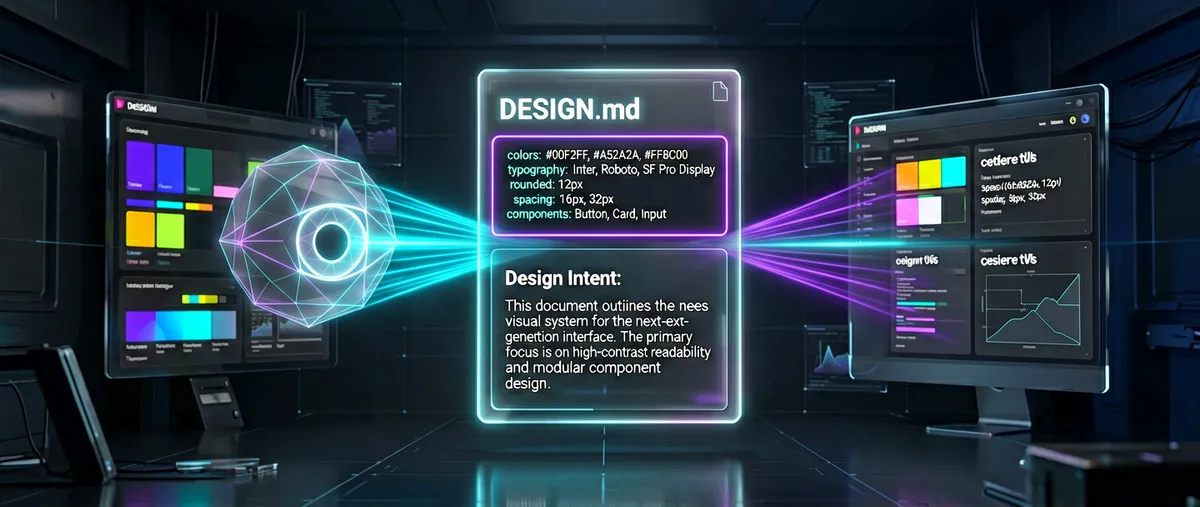
design.md: the format spec that gives coding agents a persistent visual identity
google-labs-code/design.md · 28,103★ · 2,285 forks
A format specification (DESIGN.md) open-sourced by Google to describe a brand’s or product’s visual identity to coding agents, paired with a CLI (lint, diff, export, spec) published as @google/design.md on npm. Disambiguation note: the queue line “google-labs-code design” corresponds to the actual repository google-labs-code/design.md, whose name carries the .md extension.
What it is
google-labs-code/design.md isn’t an app or a model: it’s a format specification that defines how to describe a design system’s visual identity to coding agents, plus tooling to validate and export it. The README sums it up as “a format spec for describing a visual identity to coding agents. DESIGN.md gives agents a persistent, structured understanding of a design system.”
The format combines two layers in a single plain-text file:
- YAML front matter — machine-readable design tokens (
colors,typography,rounded,spacing,components), delimited by---fences at the top of the file. - Markdown body — human-readable design rationale, organized into
##sections (e.g. Overview, Colors, Typography).
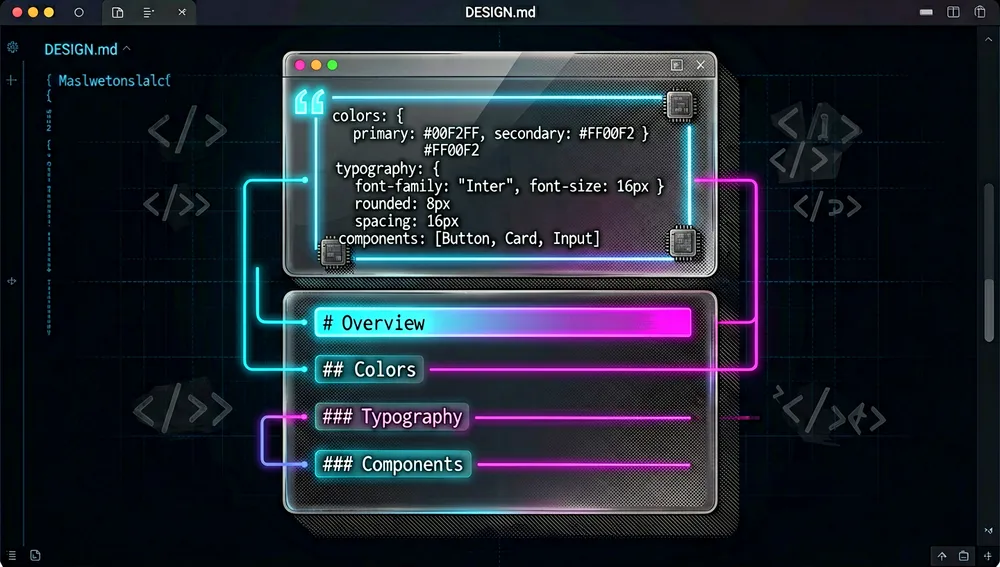
Tokens are the normative values; the prose explains why those values exist and how to apply them. An agent reading a DESIGN.md file produces an interface consistent with that identity instead of a generic “AI” interface.
Beyond the specification, the repository contains the CLI (in the packages/cli folder), published as @google/design.md on npm, which validates, compares, and exports DESIGN.md files, emitting JSON that agents can act on.
Origin
The format was born inside Stitch, Google Labs’ “AI design” product (domain stitch.withgoogle.com). In Stitch, the DESIGN.md file lets you export and import a project’s design rules from one project to another, so the tool “understands the reasoning behind your design system” and generates interfaces matching the brand.
The open-source release happened on April 21, 2026, through the official Google blog, with a post by Cassia Xu (Software Engineer) titled “Stitch app’s DESIGN.md format is now open-source for designers.” The official text explains the motivation: instead of agents “guessing intent,” “they can know exactly what a color is for and validate their choices against WCAG accessibility rules.” The post cites a video in which David East of Google Labs explains the format. The repository was created on GitHub on April 10, 2026, and the first CLI version (0.1.0) was published on npm on April 21, 2026.
The format is explicitly marked as an alpha / draft version (“open-sourcing the draft specification”); the README warns that “the format, token schema, and CLI are under active development” and to expect changes as it matures.
Philosophy and principles
The repository’s PHILOSOPHY.md states its principles unambiguously:
- Prose, not tokens, is the focus. “The quality of a generated design depends less on the precision of its values than on how clearly the intent is described.” The document states it “generally does not accept or recommend token requirements in the specification”: tokens are context that serves as a reference for the prose, not rendering instructions.
- A concrete reference beats a list of adjectives. Referencing “a 1970s grad-school lecture note in the tradition of an old university” evokes a whole world (single-color ink, generous margins, reading-size serif, absence of decoration); “modern, clean, trustworthy, premium” evokes nothing concrete and produces generic outputs. “Adjectives describe a region; a concrete reference describes a point.”

- Negative constraints. A named object carries its constraints automatically: a model knows what a class note is and isn’t (it doesn’t glow, it doesn’t use gradients). “Naming the object names its constraints, the same way naming a dog tells the model dogs don’t meow.” A long list of “don’ts” is usually a sign the description was too vague to carry them.
- The format grows through its users, not its spec. The spec defines the universal structural minimum (a name and a small set of categories: colors, typography, spacing, rounding, components). Everything else — motion, iconography, elevation, capitalization, paragraph measure — each system defines for itself. The linter accepts any key, section, or structure; “no spec change was needed because the tokens themselves are context, not instruction.”
How it works
File structure and token schema
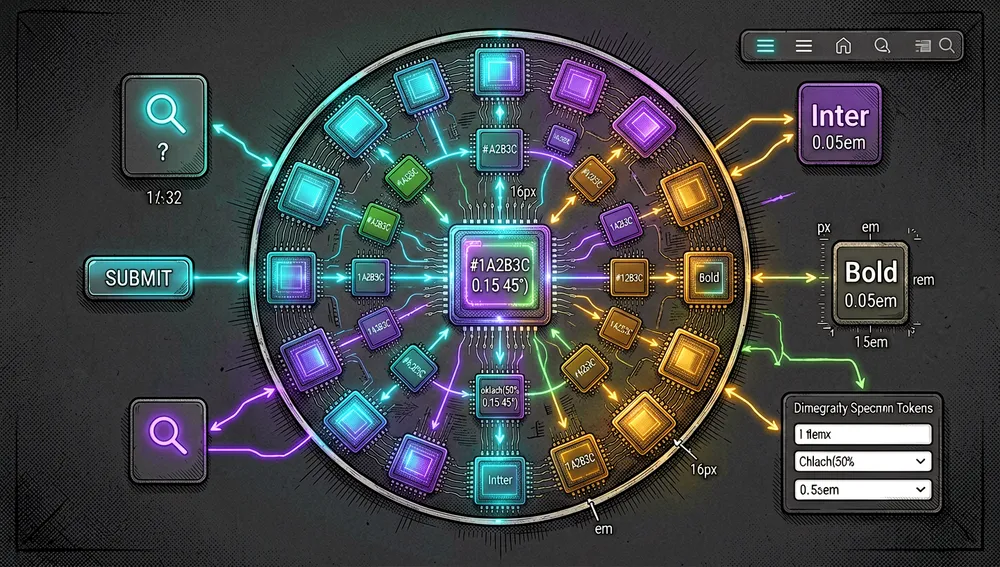
A DESIGN.md has two layers. The YAML front matter declares tokens per this schema (per docs/spec.md):
version: <string>          # optional, currently "alpha"
name: <string>
description: <string>      # optional
omitted: <string[] | OmittedSection[]>  # intentionally omitted sections
colors:
  <token-name>: <Color>
typography:
  <token-name>: <Typography>
rounded:
  <scale-level>: <Dimension>
spacing:
  <scale-level>: <Dimension | number>
components:
  <component-name>:
    <token-name>: <string | token reference>
Token types verified in the spec:
| Type | Format | Example |
|---|---|---|
| Color | any CSS color (hex, rgb(), oklch(), named, etc.) | #1A1C1E, oklch(62% 0.18 250) |
| Dimension | number + unit (px, em, rem) | 48px, -0.02em |
| Token Reference | {path.to.token} | {colors.primary} |
| Typography | an object with fontFamily, fontSize, fontWeight, lineHeight, letterSpacing, fontFeature, fontVariation | see the README’s example |
The token system is inspired by the W3C Design Tokens Format (designtokens.org), from which it adopts typed token groups and the {path.to.token} reference syntax.
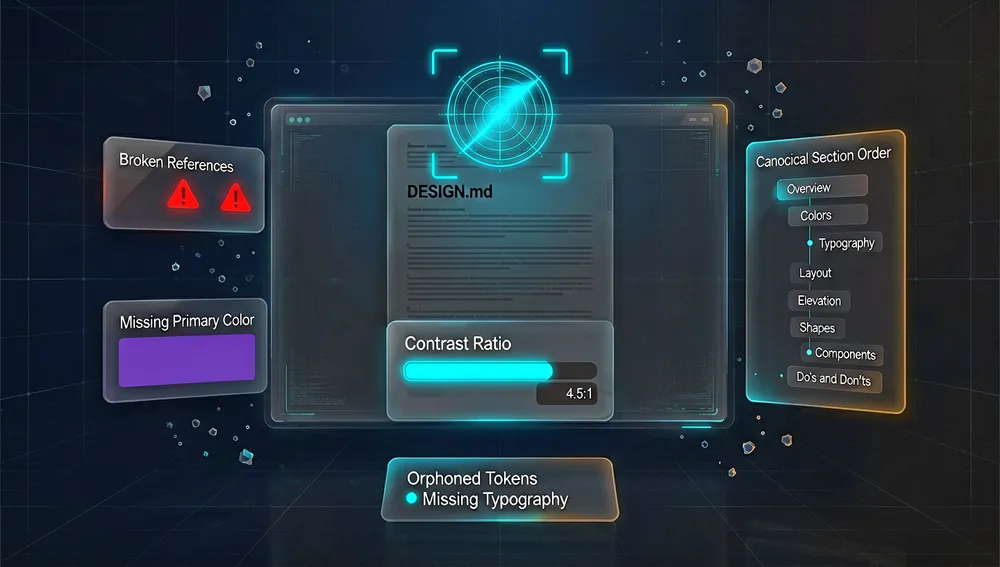
Canonical section order
Sections use ## headings and, when present, must appear in this order (with their aliases):
- Overview (alias Brand & Style)
- Colors
- Typography
- Layout (alias Layout & Spacing)
- Elevation & Depth (alias Elevation)
- Shapes
- Components
- Do’s and Don’ts
Behavior on unknown content
| Scenario | Behavior |
|---|---|
| Unknown section heading | Preserved; no error |
| Unknown color token name | Accepted if the value is valid |
| Unknown typography token name | Accepted as valid typography |
| Unknown component property | Accepted with a warning |
| Duplicate section heading | Error; the file is rejected |
The CLI
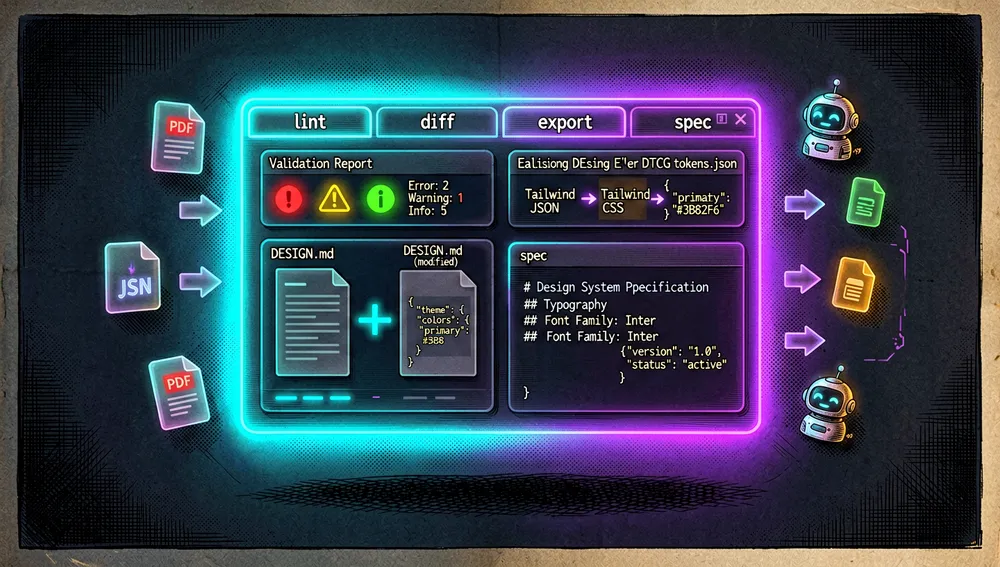
The CLI (packages/cli, published as @google/design.md) exposes four commands. All accept a file path or - for stdin, and emit JSON by default.
| Command | Function |
|---|---|
lint | Validates a DESIGN.md’s structural correctness. Exit code 1 if there are errors, 0 otherwise. |
diff | Compares two DESIGN.md files and reports token-level changes. Exit code 1 if it detects regressions. |
export | Exports tokens to other formats (json-tailwind, css-tailwind, tailwind, dtcg). |
spec | Emits the format specification (useful for injecting spec context into agent prompts). Options --rules, --rules-only, --format markdown|json. |
The linter runs eleven rules (with fixed severities) against the parsed DESIGN.md: broken-ref (error), missing-primary, contrast-ratio (WCAG AA, 4.5:1), orphaned-tokens, missing-typography, section-order, unknown-key (catches typos like colours: → colors:), token-like-ignored (warnings); and token-summary, missing-sections, omitted-rules (info).
There’s also a programmatic API for using the linter as a library:
import { lint } from '@google/design.md/linter';
const report = lint(markdownString);
console.log(report.findings);      // Finding[]
console.log(report.summary);       // { errors, warnings, info }
console.log(report.designSystem);  // parsed DesignSystemState
Token interoperability
The export command converts tokens to:
- Tailwind v3 config (JSON) —
--format json-tailwind(aliastailwind): atheme.extendobject fortailwind.config.js. - Tailwind v4 theme (CSS) —
--format css-tailwind: an@theme { ... }block with Tailwind v4’s CSS variable namespaces (--color-*,--font-*,--text-*,--leading-*,--tracking-*,--font-weight-*,--radius-*,--spacing-*). - DTCG
tokens.json(the W3C Design Tokens Module Format) —--format dtcg.
The ecosystem
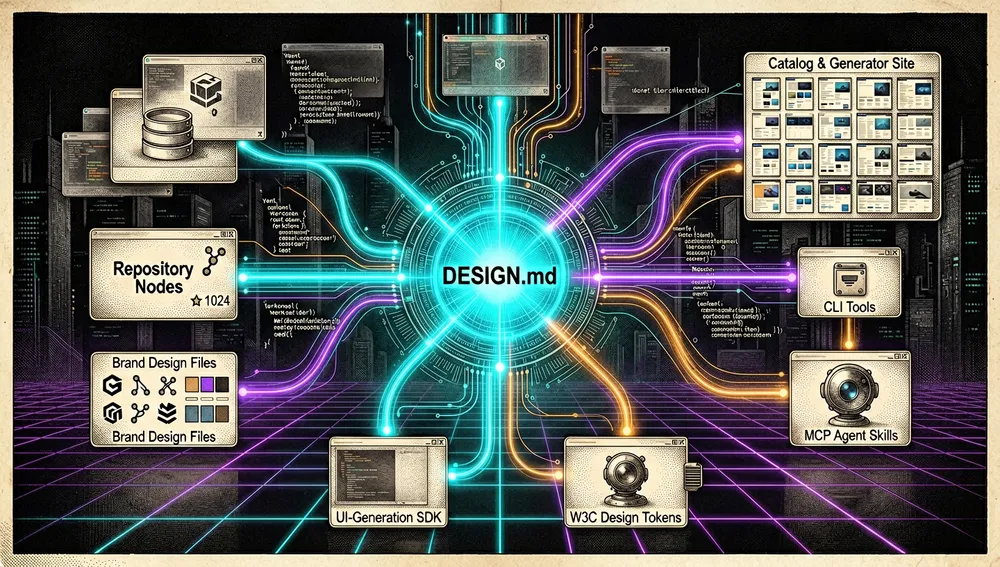
The repository is the official specification, but an ecosystem of community collections, generators, and tools has grown up around it. Here’s what could be verified in this run (star counts per the GitHub API on August 26, 2026):
DESIGN.md collections and catalogs:
VoltAgent/awesome-design-md— a collection ofDESIGN.mdfiles parsed from popular brands’ design systems; “drop one into your project and let coding agents generate a matching interface.” 110,550 stars, 12,586 forks. Created March 31, 2026; its website isgetdesign.md.scroobius-pip/fudge-design-md—DESIGN.mdguides generated from real website references captured by Fudge. 75 stars.
Associated site and survey:
getdesign.md— aDESIGN.mdcatalog for coding agents (300+ sites in the catalog) and aDESIGN.mdgenerator. Publishes the “State of DESIGN.md 2026” survey (based on 64,000+ onboarding responses over 11 weeks; the site claims 102,000+ GitHub stars and 1,000,000+DESIGN.mddownloads — these are the site’s own claims, not independent measurements).
Sibling repositories under the same google-labs-code organization (the same team behind Stitch/Jules):
google-labs-code/stitch-skills— an Agent Skills library designed for Stitch’s MCP server. 8,187 stars.google-labs-code/stitch-sdk— generates UI screens from text prompts and extracts their HTML. 1,787 stars.google-labs-code/jules-awesome-list— prompts for the Jules agent. 3,158 stars.google-labs-code/jules-action(227),jules-sdk(124),jules-skills(90),action-setup(21).
Chrome extensions for generating DESIGN.md (mentioned in HN threads):
- “AI Design Taste – Design.md Generator” (Chrome Web Store ID
peclkdlolmcclhhgpoehpikgknbmkknc). - “Design.md Style Extractor” (ID
ogpdnchdjiibhobphelbbkemnnemkfma), which extracts styles and generatesDESIGN.mdfiles.
Reference standards: the format builds on the W3C Design Tokens Format (designtokens.org), which it converts both to (export --format dtcg) and from.
Official / semi-official status
The repository has vendor-official status: it’s hosted under Google’s google-labs-code organization on GitHub, and the format was open-sourced by Google Labs on April 21, 2026 as Stitch’s draft specification. The official documentation page lives at stitch.withgoogle.com/docs/design-md/specification.
In practice, this means:
- It’s the reference specification for the
DESIGN.mdformat, used directly by Google’s commercial Stitch tool. - It’s marked as
alpha/ draft, not a finished standard: the README states “expect changes to the format as it matures,” and the spec showsversion: alpha. - It’s not a consortium standard: it’s inspired by the W3C Design Tokens Format and exports to
tokens.json(DTCG), but it isn’t a W3C norm. Its official status is that of a vendor (Google), not an external body.
Quick-start guide
Installation and first launch
The package is @google/design.md on npm.
npm install @google/design.mdOn Windows, if the shell treats @ specially (PowerShell), it’s worth quoting:
npm install "@google/design.md"Or simply always run it directly from the public registry (the simplest form):
npx @google/design.md lint DESIGN.mdOn first run, all you need is a DESIGN.md file (YAML front matter + Markdown body). For example, npx @google/design.md lint DESIGN.md returns JSON with findings (each with severity, path, message) and a summary (errors, warnings, infos).
Common workflows
- To validate a
DESIGN.md(detect broken token references, WCAG contrast issues, mis-ordered sections): runnpx @google/design.md lint DESIGN.md; the result is JSON withfindingsandsummary. Exit code1if there are errors. - To detect regressions between two versions of a design system:
npx @google/design.md diff DESIGN.md DESIGN-v2.md; returnstokens(added/removed/modified per section) andfindingswithdelta, plus aregressionflag. Exit code1if there are regressions. - To export tokens to Tailwind v3 (JSON config for
tailwind.config.js):npx @google/design.md export --format json-tailwind DESIGN.md > tailwind.theme.json. - To export to Tailwind v4 (CSS) or to DTCG:
npx @google/design.md export --format css-tailwind DESIGN.md > theme.cssor... --format dtcg DESIGN.md > tokens.json. - To inject the spec into an agent prompt:
npx @google/design.md spec(with--rulesto add the linting rules table).
Essential configuration
- The
DESIGN.md’s YAML front matter — the normative tokens (colors,typography,rounded,spacing,components). This is what the linter validates andexportserializes. - The
namekey (required) andversion(optional,alpha) — identify the design system. omitted— a list of intentionally omitted sections (e.g.omitted: [spacing]or{section: rounded, reason: "..."}); suppresses linter warnings for missing sections.- The repository’s example files (
examples/atmospheric-glass,examples/paws-and-paths,examples/totality-festival) — each shipsDESIGN.md+tailwind.config.js+design_tokens.jsonas a starter template. - The agent harness consuming it (Claude Code, Gemini CLI, Stitch, etc.) — the
DESIGN.mdis placed in the project and the agent reads it as a visual identity reference.
Common pitfalls and fixes
- Windows: the
design.mdbin opens the Markdown editor. The.mdsuffix in the bin’s name collides with Windows’ Markdown file association. Documented fix in the README: use the dot-free aliasdesignmd→npx -p @google/design.md designmd lint DESIGN.md. Inpackage.jsonscripts (not vianpx),designmdis always recommended. npm error ENOVERSIONS(“No versions available for @google/design.md”). Almost always means npm isn’t querying the public registry (a.npmrcwith a customregistry=, an out-of-sync corporate mirror, or a misconfigured@google:registry). Check withnpm config get registry(should behttps://registry.npmjs.org/) and, if a 404 got cached,npm cache clean --force.- Split
exportexit codes (fixed in 0.4.0). Since 0.4.0, a successful export always returns exit code0(decoupled from the source document’s linter warnings); before this, it prevented valid builds from clearing pipeline gates. - Linter crashes from nested or non-string YAML (fixed in 0.3.0). Nested declarations like
colors: { background: { light: '#fff' } }, numeric values inspacing(unit: 8), and boolean scalars in component props no longer break the linter. - A file that doesn’t exist (fixed in 0.4.0). Reading a nonexistent or unreadable
DESIGN.mdnow emits a clean message + structured JSON with exit code2, instead of a stack trace.
Integrations and migration
- Tailwind.
export --format json-tailwind(v3) and--format css-tailwind(v4) directly emit Tailwind theme configs, letting you useDESIGN.mdas the token source and derive the app’s theme. - DTCG / Figma / Style Dictionary.
export --format dtcgproducestokens.jsoncompatible with the W3C Design Tokens Format and with token pipelines (Figma, Style Dictionary, etc.). - Coding agents. The
DESIGN.mdis placed as a reference file in the project’s repository; any agent (Claude Code, Gemini CLI, Stitch, Cursor) reads it to keep visual coherence across generations and across tools.npx @google/design.md speclets you inject the spec as context. - Programmatic API. The
lint()function from@google/design.md/linterlets you integrate validation into CI or your own tools. - Migration. Since it’s a description format (not a state one), “migrating” to
DESIGN.mdmeans describing the design system in the file; from an existing Tailwind theme ortokens.jsonyou can reconstruct the front matter, and you can export toward them. The repository doesn’t declare an automatic conversion assistant from other tools.
Repo numbers
Measured: August 26, 2026, GitHub API.
| Metric | Value |
|---|---|
| Stars | 27,514 |
| Forks | 2,285 |
| Subscribers (watchers) | 171 |
| Open issues per API | 41 |
| Commits (main branch) | 62 |
| Primary language | TypeScript |
| License | Apache-2.0 |
| Created | April 10, 2026 |
| Last push | July 27, 2026 |
| Latest release | 0.4.0 (July 27, 2026) |
Top contributors by contribution count (GitHub API): davideast (16), rmyndharis (9), xkxx (6), mvanhorn (4), Emp1500 (3), SyedaQurratAI (2), tejas100 (2).
npm downloads for the @google/design.md package (npm API, August 26, 2026): 138,138 downloads in the last week (2026-08-19 to 2026-08-25) and 629,805 in the last month (2026-07-27 to 2026-08-25). latest version: 0.4.0 (published 2026-07-27).
Caveats: GitHub’s API uses open_issues_count (41), which can include open pull requests, so it shouldn’t be read as an issues-only count. The watchers_count field mirrors star count; the separate subscriber figure is subscribers_count (171). The 62-commit count was obtained from the Link pagination header of the commits API (rel="last" on page 62).
How to contribute
The process is documented in CONTRIBUTING.md and is open (unlike google/skills):
- Sign Google’s CLA at
cla.developers.google.combefore contributing (you or your employer retain copyright; the CLA grants permission to use and redistribute). If you’ve already signed Google’s CLA for another project, you probably don’t need to do it again. - Review the community guidelines: the project follows the Google Open Source Community Guidelines (
opensource.google/conduct). - Contribution flow: “All contributions, including those from project members, require review. We use GitHub pull requests for this.”
- The spec regenerates:
docs/spec.mdstates it’s generated fromspec.mdx+spec-config.tswithbun run spec:gen(“Do not edit directly”). The CLI lives inpackages/cli(a monorepo withturbo.json,tsconfig.base.json, and CI in.github/workflows/test.yml).
In practice, recent contributions (visible in the releases) arrive via PR to the CLI (linter bugs, exports), attributed to external contributors (@rmyndharis, @Emp1500, @vikks, @SyedaQurratAI, @sbrsubuvga, @dalmaer, @arpitjain099).
How the community received it
The evidence gathered shows technical interest and enthusiasm, alongside a concrete criticism about the format’s scope and necessity. (Reddit’s JSON endpoint returned an anti-bot page in this run, so no Reddit reactions are inferred beyond what the sources show.)
Hacker News — main thread 47887123 (“Design.md: A format spec for describing a visual identity to coding agents,” April 24, 2026), 37 points, 4 comments:
- aurareturn: “Very useful. Stealing it.”
- gavmor — the most substantive question: how
DESIGN.md“plays nicely” with Figma Design Tokens ortailwind.config.js; whether it’ll be the source of truth or just point to those, and how it differs, beyond deterministic validation, fromAGENTS.md; raises the question of scope in a future of discrete sub-agents. - brendanmc6 — a contrarian position: “I’ve gone the opposite direction and decided design doesn’t belong in artifacts or long-lived documents. I went down an experimental rabbit hole called specsmaxxing… everything I see defined here in DESIGN.md is already encoded in my theme configs or component files.”
- necatiozmen: “DESIGN.md is very useful for something quickly operational. We built a site where you can explore DESIGN.md files from popular sites: https://getdesign.md/.”
Hacker News — thread 47718706 (“Figma is dead. Long live DESIGN.md,” an article from typeui.sh/design-md, April 10, 2026), 7 points, 12 comments — the broadest criticism found:
- vrganj: “Why are we automating all the human creative activities and none of the tedious tasks? Where are we heading, building a future where humans clean toilets and machines make art?”
- krapp (reply): “The end goal is capitalist maximalism. Hiring artists is expensive, so automate it. Hire fewer janitors.”
- levity: “the target market for this kind of automation is people who see design as a tedious task.”
Other HN threads (smaller reach, logged for context):
- 47882713 — “Google: Stitch’s DESIGN.md format is now open-source” (the official blog.google post), 3 points, 0 comments.
- 47852568 — “Google Launches Design.md” (Stitch docs), 2 points, 0 comments.
- 47719485 — “Show HN: Figma for Coding Agents” (
getdesign.md), 11 points, 6 comments. - 48924796 — “State of DESIGN.md 2026 – Survey results,” 3 points.
Taken together, the reception reflects a resource with real traction (27,514 stars in four months and a derivative community collection with 110,550 stars), with quality technical discussion about its position relative to AGENTS.md and existing themes, and an ideological/occupational objection about automating design.
design.md versus other approaches
| Project | Verifiable overlap | Verifiable difference |
|---|---|---|
VoltAgent/awesome-design-md | A collection of DESIGN.md files so coding agents generate a matching UI. | It’s a catalog of example files (110,550 stars), not the spec or the linter; it consumes google-labs-code/design.md’s format. |
getdesign.md | A DESIGN.md catalog/generator site (300+ sites) that “follows Google’s official DESIGN.md spec.” | It’s a commercial generation tool, not the official spec’s repo. |
Figma Design Tokens / the W3C Design Tokens Format (designtokens.org) | A typed, interoperable token format ({path.to.token}). | These are tokens-only formats aimed at design→dev; DESIGN.md adds design-rationale prose and targets coding agents. DESIGN.md exports to tokens.json (DTCG). |
tailwind.config.js / Tailwind themes | Color/typography/spacing token definitions for an app. | It’s the config of one specific CSS framework, not a portable specification; DESIGN.md exports toward Tailwind v3/v4. |
AGENTS.md / CLAUDE.md | Instructions read by coding agents in a repo. | These are general process/code-style instructions; DESIGN.md specializes in visual identity with tokens + prose and validation (linter, WCAG). The scope difference was explicitly raised by user gavmor in thread 47887123. |
Use cases
- Teams doing “vibe coding” who want a coherent brand. Founders and developers building landing pages and apps with AI, whose recurring problem is “make it look more premium, consistent, and less generic” (the stated motivation on the
getdesign.mdsite), can describe their visual identity once in aDESIGN.mdand have every agent respect it on every new page, instead of reinventing the brand each generation. - Designers who want their rationale to travel with the tokens. Anyone who defines a visual identity in Stitch (or on paper) can export/import it across projects; the format preserves why each value was chosen, not just the value, so agents reproduce the intent rather than a numeric copy.
- A front-end team maintaining a theme (Tailwind) that wants a portable source of truth. Via
export --format json-tailwind/css-tailwind/dtcg, you can derive the Tailwind config or an interoperabletokens.json(Figma, Style Dictionary) from theDESIGN.md, and uselint/diffas a CI gate to catch broken references, non-WCAG-AA contrast, or regressions between versions. - Multi-tool coding agents. In flows where the same project is touched by Claude Code, Gemini CLI, Stitch, or other tools, the
DESIGN.mdacts as a shared, persistent visual reference across agents and sessions;npx @google/design.md speclets you inject the spec as prompt context. - Anyone who wants to validate accessibility and structure automatically. The linter’s eleven rules (WCAG AA contrast, broken token references, section order, key typos) give a deterministic gate over files that a human would otherwise have to review manually.
Resources
- Repository: https://github.com/google-labs-code/design.md
- Documentation / official specification: https://stitch.withgoogle.com/docs/design-md/specification · spec in the repo:
docs/spec.md - Format philosophy:
PHILOSOPHY.mdin the repo - CLI (npm): https://www.npmjs.com/package/@google/design.md (bin
design.md/designmd) - Official examples:
examples/atmospheric-glass,examples/paws-and-paths,examples/totality-festival(each withDESIGN.md,tailwind.config.js,design_tokens.json) - Launch blog post: https://blog.google/innovation-and-ai/models-and-research/google-labs/stitch-design-md/ (“Stitch’s DESIGN.md format is now open-source for designers,” Cassia Xu, April 21, 2026)
- Community collection: https://github.com/VoltAgent/awesome-design-md (110,550 stars) · https://getdesign.md
- Survey: https://getdesign.md/state-of-design-md (“State of DESIGN.md 2026”)
- Relevant HN threads: 47887123 (37 pts), 47718706 (7 pts, 12 cmt), 47719485 (11 pts), 47882713, 48924796
- Video: “Del diseño al código en minutos con Google Stitch ✨ | Carlos Alarcón – AI” (YouTube, ID
i9OiB3FNYcw, channel@alarcon7a) - Reference format: https://www.designtokens.org/ (W3C Design Token Format)
- Sibling organization repos:
google-labs-code/stitch-skills(8,187),google-labs-code/stitch-sdk(1,787),google-labs-code/jules-awesome-list(3,158)
This article combines the repository’s README.md, PHILOSOPHY.md, CONTRIBUTING.md, docs/spec.md, and examples, the releases (0.1.0–0.4.0), Google’s official post (April 21, 2026), the GitHub API, and the npm API, consulted on August 26, 2026. Star and download figures change over time. getdesign.md’s survey claims (64,000+ responses, 102,000+ stars, 1,000,000+ downloads) are the site’s own and are not independently verified.



Comments