

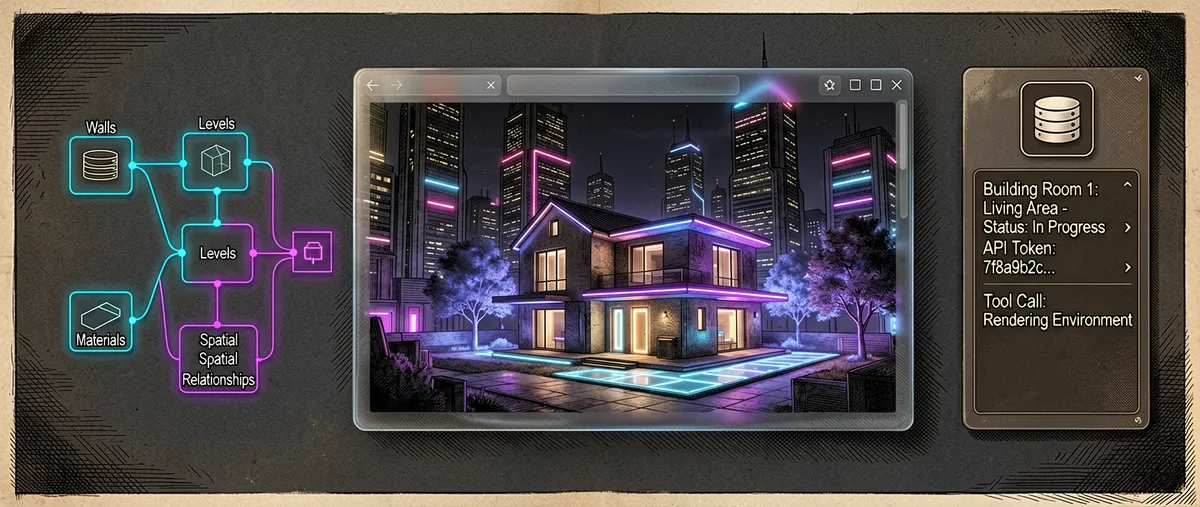
Pascal: a browser-based 3D architecture editor, exposed to AI agents via MCP
pascalorg/editor · 24,303★ · 3,013 forks
Pascal is a free, open-source 3D architecture editor that runs in the browser: you draw walls, doors, windows, and furniture, paint each surface with realistic materials, and walk through the result in 3D. What sets it apart from other web floor-plan editors is its parametric scene architecture as a node graph (JSON), packaged on npm and exposed to AI agents through an MCP server, so an agent can create and edit 3D projects using the same primitives the interface uses. It’s written in TypeScript and built on React Three Fiber and WebGPU.
Disambiguation: this report documents the
pascalorg/editorrepository from the Pascal organization (pascalorg), described on GitHub as “Create and share 3D architectural projects,” with its site ateditor.pascal.app. It should not be confused with editors for the Pascal programming language (Delphi, Free Pascal, thechreditor inspired by Turbo Pascal, or IDE themes), which share the same term “pascal.”
Origin
The Pascal organization (pascalorg) was created on GitHub on May 30, 2025 with the tagline “Intelligence upgrade for every building.” The pascalorg/editor repository was created on October 16, 2025 and, unlike other projects in this series, arrived with sustained activity from the start (over 1,300 commits within a few months).
The three main contributors listed in the README are Aymeric Rabot (Aymericr, Pascal co-founder), Wassim Samad (wass08, a “3D Web Developer,” Three.js and React Three Fiber instructor on YouTube and DevRel at elest.io), and Sudhir (sudhir9297). Its first verifiable appearance in public conversation is a Hacker News submission from March 24, 2026.
The context is the convergence of three trends at once: (1) the browser-based 3D architecture editor (the legacy of Sweet Home 3D and web floor-plan tools), (2) modern web rendering with React Three Fiber + WebGPU, and (3) the rise of MCP (Model Context Protocol) for AI agents to operate software tools. Pascal is born at the intersection of the three: a real 3D editor whose scene graph can be queried and mutated from an agent.
Philosophy and principles
The official documentation (llms.txt) presents itself as “the free, open-source 3D building editor.” From the releases, the README, and the documentation, these principles emerge:
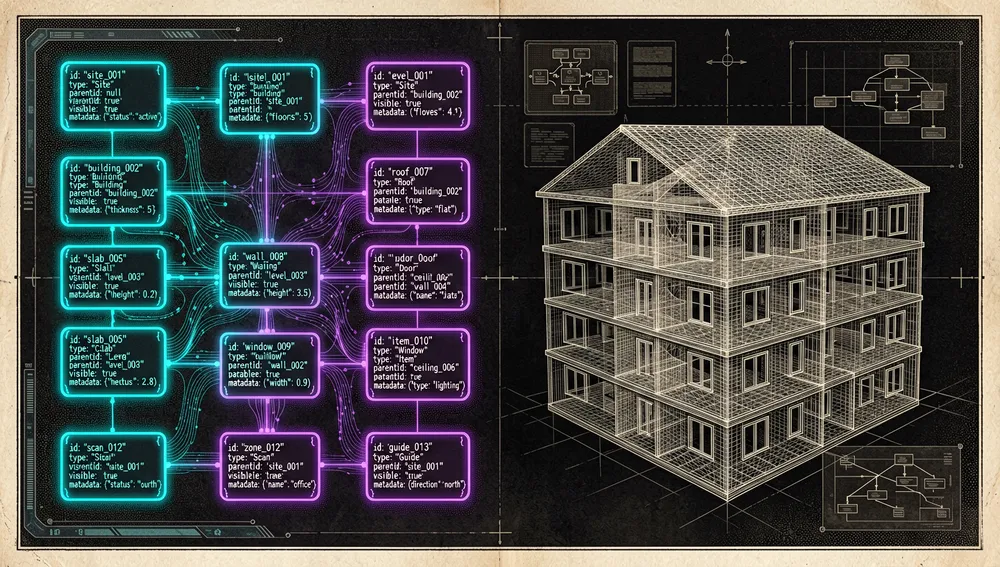
- The scene is a parametric node graph, not a mesh. Everything (walls, slabs, ceilings, doors, furniture, trees) is a node with a Zod schema; the 3D geometry is derived from the nodes at runtime. That’s why GLB export “bakes” everything into a soup of triangles, while an importer like
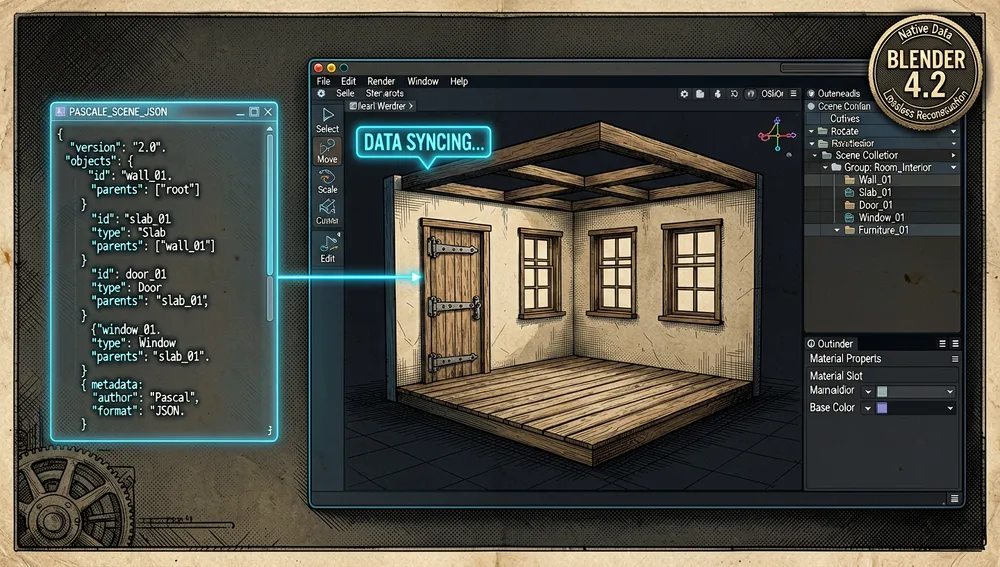
pascal-blendercan reconstruct the model from the editable JSON. - Extensible via plugins, not an internal API. Node types and sidebar panels ship as plugins through the same
Pluginmanifest the built-in ones use; there’s no separate internal API. - The editor is a host, the viewer is a component. The documented golden rule is that
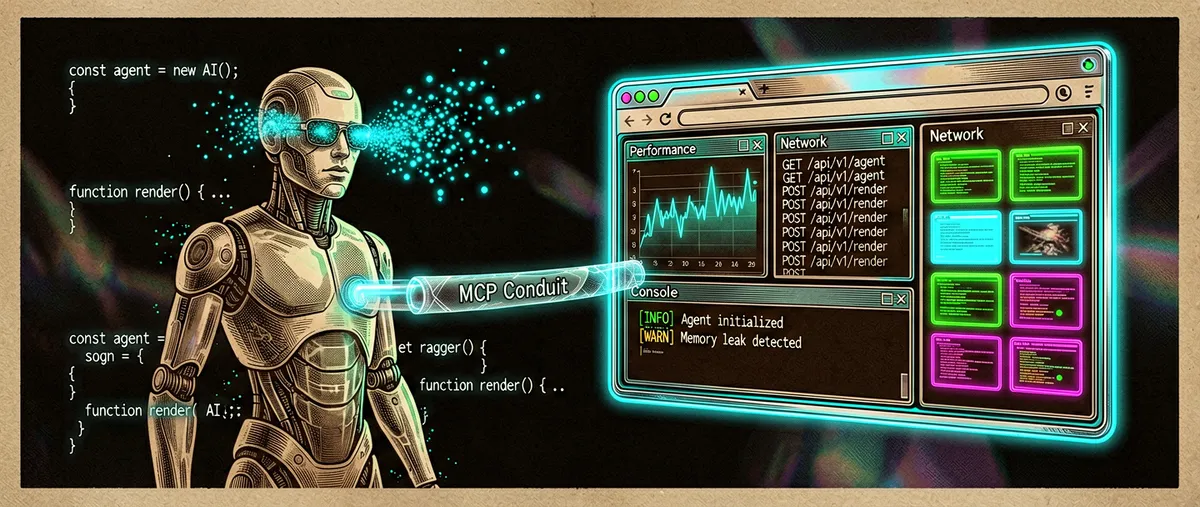
packages/viewermust never import fromapps/editor; the viewer is a standalone component that can be embedded anywhere. - AI is a first-class actor. The MCP server exposes the same scene mutations as the UI; an agent can “build a house room by room” and the user can see the result and keep editing it in the browser.
- Free and local-first. Runs in the browser with nothing to install (a cloud account or a local CLI with local SQLite); MIT.
How it works
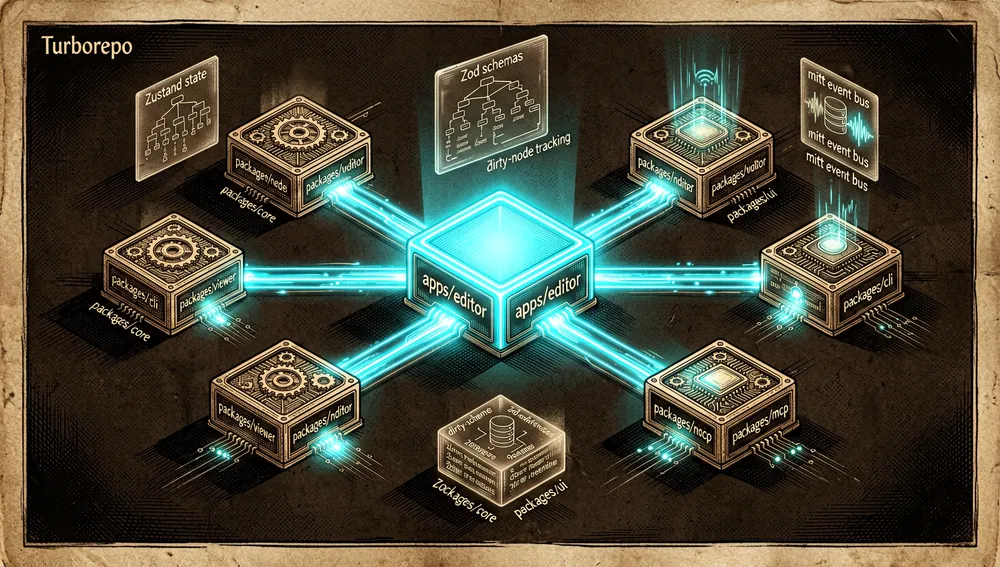
It’s a Turborepo monorepo with the reusable packages, the standalone app, and the CLI that distributes it:
editor/
├── apps/
│   └── editor/          # Next.js application
├── packages/
│   ├── core/            # schemas, scene state, and registry contracts
│   ├── viewer/          # 3D rendering runtime and shared systems
│   ├── editor/          # editing tools and UI components
│   ├── nodes/           # built-in node definitions, renderers, and systems
│   ├── cli/             # installer and process manager for the local editor
│   ├── mcp/             # MCP server and scene storage
│ └── ui/ # shared UI components| Package | Responsibility |
|---|---|
@pascal-app/core | Node schemas (Zod), scene state (Zustand), registry contracts, spatial queries, and event bus |
@pascal-app/viewer | 3D rendering via React Three Fiber, shared systems, camera/controls, and post-processing |
@pascal-app/editor | Editing tools, panels, selection, and direct-manipulation UI |
@pascal-app/nodes | Built-in registry plugin: node definitions, renderers, geometry, and systems |
@pascal-app/cli | Installs and manages a versioned standalone runtime and persistent local data |
@pascal-app/mcp | Exposes tools, resources, prompts, and local storage to MCP hosts |
Core concepts (from the README): Nodes — data primitives that describe the scene, all extending BaseNode (id, type, parentId, visible, metadata), with a Site → Building → Level → (Wall → Item, Slab, Ceiling → Item, Roof, Zone, Scan, Guide) hierarchy, stored in a flat dictionary (Record<id, Node>), not a nested tree. Scene state (Zustand useScene): nodes, rootNodeIds, dirtyNodes, and createNode/updateNode/deleteNode operations, with Persist middleware (IndexedDB) and Temporal/Zundo (undo/redo with 50-step history). Dirty nodes: when a node changes, it’s marked dirty; systems detect it every frame and only recompute geometry for those nodes. Registries (systems): WallSystem (geometry with mitering and CSG cuts for doors/windows), SlabSystem, CeilingSystem, RoofSystem, ItemSystem, LevelSystem, etc.
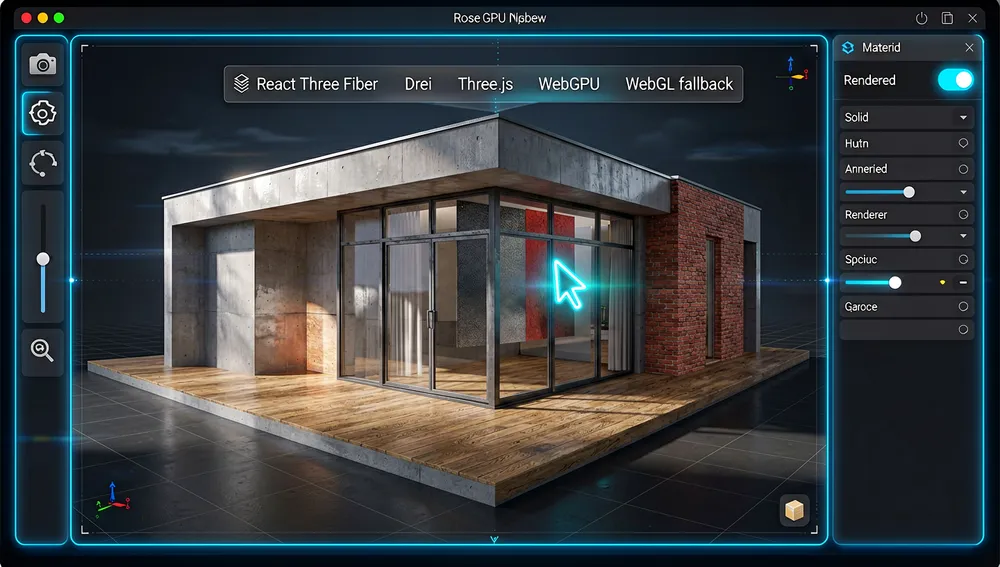
Technical stack (README): React 19, Next.js 16, Three.js (WebGPU renderer), React Three Fiber + Drei, Zustand, Zod, Zundo, three-bvh-csg (boolean geometry operations), Turborepo, and Bun.
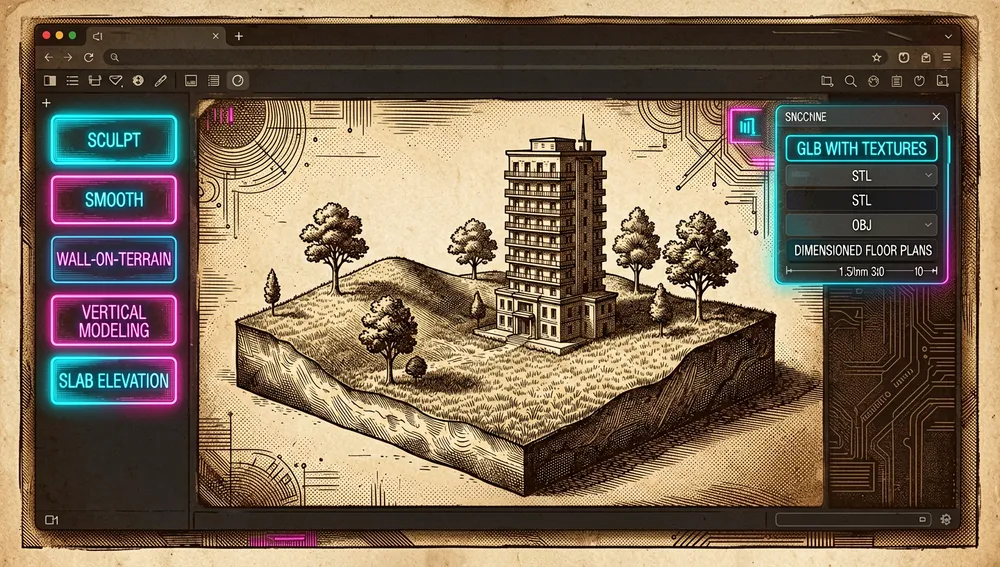
Features by release (from the releases API, all dated): v1.0.0-beta.1 (Jul 30, 2026) — beta 1.0: terrain modeling (sculpt, smooth, wall-on-terrain support), vertical modeling, public plugin/node architecture, dimensioned floor plan export, GLB with textures + STL/OBJ, safer lighting and WebGPU/WebGL. All packages publish as 1.0.0-beta.1 under npm’s beta dist-tag; latest stays on the 0.x line.
v0.9.1 (Jun 10, 2026) — preset system, room presets and template scanning, building manipulation, sound design. v0.9.0 (May 27, 2026) — node registry architecture, in-world selection handles, IFC → Pascal importer, Solid/Rendered render modes, six roof accessories, complete elevator system. v0.8.0 (May 10, 2026) — first public publish of @pascal-app/mcp on npm: 19 MCP tools, 4 resources, 3 prompts (from_brief, iterate_on_feedback, renovation_from_photos), stdio and Streamable HTTP transports, local SqliteSceneStore.

v0.7.0 / v0.6.0 (Apr 2026) — door/window expansion, columns, material painting mode, multi-surface material system, automatic room generation.
The ecosystem
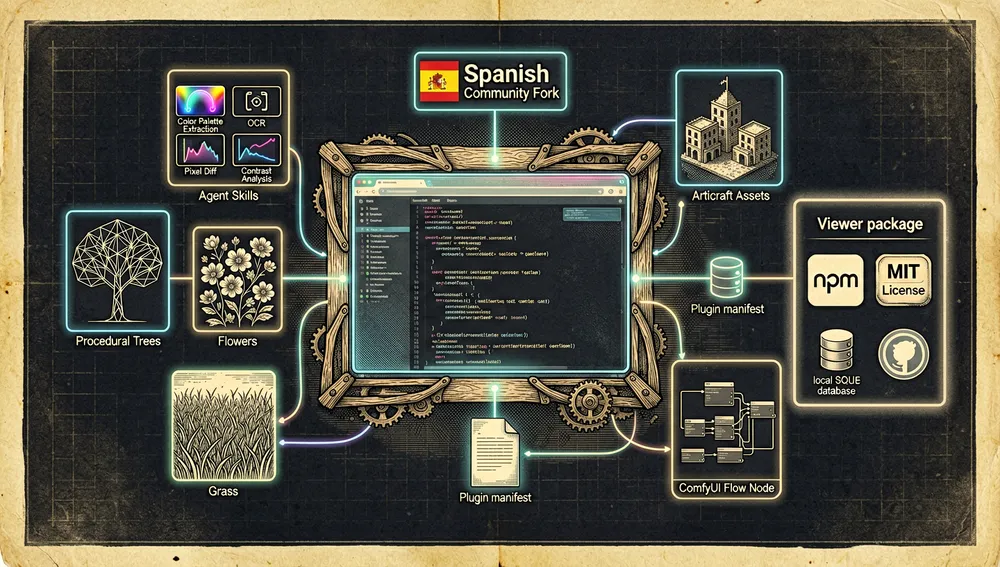
Sibling repositories from the pascalorg organization. The organization has 7 public repositories (GitHub API, Aug 22, 2026); all orbit the editor: pascalorg/editor (21,633 stars, the 3D editor, this report), pascalorg/skills (88 stars, agent skills: color palette extraction from images, OCR, pixel diff, contrast), pascalorg/lingo (15 stars, “Make forms easier, LLM tools safer” — natural-language quantities, units, dates, and ranges to canonical values), pascalorg/pascal-blender (14 stars, a Pascal scene importer for Blender), pascalorg/plugin-trees (11 stars, a first-party example plugin: procedural trees, flowers, and grass), pascalorg/plugin-bones (7 stars, a wood-framing plugin), and pascalorg/plugin-articraft (2 stars, a catalog and articulated assets).
Community importers and connectors. pascalorg/pascal-blender (14★): consumes the scene’s JSON (not the baked GLB) and reconstructs the model as native, editable Blender 4.2+ data, recovering every byte of the original file from the .blend. It installs by dragging a zip or adding the remote repository. jtydhr88/ComfyUI-PascalEditor (128★): a ComfyUI plugin that integrates the Pascal editor as a flow node. zuleikdiasb-web/pascal-editor-3d (10★): a Spanish-language fork geared toward civil construction; the Spanish translation is a community fork, not an internal translation layer of the main repository.
Forks. Forks returned by the API are mostly personal replicas with the same original description (1★ or fewer). No large-scale fork comparable to those of other projects was found; the derivative with the most activity of its own is the Spanish fork mentioned above.
No high-profile awesome-* repository listing pascalorg/editor as a featured entry was found in this run (GitHub search matches for “pascal editor” are mostly editors for the Pascal language, not this product).
Official / semi-official status
- A company-built, open-source product: developed by the commercial Pascal organization (
pascalorg, blogeditor.pascal.app, “Intelligence upgrade for every building” profile). It’s not a solo project; it has a team, an active changelog, a documentation site (Mintlify), and a Discord channel. - Public npm packages:
@pascal-app/core,@pascal-app/viewer,@pascal-app/editor,@pascal-app/nodes,@pascal-app/cli, and@pascal-app/mcpare publicly published on npm (latestandbetadist-tags). The@pascal-app/mcpMCP server had its first public publish in v0.8.0 (May 10, 2026). - Hosted MCP endpoint: besides the local package, Pascal exposes an MCP endpoint at
https://editor.pascal.app/api/mcpfor cloud accounts (with an API key). - No marketplace / no formal de facto standard: no official-marketplace acceptance (Claude/Cursor) or standard designation was verified in this run. Its “semi-official status” is that of an AI tool for architecture that integrates with existing MCP hosts (Claude Code, Codex, Cursor, OpenClaw) and relies on community MCP adoption as its integration mechanism.
Repo numbers
Measured: August 22, 2026, GitHub API.
| Metric | Value |
|---|---|
| Stars | 21,633 |
| Forks | 2,777 |
| Real subscribers | 119 |
| Commits | 1,361 |
| Open issues + PRs | 53 |
| Branches / Tags | 175 / 52 |
| Primary language | TypeScript |
| License | MIT |
| Created | October 16, 2025 |
| Last push | August 22, 2026 |
| Latest formal release | v1.0.0-beta.1, July 30, 2026 |
watchers_count mirrors the star count, so subscribers_count is reported as the real subscriber figure. The latest formal release is the v1.0.0-beta.1 beta; on npm the latest dist-tag stays on the 0.x line (e.g. @pascal-app/core 0.9.2). The beta lives under the beta dist-tag.
Top contributors by contributions: wass08 (742), Aymericr (220), sudhir9297 (181), open-pascal (51), anton-pascal (40), Snoopy147 (28). Co-founder wass08 accounts for close to half of all contributions.
npm downloads (last month, Jul 22–Aug 21, 2026): @pascal-app/core 39,567, @pascal-app/viewer 19,467, @pascal-app/editor 15,621, @pascal-app/nodes 4,260, @pascal-app/mcp 2,535, @pascal-app/cli 1,304.
Quick-start guide
Installation and first run
In the cloud (nothing to install): open editor.pascal.app, sign in (Google or email), and click Create a new project. The editor opens onto an empty canvas, and everything auto-saves to the account (there’s no save button).
Local (CLI, no repo clone) — requires Node.js 22.13+ and npm:
# one-shot launch (npm / pnpm / Bun)
npx @pascal-app/cli editor
# or
pnpm dlx @pascal-app/cli editor
bunx @pascal-app/cli editor
The first interactive run installs the CLI globally (the pascal command) once the editor comes up healthy, picks non-colliding loopback ports, starts the editor and an authenticated MCP service in the background, and opens http://pascal.localhost:<port>. Projects live in ~/.pascal/data/pascal.db (local SQLite), separate from the runtime. The CLI’s first release supports macOS; Linux and Windows aren’t yet verified.
Common workflows
- Draw a room (~5 min). With the Wall tool armed (or by pressing
B), click each corner; the tool starts in Room (auto-close) mode: clicking back on the starting corner closes the loop into a room. When walls enclose a space, Pascal automatically adds floor and ceiling.Escstops drawing;Cmd/Ctrl+Zundoes;Shifttoggles snap mode (Grid, Lines, Angles, Off). - Connect an AI agent. For Claude Code, Codex, or Cursor to edit your local projects:
pascal mcp setup codex(orpascal mcp setup claude); the stablepascal mcp connectconnector discovers the dynamic port, so the MCP config contains no port or secret. For the hosted version, create an API key under Settings → API keys and point the client tohttps://editor.pascal.app/api/mcp. - Import and export. Import an IFC floor plan (since v0.9.0) and export the scene as GLB with textures, OBJ, or STL for any 3D engine or tool; or use
pascal-blenderto open the scene JSON as a native, editable model in Blender 4.2+. - Build a new plugin.
git clone https://github.com/pascalorg/plugin-trees.git,bun install,bun run check-types; from there register new node types and a panel, using@pascal-app/{core,viewer,editor}as peer deps (no private imports).
Essential configuration
The files and settings a new user will touch first: .env (from .env.example; the only documented option is the Google Maps API key for address search, optional), ~/.pascal/data/pascal.db (the CLI’s local SQLite database, shared between editor and MCP), the client’s MCP config (e.g. .mcp.json with { "mcpServers": { "pascal": { "command": "pascal", "args": ["mcp","connect"] } } }), biome.json (lint/format, relevant only when contributing), and the snap mode (Shift toggles between Grid/Lines/Angles/Off).
Common pitfalls and fixes
bun testgives inflated counts.testis a Bun subcommand, sobun testnever reaches the package script and even walksdist/. Fix:bun run test(goes through Turborepo, which builds workspace dependencies first).live_sync_version_conflictin MCP. When making mutations from MCP on a saved scene, if the browser or another MCP process saved a newer version first, the MCP tool returnslive_sync_version_conflict. Fix: reload the scene withload_scenebefore continuing.- CLI doesn’t yet verifiably support Windows/Linux. The first release supports macOS; if startup fails on another OS, use the cloud version.
- Hosted MCP + Perplexity (issue #288, 12 comments). The
/api/mcpendpoint accepts the API key onGETbut rejects thePOST initializethat Perplexity performs (401/419), so Perplexity can’t connect even though Codex/Claude Code/Cursor/OpenClaw can. - The unit toggle only affects the display, not the input (issue #308). Changing units alters the displayed dimension but not the input.
- The viewer doesn’t import from the editor. If a contribution makes
packages/viewerimport fromapps/editor, it breaks the architecture rule and must be rejected/reverted.
Integrations and migration
- With MCP hosts (core): Claude Code, Codex CLI, Cursor, and OpenClaw connect via
pascal mcp connect(local) or the hosted endpoint. The agent can create walls, place objects, cut openings, undo, and export. - With Blender:
pascal-blenderopens the scene JSON as native editable data, with auto-updates from the remote repository. - With generic engines/3D tools: GLB export (with textures), OBJ, and STL; IFC import.
- With ComfyUI:
jtydhr88/ComfyUI-PascalEditorintegrates the editor as a node. - Embedding the viewer:
packages/vieweris a standalone React component; the documentation includes “Embed a scene” for embedding the 3D viewer in any site or app. - Migrating from elsewhere: the IFC → Pascal conversion (v0.9.0) is the documented import path for existing CAD/BIM data; exporting to other tools uses GLB/STL/OBJ. There’s no documented direct migrator from Sweet Home 3D or from AutoCAD.
Contributing
CONTRIBUTING.md documents a full process: prerequisites (Bun 1.3+ and Node.js 20.9+); setup (git clone, bun install, bun dev → the editor runs at http://localhost:3002); optionally copy .env.example to .env; code style with Biome (bun check and bun check:fix); tests (bun run test from the root, not bun test); an architecture rule (packages/viewer must never import from apps/editor); plugins by example (pascalorg/plugin-trees); PR flow (fork, local changes and testing, bun check and bun run test, open a PR with a clear description, link issues).
How the community received it
The recovered evidence shows a project with very high adoption relative to its age (21,633 stars ~10 months after creation, 2,777 forks) but low visibility in public discussion forums, with the real technical conversation concentrated on GitHub.
On Hacker News, “Pascal – open 3D home design in the browser,” submitted by Rabot (Aymeric Rabot, co-founder) on March 24, 2026, gathered 7 points and 2 comments. The only user comment is from Snoupy, who just links the repository. No Hacker News thread with verifiable broad discussion was found.
On GitHub, issue #288 (“Support Perplexity custom connectors… POST /api/mcp rejects valid API keys with 401 / clients see HTTP 419”), opened by fieldmanneasi on May 2, 2026, gathered 12 comments — the issue with the most debate around MCP; it documents the hosted endpoint’s incompatibility with Perplexity. Other adoption/UX issues with several comments: #158 “Import option for AutoCAD files” (9 comments), #154 “Map support” (7), #492 “Lag / Stuttering when dragging or moving walls” (7), #174 “Import/export options for Sweet Home 3D files” (5), #308 “unit toggle only affects the display of dimensions, not the input” (11). Visible community contribution in the changelog: for example, PR #596 by tomatotomata (deterministic mitering of collinear wall joints) and PR #597 by ShiroKSH (scene materials preserved across save/load/clone/sync).
Overall: the community consumes the project (stars, forks, npm downloads, feature issues) far more than it debates it in forums; the verifiable, concrete criticisms center on wall-manipulation performance, MCP connectivity with Perplexity, and importing existing formats (AutoCAD, Sweet Home 3D).
Pascal versus other proposals
Only real, verifiable competitors. The niche is “browser-based 3D architecture/floor-plan editor with AI support”:
| Project | Verifiable overlap | Verifiable difference |
|---|---|---|
| Sweet Home 3D | Home/3D design editor; Pascal’s community requests import/export with it (issue #174). | A long-running desktop (Java) application, not an embeddable web component; its scene isn’t exposed via MCP. |
| AutoCAD / BIM (IFC) | CAD/BIM tools Pascal imports from (IFC, since v0.9.0); the community requests DWG import (#158). | Professional paid tools aimed at full BIM; Pascal is a free parametric web editor designed for residential design and AI agents. |
| Web 3D scene components (PlayCanvas, direct three.js) | 3D scene in the browser with Three.js. | Not architecture editors with building primitives, nor do they expose an MCP server with scene mutations; Pascal adds the architecture-tooling and MCP layer. |
jtydhr88/ComfyUI-PascalEditor | Brings the Pascal editor into a ComfyUI flow (128★). | An integrator of Pascal, not an alternative editor. |
The most useful comparison isn’t by stars: Pascal stands out when you want a browser-based 3D architecture editor whose scene graph can be queried and edited by AI agents via MCP, and that can also be embedded as a React component. For full professional CAD/BIM, AutoCAD/IFC remain the reference.
Use cases and who this repository can help
- Architects, designers, and homeowners who want to design a house in the browser with nothing to install: draw walls (auto-close rooms with automatic floor and ceiling), place doors/windows, furniture, paint realistic materials, sculpt terrain, and walk through the result in 3D, with export to GLB/OBJ/STL.
- Teams using AI agents in architecture: by exposing the scene as an MCP server (19 tools + 3 prompts like
renovation_from_photosandfrom_brief), an agent can generate or iterate on a 3D project and the team reviews it and keeps editing in the browser. - Front-end / 3D platform engineers who need an embeddable 3D viewer:
packages/vieweris a standalone React component that can be embedded in any site or app. - 3D artists and production pipelines:
pascal-blenderreconstructs the scene JSON as a native, editable Blender model, and GLB export with textures feeds other engines. - Plugin / agent developers:
plugin-treesis the documented example of how to add node types and panels, andpascalorg/skills+pascalorg/lingooffer agent skills and quantity/unit parsing for LLMs.
Resources
- Repository: https://github.com/pascalorg/editor
- Official documentation: https://editor.pascal.app/docs/llms.txt
- Site / cloud editor: https://editor.pascal.app
- Connecting an AI agent (MCP): https://editor.pascal.app/docs/developers/mcp
- Org plugins: https://github.com/pascalorg/plugin-trees · https://github.com/pascalorg/pascal-blender
- Community / Discord: https://discord.gg/XRKsDcpqgS
Note: this article combines the README, CONTRIBUTING.md, CHANGELOG.md, releases, and the GitHub API of pascalorg/editor, the packages/mcp and packages/cli READMEs, the official documentation, the npm download API, contributor profiles, Hacker News search, and the GitHub repository search API, consulted on August 22, 2026. Star, fork, contribution, commit, and download figures change over time.


Comments