


Claude How To: the visual, hands-on guide to mastering Claude Code
luongnv89/claude-howto · 41,663★ · 5,110 forks
Everything worth knowing about luongnv89/claude-howto: a structured, visual guide with ten modules and copy-paste-ready templates that teaches how to combine every Claude Code mechanism — slash commands, memory, skills, subagents, MCP, hooks, plugins, and checkpoints — into real workflows.
Disambiguation: this report documents Luong NGUYEN’s
luongnv89/claude-howtorepository. It should not be confused with the generic phrase “claude how to,” with Reddit threads about “how to connect Claude Desktop to MCP servers,” or with the dozens of tutorials and lists sharing the same keywords. Only the author’s first-party repository is analyzed here.
What Claude How To is
Claude How To is an open-source teaching guide, not a tool, framework, or service. The product is a Markdown repository organized into ten tutorial modules — slash commands, memory, checkpoints, CLI, skills, hooks, MCP, subagents, advanced features, and plugins — each with explanations, Mermaid diagrams, and configuration templates ready to copy into your own project. Its tagline, taken from the README, is “Master Claude Code in a Weekend.”
Its stated goal is closing the gap between knowing a feature exists and knowing how to combine it with others. The README puts it precisely: Anthropic’s official documentation describes features, but doesn’t show how to chain them into a flow; there’s no clear learning path (MCP before hooks? skills before subagents?); and the official examples are too basic for building, say, a production code-review pipeline. The guide presents itself as the practical complement to the official docs: “start here to learn, check the docs when you need details.”
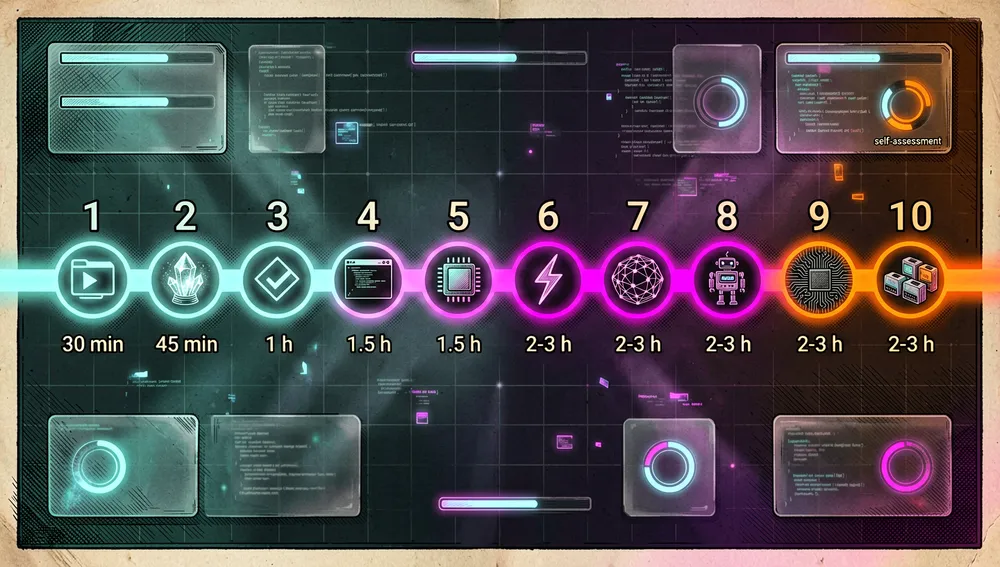
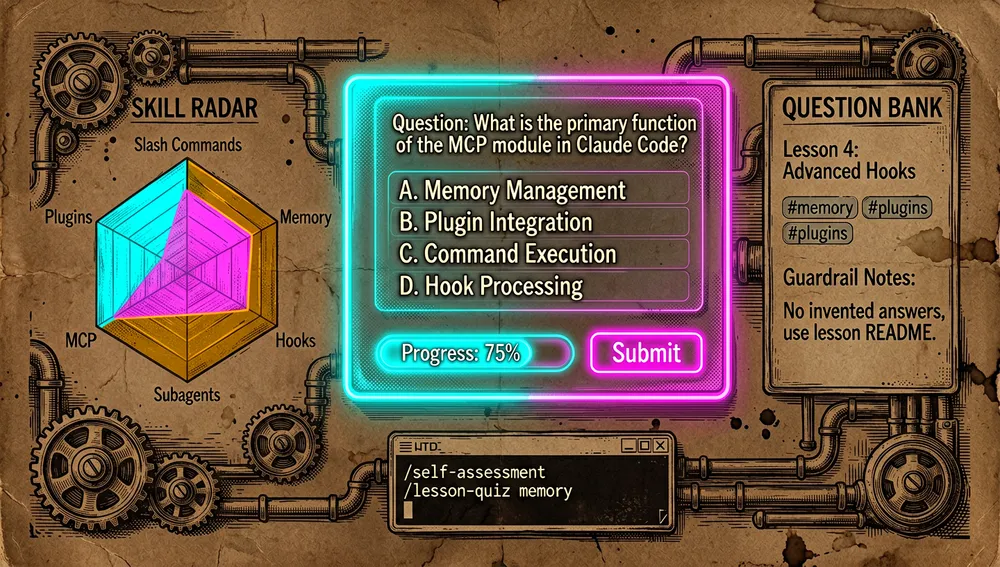
Unlike a simple resource list, the repository proposes a progressive path with time estimates (the full journey adds up to 11-13 hours) and built-in self-assessment: the repository itself includes two skills (lesson-quiz and self-assessment) that run inside Claude Code via /self-assessment or /lesson-quiz <topic> to detect knowledge gaps.
The origin
The repository was created on November 7, 2025 by Luong NGUYEN (luongnv89), a software engineer based in Paris, France, whose GitHub profile describes him as “Software Engineer / AI, Cybersecurity / Learn, Build, Share and Connect,” tied to Montimage (montimage.com), with a blog at luongnv.com and 141 public repositories. The GitHub account has existed since 2013.
The launch context is relevant: Claude Code (Anthropic’s command-line tool) had become popular, but its functional surface — slash commands, memory, hooks, subagents, MCP, plugins — was growing faster than usage guides. Claude How To was born as an answer to that gap: a single place to see, with diagrams and production examples, how all the pieces fit together. Its first verifiable appearance in public conversation is a Hacker News submission from December 25, 2025.
Maintenance is a defining trait of the project: the README states the guide is synchronized with every Claude Code release (the project’s official site cites “latest: v2.1.235, August 2026”), and the issue history confirms it: there’s a series of maintenance PRs titled “[DOCS] Sync tutorial to Claude Code v2.1.1xx” opened by luongnv89 himself in August 2026.
Philosophy and principles
The README lays out an explicit teaching philosophy, summarized in the “Official Docs vs This Guide” comparison table:
- Visual and example-driven: Mermaid diagrams showing how each feature works “under the hood,” so you understand the why, not just the how.
- Production templates, not hello world: every example must be “copy-paste ready” and immediately useful (slash commands,
CLAUDE.mdtemplates, hook scripts, MCP configs, subagent definitions, plugin bundles). - A progressive path with assessment: ten modules that build on each other, with self-assessment to personalize the journey and check understanding after each module.
- Combining features as the unit of value: the README insists that “the real power is in combining features” — chaining slash commands + memory + subagents + hooks into automated pipelines for code review, deployment, and documentation generation.
- Free and permanent: MIT license, “free forever.”
How it works
The repository’s structure has ten numbered folders, one per module, plus supporting files (CATALOG.md as a reference catalog, LEARNING-ROADMAP.md as a route map, resources.md, QUICK_REFERENCE.md, and claude_concepts_guide.md).
| Order | Module | Level | Time |
|---|---|---|---|
| 1 | 01-slash-commands | Beginner | 30 min |
| 2 | 02-memory | Beginner+ | 45 min |
| 3 | 08-checkpoints | Intermediate | 45 min |
| 4 | 10-cli | Beginner+ | 30 min |
| 5 | 03-skills | Intermediate | 1 h |
| 6 | 06-hooks | Intermediate | 1 h |
| 7 | 05-mcp | Intermediate+ | 1 h |
| 8 | 04-subagents | Intermediate+ | 1.5 h |
| 9 | 09-advanced-features | Advanced | 2-3 h |
| 10 | 07-plugins | Advanced | 2 h |
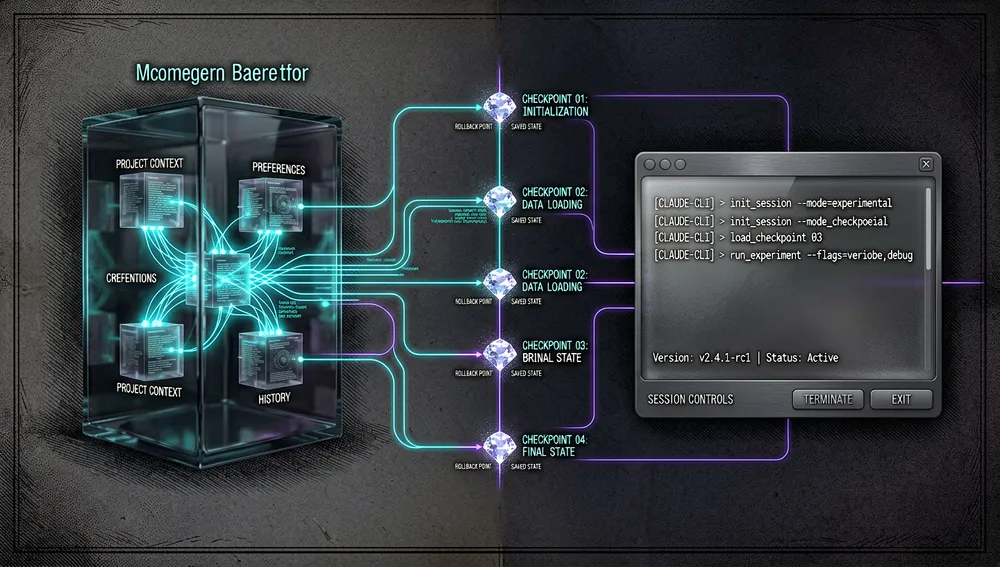
Memory, checkpoints, and CLI form the foundational trio: memory persists project context across sessions, checkpoints mark safe rollback points, and the CLI lets you operate Claude Code in headless mode for automation.
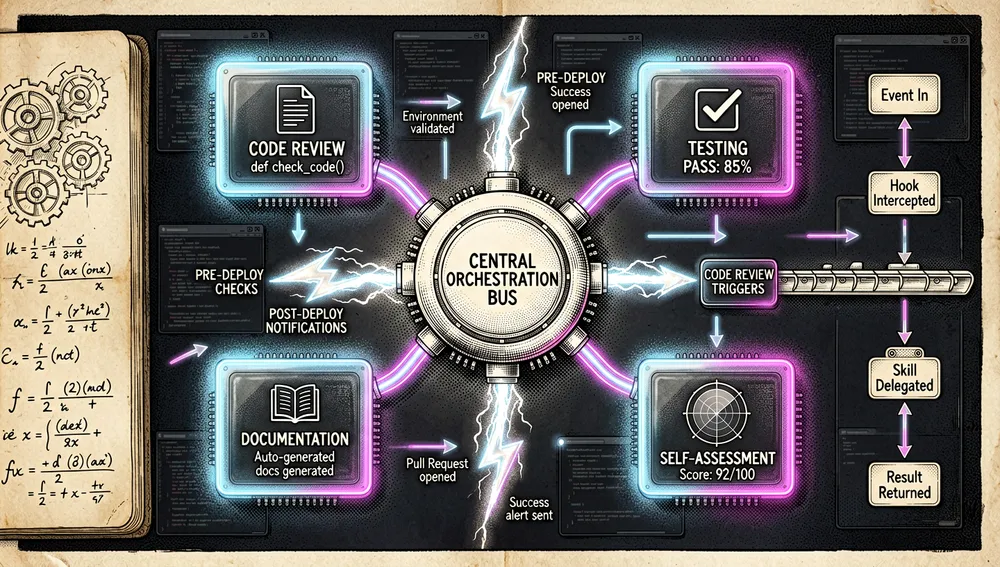
Skills and hooks are the pair that turns reusable features into event-triggered automation: a skill encapsulates a capability (code review, documentation generation), and a hook fires it at a point in the lifecycle (pre-commit, post-deploy).
The intended four-step usage flow: (1) do the self-assessment (/self-assessment) or pick a level (beginner/intermediate/advanced with a suggested starting point); (2) follow the guided path, copying templates into the project; (3) combine features into workflows; (4) run /lesson-quiz <topic> after finishing each module.
Flow examples documented in the README:
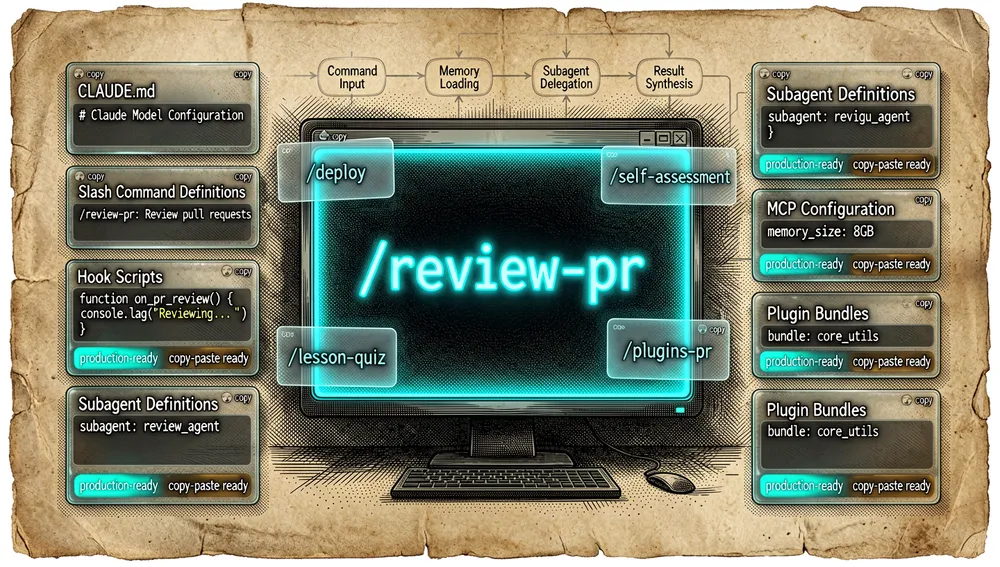
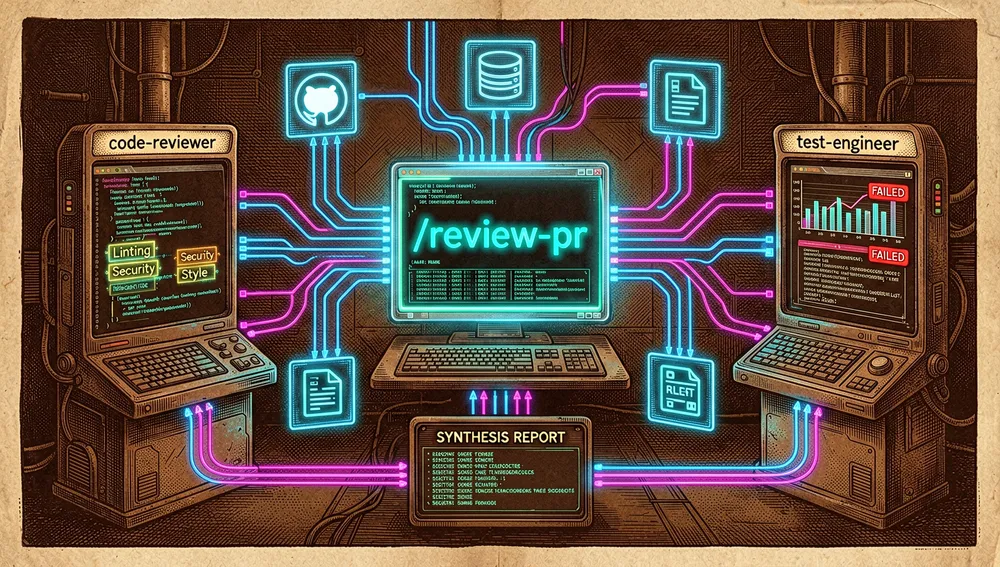
- Automated code review (slash commands + subagents + memory + MCP): the user types
/review-pr; Claude loads project memory, fetches the PR via GitHub MCP, delegates to acode-reviewersubagent and atest-engineersubagent, and synthesizes the findings.
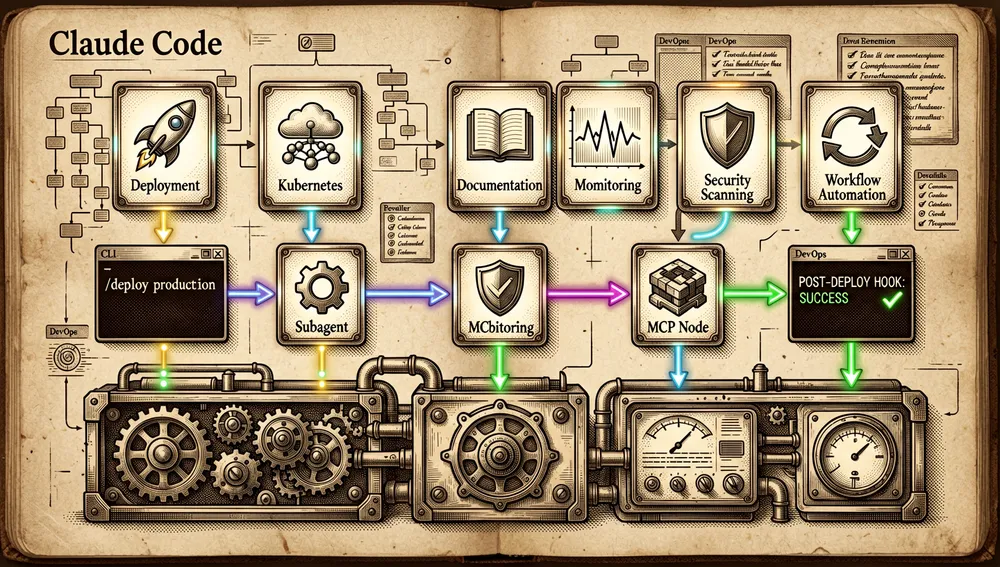
- DevOps deployment (plugins + MCP + hooks):
/deploy productionruns a pre-deploy hook, delegates to a deployment subagent, operates Kubernetes via MCP, and closes with a post-deploy hook.
Two skills live inside the repository itself, in .claude/skills/: lesson-quiz (v1.1.0, author Luong NGUYEN) — an interactive quiz of 8-10 questions per lesson (01-10), with a question bank in references/question-bank.md. Its declared guardrails: “never invent questions or answers”; if the lesson README or bank is missing, it flags that instead of fabricating content. self-assessment: an initial evaluation to personalize the learning path.
Official and semi-official status
Claude How To is an independent community project with no formal relationship to Anthropic. None of the official-acceptance signals other projects have are present:
- It’s not in Claude Code’s official plugin marketplace (it doesn’t install via
/plugin), and no source consulted in this run shows Anthropic backing. - It does have a presence in curated reference lists: the
hesreallyhim/awesome-claude-codelist (52,819 stars) explicitly includes it as “a chapter-structured guide to getting started with Claude Code, with self-assessment and a ten-module progressive learning path.” That inclusion in one of the most-cited lists in the Claude Code ecosystem gives it de facto status as a starting point for many new users, without there being any formal standard designation. - Its official site (
luongnv.com/claude-howto/) is a web mirror of the repository titled “Master Claude Code in a Weekend,” maintained by the author himself.
In practice: it functions as a de facto community reference for Claude Code onboarding, but readers should treat it as third-party material that syncs with the official tool’s versions.
The ecosystem
Sibling repositories from the same author: luongnv89/skills — “Power up your agents/bots with reusable skills”; one-command install, compatible with Claude Code, Cursor, Windsurf, GitHub Copilot, OpenAI Codex, OpenCode, and Google Antigravity; 117 stars. luongnv89/asm — “the universal skill manager for AI coding agents” (a TUI/CLI, agent-skill-manager); 891 stars. luongnv89/context-stats — “understand how you use Claude Code and spend less doing it”; 115 stars. luongnv89/music-cli — a command-line music player for developers; 81 stars. luongnv89/ccl — switch models while keeping configuration; 38 stars.
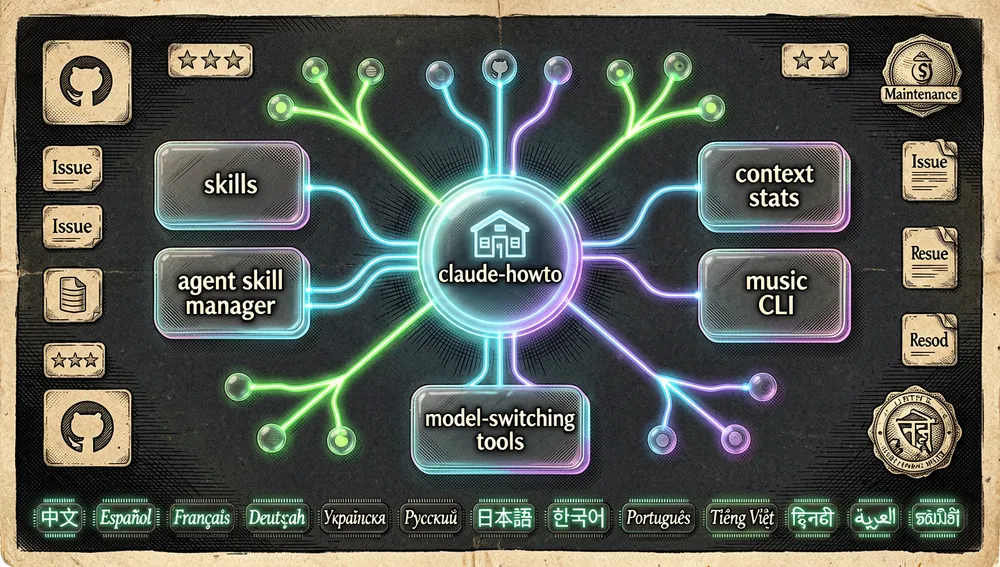
Skills embedded in the repository: claude-howto itself contains, in .claude/skills/, the lesson-quiz and self-assessment skills, which turn the repository into a self-assessed course: it’s not just read, it’s tested inside Claude Code.
Forks, translations, and derivatives: the highest-starred forks returned by the API are, in practice, personal learning replicas: Shubhamsaboo/claude-howto (19 stars), akolaarthurali/claude-howto-Master-Claude-Code-in-a-Weekend (11 stars), Pgooone/claude-howto (7 stars). No large-scale fork or parallel translation community comparable to those of other repos was found. Official translations live inside the same repository (translations/), not as separate repos. The README lists modules translated into Chinese, Spanish, French, German, Ukrainian, Russian, Japanese, Korean, Portuguese, Vietnamese, Hindi, Arabic, and Tamil.
Curated lists and competing guides in the same niche: hesreallyhim/awesome-claude-code (52,819 stars, a hand-curated resource list), ComposioHQ/awesome-claude-skills (73,024 stars) and VoltAgent/awesome-agent-skills (30,918 stars) — skill lists, the ecosystem the guide’s modules 03/07 teach you to use. wesammustafa/Claude-Code-Everything-You-Need-to-Know (2,679 stars, a direct format competitor). peterkrueck/Claude-Code-Development-Kit (1,380 stars). xianyu110/awesome-claudcode-tutorial (594 stars, “the most complete Claude Code tutorial in Chinese”).
Repo numbers
Measured: August 22, 2026, GitHub API.
| Metric | Value |
|---|---|
| Stars | 41,155 |
| Forks | 5,029 |
| Real subscribers | 185 |
| Commits | 244 |
| Open issues + PRs | 29 |
| Primary language | Python (support scripts) |
| License | MIT |
| Created | November 7, 2025 |
| Last push | August 19, 2026 |
| Latest formal release | v2.1.160, June 2, 2026 |
watchers_count mirrors the star count, so subscribers_count is reported as the real subscriber figure. The tagging scheme is unusual: releases are named after the Claude Code version the guide syncs to, mixed with the project’s own tags. The README and the site cite different versions from each other (README: “v2.1.220, July 2026”; site: “v2.1.235, August 2026”), reflecting continuous text maintenance.
Top contributors by contributions: luongnv89 (189), edocltd (20), toanalien (4), lzw-git-all (4), wjhrdy (3), xiaolai (3). The author accounts for roughly 75% of contributions; recurring collaborators work mostly on translations and the quiz question bank.
Quick-start guide
Installation and first run
Prerequisite: having Claude Code installed. Note from the README: as of v2.1.113, Claude Code ships as a per-platform native binary; npm install -g @anthropic-ai/claude-code still works. As of v2.1.116, downloads come from https://downloads.claude.ai/claude-code-releases, so corporate proxies must allow that domain.
The guide’s “start” is copying templates into your own project (15 minutes, per the README):
# 1. Clone the guide
git clone https://github.com/luongnv89/claude-howto.git
cd claude-howto

# 2. Copy the first slash command to your project
mkdir -p /path/to/your-project/.claude/commands
cp 01-slash-commands/optimize.md /path/to/your-project/.claude/commands/

# 3. Test it: in Claude Code, type
# /optimize

# 4. Set project memory
cp 02-memory/project-CLAUDE.md /path/to/your-project/CLAUDE.md

# 5. Install a skill
cp -r 03-skills/code-review-specialist ~/.claude/skills/
The README also offers a 1-hour essential setup and leaves the rest (hooks, subagents, MCP, plugins) as the “weekend” goal, following LEARNING-ROADMAP.md. For offline reading, the README documents uv run scripts/build_epub.py to generate an EPUB with all the content.
Common workflows
- Self-assessment and personalized path. Type
/self-assessmentinside Claude Code; the result is a personalized map based on what you already know. - First slash command. Copy
01-slash-commands/optimize.mdto.claude/commands/and type/optimize. - Team memory. Copy
02-memory/project-CLAUDE.mdasCLAUDE.mdin the project root; it loads automatically in every session. - Lesson quiz. Type
/lesson-quiz hooks(or another lesson); the skill uses only thereferences/question-bank.mdbank, corrects question by question, and flags weak points. - CLI module with no installation. Lesson
10-cli/documents headless modeclaude -p "review this code", JSON output, and session resumption.
Essential configuration
The files and settings a new user will touch first: CLAUDE.md (project root, persistent memory), .claude/commands/ (project slash commands), ~/.claude/skills/ (personal skills), .mcp.json (MCP server configuration), and ~/.claude/settings.json (advanced configuration, permission modes).
Common pitfalls and fixes
- Corporate proxy blocking Claude Code. As of v2.1.116, native binary downloads come from
downloads.claude.ai/claude-code-releases; if first use fails on a corporate network, allow that domain in the proxy. - EPUB build fails without Mermaid CLI. The EPUB build requires
mmdc; fix: installnpm install -g @mermaid-js/mermaid-clibeforeuv run scripts/build_epub.py. - Desync between lessons, quizzes, and translations. Since the guide syncs with every Claude Code release, there’s a constant queue of consistency PRs. If a contradiction is found, the project’s usual fix is opening a sync PR.
- Chinese translation less detailed than English. Each translation is treated as content to be continuously synced.
- Don’t use the guide as a version reference. For the exact supported version, check recent sync PRs, not the static text.
Integrations and migration
- With Claude Code (core): the whole guide is Claude Code configuration; the modules produce artifacts Claude Code consumes natively.
- With CI/CD: lesson 10 documents headless mode (
claude -p) and JSON mode for embedding Claude Code in pipelines. - With the author’s skill ecosystem: the skills lesson 03 teaches you to create can be managed with
luongnv89/skillsorluongnv89/asm. - With Claude Code in other languages: internal translations let you follow the path in thirteen languages without leaving the repository.
- Migrating between official docs and this guide: Anthropic’s official documentation is a feature reference; this guide is the tutorial with templates. There’s no formal migration mechanism because both are reading material, not software.
Contributing
CONTRIBUTING.md documents a full process: accepted contribution types (new examples, documentation improvements, guides for new Claude Code features, issue reports, suggestions); fork and descriptive branch; development environment (pip install uv, uv venv, npm install -g markdownlint-cli and @mermaid-js/mermaid-cli, pre-commit install); testing (unit tests with pytest, coverage, security with bandit, EPUB build verification); pull request with a clear description.
How the community received it
The recovered evidence shows a project with very high adoption relative to its age (41,155 stars ~9 months after creation) but low visibility in discussion forums, with one concrete and verifiable community criticism.
On Hacker News, the “Claude-How To” submission by handfuloflight (December 25, 2025) gathered 3 points and 0 comments; “Complete Guide to Claude Concepts” by rob (February 3, 2026) gathered 1 point and 0 comments. No Hacker News thread with verifiable broad discussion was found.
The real technical conversation lives on GitHub. Issue #103, opened by xiaoweizano on April 28, 2026 (4 comments), asks in Chinese why the English documentation is more detailed than the Chinese one; it’s the most concrete verified community objection in this run. jeffreyyjp (PR #106) caught that the memory quiz’s Q2 answer contradicted the README because the # prefix had been discontinued; HuberttFox has opened several consistency PRs between quizzes, README, and the Chinese translation, an active community peer-review pattern in July-August 2026. Additionally, hesreallyhim/awesome-claude-code lists it with a positive description, which functions as a recommendation signal among ecosystem users.
Overall: the community consumes the guide (stars, forks, sync and correction PRs) more than it debates it; the verifiable, recurring criticism centers on coherence between Claude Code versions, lessons, quizzes, and translations — a risk inherent to a manual chasing a moving target.
Claude How To versus other proposals
| Proposal | Verifiable overlap | Verifiable difference |
|---|---|---|
| Anthropic’s official documentation (Claude Code) | Covers the same features (slash commands, memory, hooks, MCP, subagents, plugins). | It’s a feature reference; claude-howto’s README explicitly describes it as complementary, not a replacement: no learning paths, no production templates, no self-assessment. |
wesammustafa/Claude-Code-Everything-You-Need-to-Know (2,679 ⭐) | A practical Claude Code guide with “clear mental models and copyable examples.” | Independent project from the author; claude-howto additionally offers Mermaid diagrams, self-assessment runnable inside Claude Code, and declared sync with every release. |
peterkrueck/Claude-Code-Development-Kit (1,380 ⭐) | Claude Code workflow for beginners and intermediates, with tutorial and installer. | Aimed at a specific development flow (with installer), not a ten-module journey with a per-lesson quiz. |
hesreallyhim/awesome-claude-code (52,819 ⭐) | Very popular Claude Code resource. | A curated resource list (which includes claude-howto), not a guide with templates or a learning path. |
The most useful comparison isn’t by stars: claude-howto stands out when you want a single guide with copyable templates, diagrams, and self-assessment covering all of Claude Code’s features in one repository.
Use cases and who this repository can help
- Developers who just installed Claude Code can follow the 15-minute path for immediate value, then the full 11-13 hour path to cover slash commands, memory, skills, hooks, MCP, subagents, and plugins without getting lost among features.
- Teams standardizing their Claude Code usage can start from the
CLAUDE.mdtemplates, lesson 05’s.mcp.jsonconfigurations, and lesson 06’s hooks to set team standards and repeatable automations. - CI/CD engineers can use lesson 10’s reference (headless mode, JSON output, session resumption) to integrate Claude Code into pipelines.
- Trainers and technical content creators find in the format a replicable structure for their own courses; the MIT license explicitly allows it.
- Claude Code users in other languages can follow the internally translated guide without depending on third parties.
Resources
- Repository: https://github.com/luongnv89/claude-howto
- Official site: https://luongnv.com/claude-howto/
- Learning roadmap: https://github.com/luongnv89/claude-howto/blob/main/LEARNING-ROADMAP.md
- Feature catalog: https://github.com/luongnv89/claude-howto/blob/main/CATALOG.md
- Author’s skills: https://github.com/luongnv89/skills · https://github.com/luongnv89/asm
- List that includes it: https://github.com/hesreallyhim/awesome-claude-code
Note: this article combines the README, CONTRIBUTING.md, releases, and the GitHub API of luongnv89/claude-howto, the GitHub profile and repositories of author Luong NGUYEN, Hacker News search, and the GitHub repository search API, consulted on August 22, 2026. Star, fork, contribution, and commit figures change over time.


Comments