


HQarroum/docker-android: the Android emulator as a Docker service
HQarroum/docker-android · 7,285★ · 562 forks
A minimalist, customizable image that runs the official Android emulator inside a container, controllable over the network via ADB, built for test farms in continuous-integration environments. As of September 4, 2026 it carries 7,260 stars.
What docker-android is
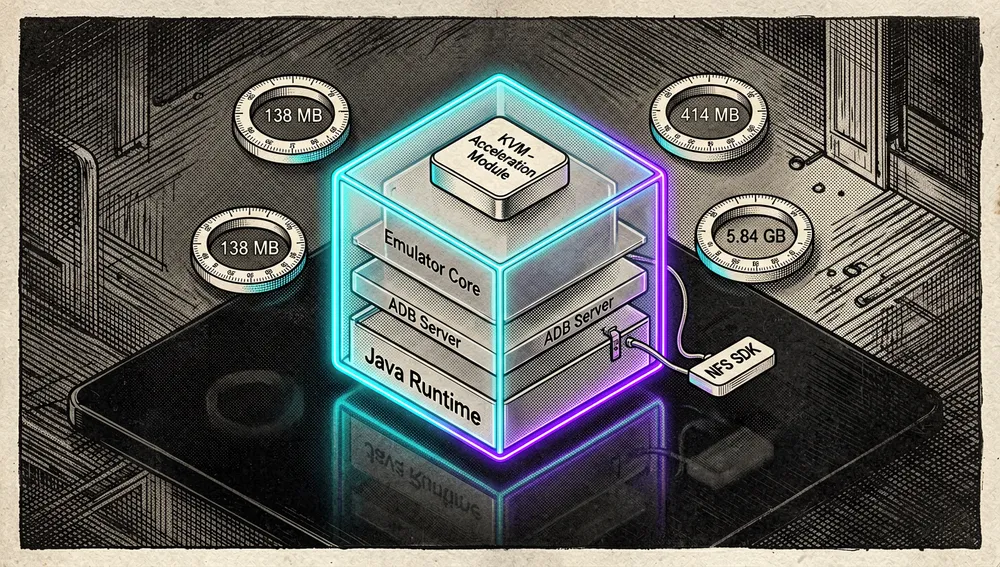
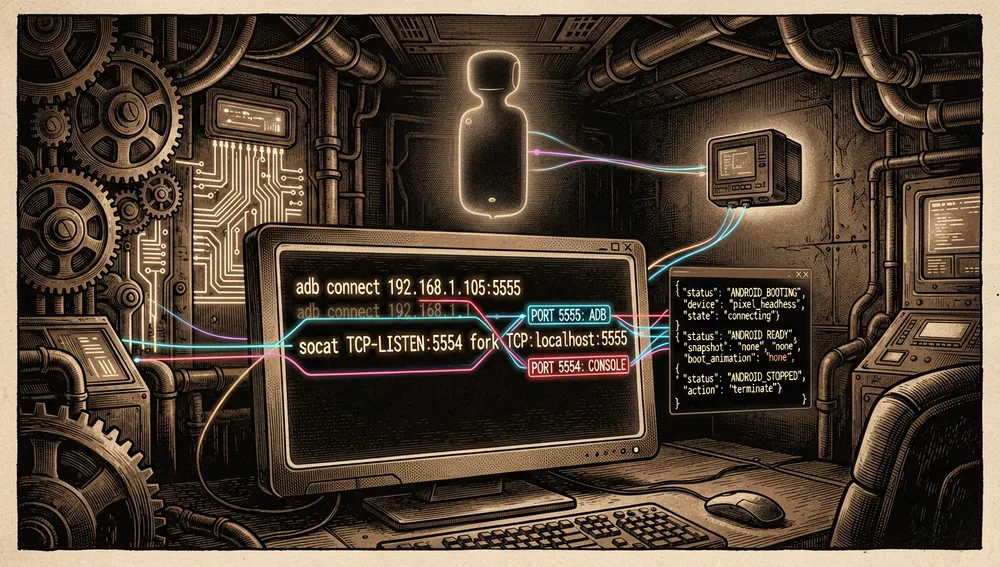
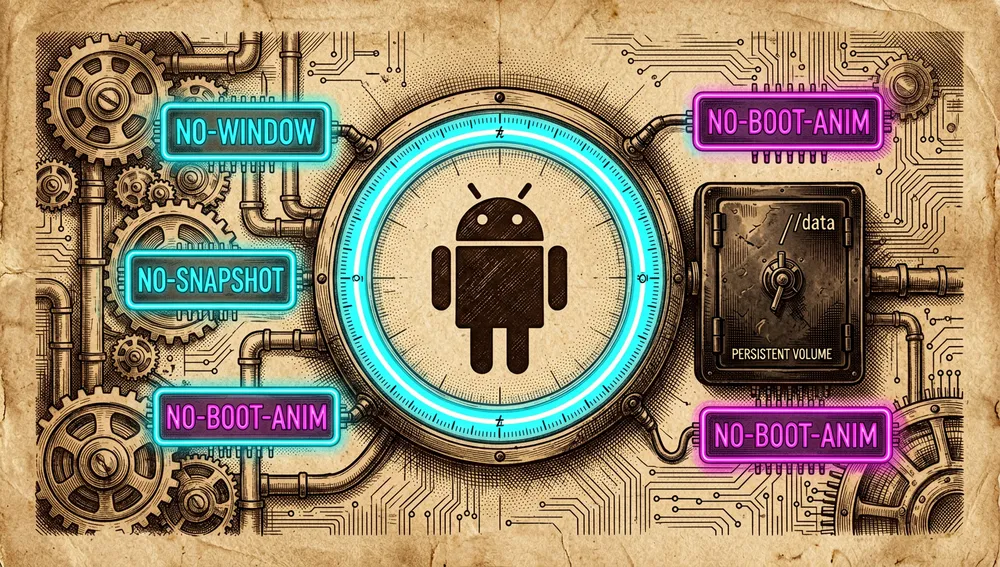
docker-android, by Halim Qarroum (HQarroum), is a Docker image that turns the official Android emulator into a network service. It isn’t a new emulator or a QEMU reimplementation: it packages Google’s emulator (Ranchu) with its SDK, an ADB server, and KVM acceleration support into a minimal image that boots with no window, no audio, and no snapshots, exposing the emulator over ports 5555 (ADB) and 5554 (emulator console, forwarded via socat).
The README’s stated goal is size optimization: the image contains only what’s needed to expose a fully functional, remotely controllable emulator. The README documents build variants without the SDK or emulator (414 MB uncompressed) up to the full API 33 configuration with the emulator (5.84 GB uncompressed, 1.97 GB compressed). The emulator runs headless, is compatible with scrcpy for remote screen control, and, per the README itself, the emulator’s images are wiped on every restart — behavior meant for CI farms where every run starts from a clean state.
Worth disambiguating from the start: the name matches budtmo/docker-android (2016, 15,810 stars), an earlier and more popular project offering a WebRTC/noVNC interface, video recording, and an MCP server. These are two independent, unrelated projects; this report covers exclusively HQarroum/docker-android, which the README itself cites in its “See also” section.
Origin
The repository was created on February 8, 2023 by Halim Qarroum, whose GitHub profile states he leads prototyping and cloud engineering at AWS (“Leading Prototyping and Cloud Engineering @aws”) and whose personal blog (halim.qarroum.com, a Medium profile) publishes on AWS IoT, SSM, and infrastructure, with no launch announcement specific to this project that could be retrieved in this research.
The timeline places the launch in the middle of the container-emulator ecosystem’s maturation: budtmo/docker-android (2016), thyrlian/AndroidSDK (2016), alvr/alpine-android (2017), and Google’s official android-emulator-container-scripts (2019) already existed. Qarroum’s bet was to differentiate through minimalism, build-time customization, and precompiled image distribution, rather than a visual interface.
The repository’s activity shows sustained but irregular maintenance: the latest code push is from May 7, 2026 and fixed precisely the community’s most-cited problems — the SDK install script failure (issue #10, via pull request #31 from italks) and the error message when KVM isn’t available. No launch threads on Hacker News or Twitter/X attributed to the author were found; its growth rests on GitHub, Docker Hub, and third-party video coverage.
Philosophy and principles
The README and the code verify four principles:
- Minimalism and size: the image only includes the emulator, the ADB server, and QEMU with libvirt/KVM support. The
INSTALL_ANDROID_SDK=0argument lets you mount the SDK from a shared filesystem (e.g., NFS) and shrink the image to 138 MB compressed. - Emulator as a service: the value is remote access. ADB listens on all of the container’s interfaces,
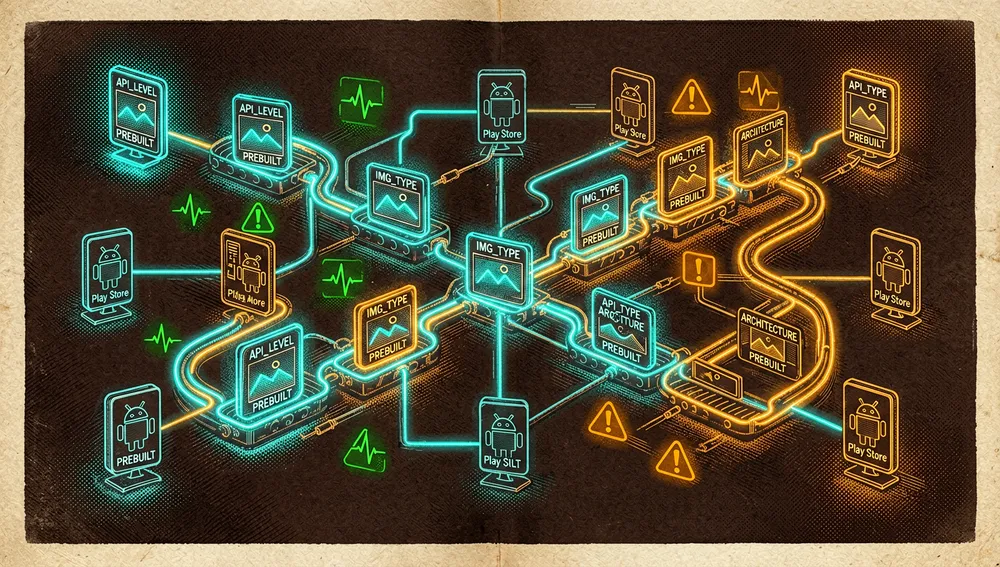
socatforwards ports 5554 and 5555 from the container’s network interface to localhost, and state is communicated at startup via JSON lines (ANDROID_BOOTING,ANDROID_READY,ANDROID_STOPPED). - Build-time customization: API level, image type (Google APIs or Play Store), architecture, and command-line tools version are set with build arguments, explicitly meant to “integrate several images as part of a CI pipeline where an application needs to be tested against different Android versions.”
- Reproducibility and clean state: precompiled images tagged by variant on Docker Hub, and emulator data wiped on every restart unless a persistent volume is mounted at
/data.
How it works
The current image is based on eclipse-temurin:25 (the GPU variant on nvidia/cuda:12.3.1-base-ubuntu22.04 with openjdk-18-jre-headless). Note: the README claims the image is “Alpine-based” and includes “Java Runtime Environment 11”; that description doesn’t match the current Dockerfile, which switched to Temurin JDK 25 in the May 6, 2026 commit (“move from openjdk to eclipse-temurin image”). The README is out of date on this point.
The boot flow documented in scripts/start-emulator.sh:
- Starts the ADB server on port 5037, listening on all interfaces (
adb -a -P 5037 server nodaemon). - Detects the
eth0interface’s IP and spins up twosocatprocesses that forward ports 5554 (console) and 5555 (ADB) from the container’s IP to localhost. - Creates the
androidAVD withavdmanagerif it doesn’t exist, using thesystem-images;android-<API_LEVEL>;<IMG_TYPE>;<ARCHITECTURE>package and thepixeldevice (1080x1920 preset). - If
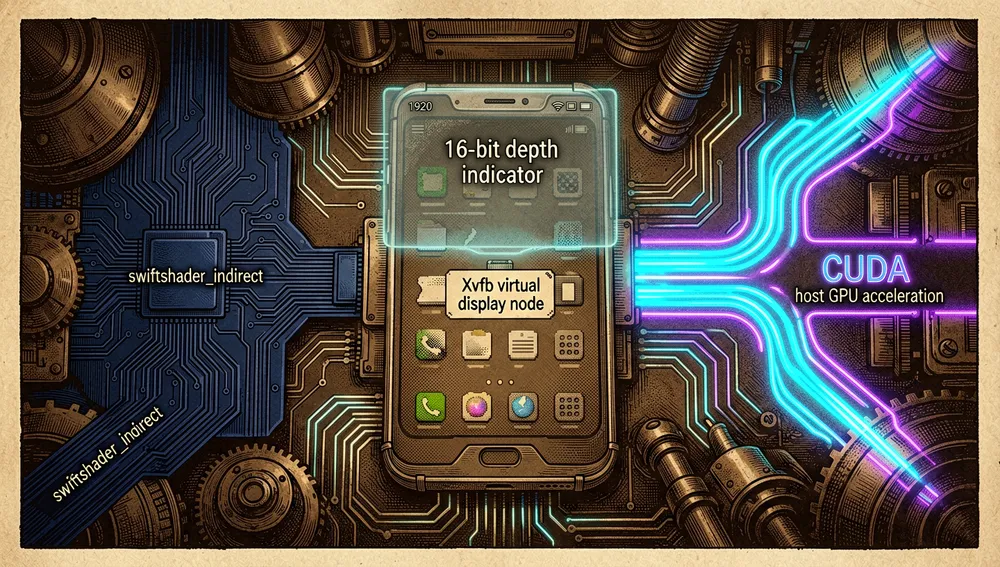
GPU_ACCELERATED=true, spins upXvfbon:0.0(1920x1080x16) and setsGPU_MODE=host; otherwise it usesswiftshader_indirect(software rendering). - Launches the emulator with
-no-window -no-snapshot -no-boot-anim -ranchuand, optionally,-skip-adb-auth; memory, cores, and extra flags are taken from theMEMORY,CORES, andEXTRA_FLAGSvariables. - In parallel,
emulator-monitoring.shwaits forsys.boot_completedto equal 1 (with a 300-second cap), optionally applies the unlock of animations and the hidden API policy, and emits theANDROID_READYstate.
The AVD directory is /data (ANDROID_AVD_HOME), so mounting a volume there preserves data across restarts, a behavior the README documents in the “Save data/storage after restart (wipe)” section.
Official and semi-official status
docker-android is a personal project published under the MIT license; there’s no vendor certification or acceptance into an official marketplace, and it shouldn’t be confused with google/android-emulator-container-scripts (2,077 stars), which is Google’s own script set for running the emulator in a container.
Its semi-official status rests on three verifiable pillars: the official distribution of precompiled images on Docker Hub (halimqarroum/docker-android, tagged by API level and variant) and public CI (GitHub Actions with the docker-image.yml and docker-feature.yml workflows, plus static analysis from DeepSource). In practice it functions as one of the de facto references for the “Android emulator in Docker” niche for headless automation, though the same-named project with more adoption (budtmo/docker-android) surpasses it in stars and interface features.
The ecosystem
Repositories by the author
The HQarroum profile (385 GitHub followers at the time of checking) shows a catalog where docker-android is the most starred project:
HQarroum/awesome-iot: a curated list of Internet of Things projects and resources; 4,496 stars.HQarroum/microbox: lightweight, ephemeral sandboxes for Linux; 47 stars (also published as a Show HN with 3 points in 2025).HQarroum/android-mdns: Apple’s mDNS protocol on Android; 46 stars.HQarroum/timed-cache: a time-based caching system; 45 stars.HQarroum/ultimate-aws-workspace: a low-latency cloud desktop on AWS EC2; 27 stars.HQarroum/writing-typescript: a TypeScript code guide packaged as an agent skill; 1 star.
Complements and related projects
Genymobile/scrcpy(148,844 stars): the natural complement documented in the README for remotely viewing and controlling the emulator’s screen once ADB is connected.budtmo/docker-android(15,810 stars): the earlier same-named project; noVNC, video recording, and an MCP server. Repeatedly mentioned in the community (see below) and cited in this repository’s “See also.”alvr/alpine-android(460 stars): a minimal image for building and testing Android applications, also cited in “See also.”Shmayro/dockerify-android(625 stars, created October 2024): an emulator in Docker with support for x86 and arm64, Magisk, and Web access to scrcpy; itsdocker-androidtag places it in the same niche, and it covers exactly this repository’s ARM architecture gap.hoangnd24/docker-android-emulator-cluster(121 stars, 2026): a cluster of Android containers with noVNC and video recording; a recent related project in the same niche.agoda-com/docker-emulator-android(257) andagoda-com/android-farm(176): Agoda’s device-farm infrastructure, references of enterprise adoption of the pattern.
Regarding forks and community extensions of this repository, the visible activity at the time of checking is the open pull request #32 (“Add noVNC browser access and update documentation”) and feature requests in issues (WebRTC #13, Magisk support #11, Android TV #27, combination with Appium #16), with no forks notable by stars that could be individually verified in this research.
Quick-start guide
Installation and first boot
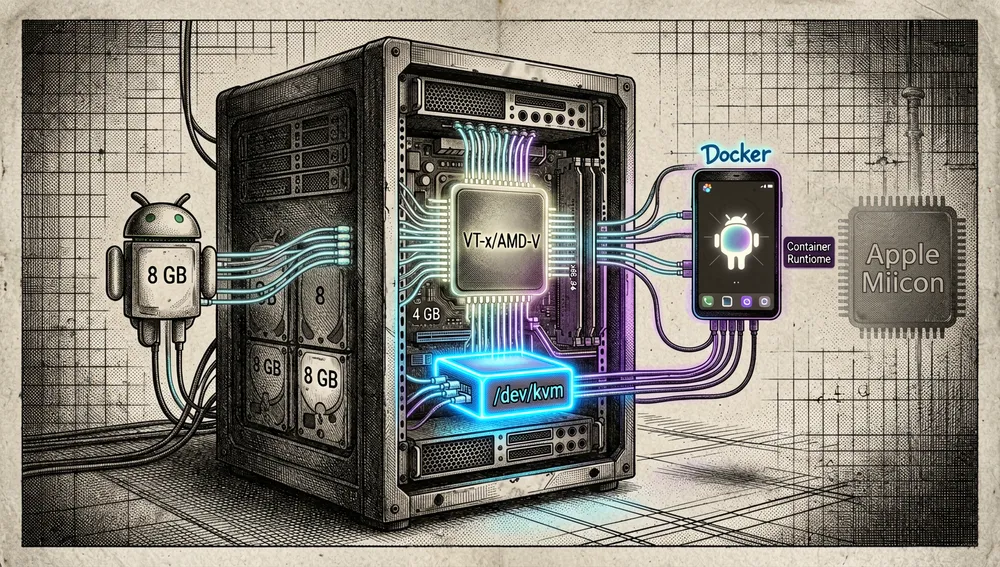
Prerequisites: a Linux host with the KVM device available (/dev/kvm, VT-x/AMD-V virtualization enabled in the BIOS, and the kernel module loaded), Docker installed, and, per the README, 4 GB of memory and at least 8 GB of disk for the API 33 variant. There’s no Apple Silicon support: the README warns that only x86_64 and x86 are “actively supported.”
Option A, with the precompiled Docker Hub image:
docker pull halimqarroum/docker-android:api-33
docker run -it --rm --device /dev/kvm -p 5555:5555 halimqarroum/docker-android:api-33
Option B, with docker-compose (the repository’s file uses API 34, google_apis, and mounts the ADB keys and /data):
docker compose up android-emulator
# GPU variant: docker compose up android-emulator-cuda
# GPU + Google Play Store variant: docker compose up android-emulator-cuda-store
Option C, building the image (the first time downloads the SDK, which takes a while):
docker build -t android-emulator .
docker build --build-arg API_LEVEL=28 --build-arg IMG_TYPE=google_apis_playstore --build-arg ARCHITECTURE=x86 -t android-emulator .
On first boot the log shows the AVD being created and the emulator starting up; once the Android kernel finishes booting, the output emits the JSON line {"type": "state-update", "value": "ANDROID_READY"}. From that point, from the host:
adb connect 127.0.0.1:5555Common workflows
- Testing an app against several Android versions in CI: build one image per version (
--build-arg API_LEVEL=28/29/30/31/32/33) or pull the precompiled tags (api-28,api-33, etc.); at each pipeline step, start the container, wait forANDROID_READY, runadb connect 127.0.0.1:5555, and launch the instrumented tests. Wiping the emulator on every restart guarantees each version boots clean. - Viewing and controlling the screen with scrcpy:
adb connect 127.0.0.1:5555and, locally,scrcpy; the default preset is a 1080x1920 Pixel. - Using the Google Play Store variant: build or pull the
api-33-playstoretag and share the same ADB key between client and emulator: generate it withadb keygen adbkey(producesadbkeyandadbkey.pub) and copy those two files into the project’s./keysdirectory before building. - Preserving data across restarts:
docker run -it --rm --device /dev/kvm -p 5555:5555 -v ~/android_avd:/data android-emulator; the AVD (namedandroid) lives in/data, and without the volume it’s lost on restart. - Shared external SDK (NFS):
docker build -t android-emulator --build-arg INSTALL_ANDROID_SDK=0 .and, on startup,-v /shared/android/sdk:/opt/android/.

Essential configuration
API_LEVEL(build argument, default 33 in the Dockerfile and 34 in docker-compose): the Android API level to install.IMG_TYPE(build argument, defaultgoogle_apis): the system image type;google_apis_playstoreto include the store.MEMORYandCORES(environment variables, default 8192 and 4): the emulator’s memory and cores; the repository’s docker-compose raises them to 16384 and 16.SKIP_AUTH(environment variable, defaulttrue): adds-skip-adb-authto the emulator; disabling it means managing ADB keys.keys/adbkeyandkeys/adbkey.pub: mounted at/root/.android/; effectively required for the Play Store variant.
Common pitfalls and fixes
- “x86_64 emulation currently requires hardware acceleration! /dev/kvm is not found”: virtualization disabled in the BIOS or the KVM module not loaded; the May 7, 2026 commit (
fc1d197d) improved this error message. On Apple Silicon machines there’s no fix: emulation requires KVM with an x86 CPU (issues #21 and #29; useransidevnotes that “only x86_64 and x86 are actively supported”). - “Device Unauthorized” with the Play Store variant (issue #2, open since November 2023, 7 comments): ADB and scrcpy reject the connection because the client’s key doesn’t match the emulator’s. The fix documented in the thread by
Anyeos(May 2026) is copyingadbkeyandadbkey.pubfrom the repository’skeys/directory to the client’s~/.androidand runningadb kill-serverto restart the ADB server. - “failed to solve: openjdk:18-jdk-slim: not found” (issue #21): the base Java image no longer exists in the registry; the project migrated to
eclipse-temurin:25in May 2026, so updating the repository before building fixes it. - Partially outdated README: it claims the image is “Alpine” with JRE 11, but the current Dockerfile is based on
eclipse-temurin:25(JDK 25) and on CUDA withopenjdk-18in the GPU variant; it also states “Current version: 1.1.0” while the Dockerfile tags say 1.0.0 (CPU) and 1.2.0 (GPU), and there are no formal releases on GitHub. Treat the Dockerfile as the source of truth. - Long build with no clear end indicator (issue #12): installing the SDK and the system image can take a long time; user
miamimannicontributed screenshots of the expected phases in the thread. - Software-rendering performance:
swiftshader_indirectis reliable but slow for canvas-heavy apps; in issue #28 userluoshixin93-sudosuggestsvirglrenderer, mounting--device /dev/dri:/dev/dri(a community suggestion, not official documentation), and estimates a cold AVD boot in Docker at 30 to 60 seconds. - GPU variants: require the NVIDIA container runtime (the
android-emulator-cudaservice reservesdriver: nvidiaindeploy.resources); without a GPU, the CPU variant is the right path.
Integrations and migration
- ADB is the universal integration point: any tool that speaks ADB works — instrumented tests, Appium (there’s an issue #16 requesting an Appium example alongside the emulator in Docker),
scrcpy, or custom scripts that watch for theANDROID_READYlog line as a ready signal. - CI/CD: the repository’s own topics include
ci-pipeline; the documented pattern is one image per API level, waiting for the JSON state before running tests. - Web interface: not included; the (unmerged) pull request #32 adds noVNC access. Anyone needing to view the emulator without scrcpy locally can look toward
budtmo/docker-android(noVNC and video). - Migrating from Android Studio’s local emulator: the equivalent is
docker compose up android-emulatorandadb connect 127.0.0.1:5555instead of the local device; the AVD moves to living in the/datavolume. - Migrating toward neighboring projects: toward
budtmo/docker-androidif a web interface, video recording, or MCP server is needed; towardShmayro/dockerify-androidif ARM/arm64 or root via Magisk is required; towardgoogle/android-emulator-container-scriptsif you prefer Google’s own minimal official script.
Repo numbers
Measured: September 4, 2026, GitHub API.
| Metric | Value |
|---|---|
| Stars | 7,260 |
| Forks | 558 |
| Subscribers | 36 |
| Commits | 59 |
| Open issues per the API | 15 |
| Primary language | Shell |
| License | MIT |
| Created | February 8, 2023 |
| Last code push | May 7, 2026 |
| Version stated in the README | 1.1.0 (no formal releases on GitHub) |
| Docker Hub downloads | 45,939 (cumulative pulls) |
Top contributors returned by the API, by contribution count: HQarroum (45), twocolors (5), and, with one contribution each, heralight, individual-it, KhaiTrang1995, miamimanni, and saksham-45. The count of 59 was obtained from the final page of the commits API’s pagination. Caveats: the API uses open_issues_count, which includes open pull requests (there’s at least one open PR, #32), so it isn’t an issues-only count; and watchers_count mirrors the star count, hence the use of subscribers_count. The 45,939 Docker Hub downloads are cumulative since the registry’s creation, not for a specific period.
Community reception
No Hacker News thread dedicated to this repository was found (searches by project name and author returned only mentions of other projects); the verifiable reception lives on GitHub, Docker Hub, YouTube, and in third-party comments on HN threads:
- In thread 48556561 (“How we run Firecracker VMs inside EC2 and start browsers in less than 1s,” a browser-use article, 322 points, June 16, 2026), user sandGorgon (comment 48576076) recounted that they run reinforcement-learning (RL) workloads with Android browsers and that they’ve “been forced to maintain a fork” of
budtmo/docker-androidwith Chrome on top — a signal of real demand for this kind of infrastructure, though directed at the same-named project. - In thread 42057903 (“All the data can be yours: reverse engineering APIs,” 595 points, November 2024), SeriousStorm (comment 42111402) recommended the Docker emulator as a reverse-engineering tool, citing
budtmo/docker-android. - In 30810410 (“Running GUI apps within Docker containers,” 330 points, 2022), 999900000999 (comment 30810620) criticized a clause in
budtmo/docker-android’s license that collected anonymized IP data from users — a trust objection about the same-named project, not this one. - On GitHub, issue #2 (7 comments, open since November 2023) is the most active technical thread: the “Device Unauthorized” error with Play Store, with the ADB-keys fix documented by
Anyeosin May 2026. Issue #21 (4 comments) documents the Java base image failure and the Apple Silicon incompatibility. In #28,luoshixin93-sudowrote “Solid Docker Android setup” and contributed performance tips (virglrenderer, 30-60 second cold boot, pool of pre-warmed AVDs). Community requests point toward ARM (#35), Android TV (#27), noVNC (#32), WebRTC (#13), Magisk (#11), and Appium (#16). - On YouTube, channel LaurieWired published “Easy Android Emulator in Docker” (video
SWin67TZ4AY) and “Choosing an Android Emulator for Malware Reversing, Development, and More!” (jjf96PuCONA); Tech on Fire published “Run Android in a Docker Container!” (a1M40roHuRg) and Novaspirit Tech “Run Android In Docker with this Container!” (GTtdTksS6L0). The channel “GitHub Daily Trend AI Podcast” has an episode dedicated to this repository (0VNwEKacAIU). View counts couldn’t be verified from this environment. - Access to Reddit was blocked from this environment, so there’s no verifiable data from that channel.
There’s no documented contribution process (no CONTRIBUTING.md exists); development is led by the author (45 of 59 commits), and the community has contributed occasional patches, such as pull request #31 from italks (merged May 7, 2026, fixing issue #10) or #32 (noVNC, pending).
docker-android versus other proposals
| Project | Verifiable overlap | Verifiable difference |
|---|---|---|
budtmo/docker-android (15,810 stars) | Android emulator in Docker, ADB, shared docker-android topic | Adds a noVNC/WebRTC interface, video recording, and an MCP server; older (2016) and with a license several HN users criticized for collecting data. |
google/android-emulator-container-scripts (2,077 stars) | Google’s official minimal scripts for running the emulator in a container | A generic set of scripts for different systems, not a precompiled image or a service with ADB exposed. |
aind-containers/aind (1,488 stars) | “Android in Docker” | Self-describes as “Ain’t an emulator”; a different packaging approach. |
thyrlian/AndroidSDK (1,385 stars) | A Docker image with the full Android SDK | Focused on the SDK for development and build testing, not a headless emulator exposed over the network. |
sickcodes/dock-droid (1,376 stars) | Android in Docker for CI | Uses QEMU instead of the official emulator, with X11 forwarding (2021). |
Shmayro/dockerify-android (625 stars) | Emulator in Docker, ADB, scrcpy, shared docker-android topic | Supports x86 and arm64, Magisk, and Play Store with web access to scrcpy (2024); covers this repository’s ARM gap. |
alvr/alpine-android (460 stars) | A minimal image for building and testing Android apps | Aimed at building/testing applications, not a remote emulator. |
Genymobile/scrcpy (148,844 stars) | Controls Android remotely | A complement, not a competitor: it’s the tool the README recommends for viewing the screen. |
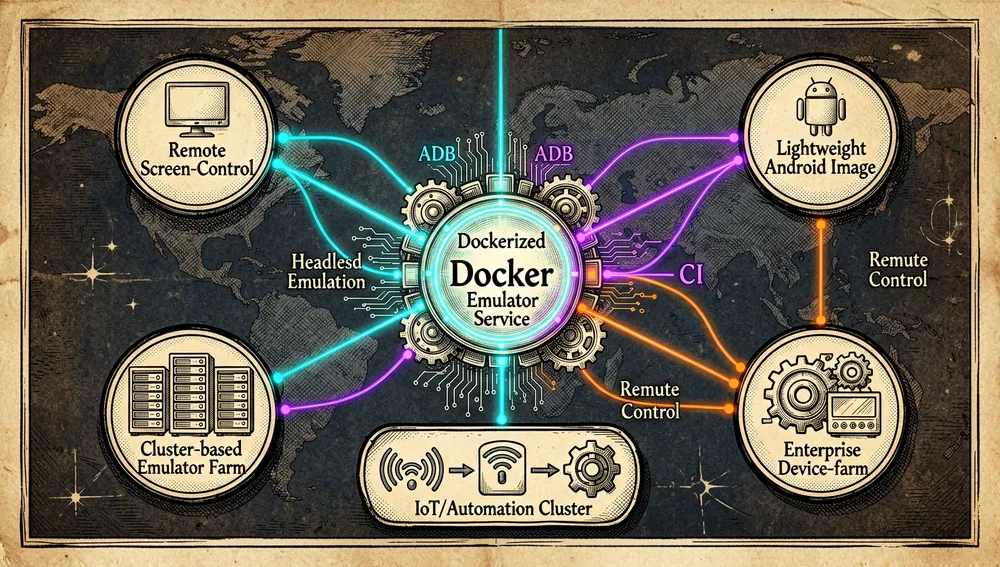
The most useful comparison is by need profile: docker-android (HQarroum) stands out for minimalism, precompiled images by API level, and default wiping; budtmo when a web interface, video, or MCP is needed; dockerify-android when ARM is required; and Google’s scripts when you want something from the vendor itself.
Use cases and who this repository can help
- QA teams and Android app automation: the combination of precompiled images by API level (tags
api-28throughapi-33, with and without Play Store, with and without CUDA), the boot JSON state (ANDROID_READY), and default wiping fit a pipeline that needs to run the same clean emulator against several Android versions, with ADB as the only external contract. - Malware analysts and reverse engineers: LaurieWired’s video coverage on choosing an Android emulator for “Malware Reversing, Development, and More!” and the recommendation of a Docker emulator in the HN thread on API reverse engineering (595 points) flag this kind of container as a reproducible sandbox for analyzing apps of questionable provenance without touching your own equipment.
- Researchers training or evaluating agents and RL workloads on Android:
sandGorgon’s comment in the browser-use thread (322 points) describes exactly this case — maintaining containerized Android emulator infrastructure for RL workloads that drive browsers — and this repository, or its same-named counterpart, is the basis of that infrastructure. - Developers without access to Android Studio or physical devices:
docker pull+adb connect 127.0.0.1:5555+scrcpygive a complete Android machine with a controllable screen in a couple of commands, as long as the host is x86 with KVM. - Teams with the SDK on shared storage: the
INSTALL_ANDROID_SDK=0argument with the SDK mounted at/opt/android(e.g., NFS) shrinks the image to 138 MB compressed and shortens build time, a use case explicitly documented in the README. - Those who need Android TV, ARM, Magisk, or noVNC: this repository doesn’t cover it (issues #27, #29, #11, #32 open); the verifiable alternative in the same niche is
Shmayro/dockerify-android(arm64 and Magisk) orbudtmo/docker-android(noVNC and video).
Resources
- Repository: https://github.com/HQarroum/docker-android
- Documentation: the repository’s README (Usage, Keys, Customize the image, Variables sections): https://github.com/HQarroum/docker-android#usage
- Precompiled images (Docker Hub): https://hub.docker.com/r/halimqarroum/docker-android
- Reference scripts and Dockerfiles:
Dockerfile,Dockerfile.gpu,scripts/start-emulator.sh,scripts/emulator-monitoring.sh,scripts/install-sdk.sh,docker-compose.yml - GitHub Wiki: https://github.com/HQarroum/docker-android/wiki
- Public CI: https://github.com/HQarroum/docker-android/actions (
docker-image.ymlanddocker-feature.ymlworkflows); DeepSource analysis linked in the README - Recommended official complement: scrcpy — https://github.com/Genymobile/scrcpy
- Videos: “Easy Android Emulator in Docker” (LaurieWired) https://www.youtube.com/watch?v=SWin67TZ4AY; “Choosing an Android Emulator for Malware Reversing, Development, and More!” (LaurieWired) https://www.youtube.com/watch?v=jjf96PuCONA; “Run Android in a Docker Container!” (Tech on Fire) https://www.youtube.com/watch?v=a1M40roHuRg; “Run Android In Docker with this Container!” (Novaspirit Tech) https://www.youtube.com/watch?v=GTtdTksS6L0; episode “GitHub - HQarroum/docker-android” (GitHub Daily Trend AI Podcast) https://www.youtube.com/watch?v=0VNwEKacAIU
- HN threads with relevant mentions: https://news.ycombinator.com/item?id=48576076 (RL + Android browsers), https://news.ycombinator.com/item?id=42111402 (reverse engineering), https://news.ycombinator.com/item?id=30810620 (criticism of the same-named project’s license)
- Package registries: not published on npm, PyPI, or crates.io; distribution is via Docker Hub (45,939 pulls at time of measurement)
- The author’s blog: https://halim.qarroum.com (a Medium profile; no post specific to this project was found)
- Community: no Discord or dedicated channel; Discussions disabled; the effective support channel is GitHub issues
Methodology note: this article draws on the repository’s README, Dockerfiles, and scripts, the GitHub API, Docker Hub, the author’s profile, and searches on Hacker News, YouTube, and GitHub consulted on September 4, 2026. Figures change over time; Hacker News mentions referring to “docker-android” mostly cite the same-named budtmo/docker-android project and have been labeled as such.

Comments