


Pretext: measuring and laying out multiline text without touching the DOM
chenglou/pretext · 50,570★ · 2,739 forks
Everything worth knowing about chenglou/pretext: a JavaScript/TypeScript library that computes a paragraph’s height, line breaks, and ranges using the browser’s typography engine as a reference, without inserting or measuring DOM nodes on the hot path.
Disambiguation: this report documents
chenglou/pretext(a text-measurement library, npm package@chenglou/pretext, created in March 2026). It should not be confused withPreTeXtBook/pretext(459 stars), an academic document authoring and publishing system, or withpretext-project/pretext-project.github.io, a collection of social-engineering pretexts.
What Pretext is
Pretext is a JavaScript/TypeScript library for measuring and laying out multiline paragraphs. It solves an operation that looks small but shapes many interfaces: knowing how many lines a piece of text will occupy and how tall it’ll be at a given width, without rendering it in the DOM and querying getBoundingClientRect() or offsetHeight, reads that force a layout re-derivation (reflow) — one of the most expensive operations in the browser.
The project splits two operations. prepare() does the work that depends on the text and the font — normalizing whitespace, segmenting with Intl.Segmenter, applying “glue” rules (NBSP, ZWSP, soft hyphens, hard breaks), and measuring segments with Canvas — and returns a reusable opaque handle. layout() takes that result, a max width, and a line height, and computes height and lineCount through arithmetic over cached widths. On a resize or in a virtualization pass, only the second part re-runs, not the whole analysis.
Pretext doesn’t try to replace the CSS layout engine or become a full font-rendering engine. It’s a specialized tool for when you need to predict or control a text flow from JavaScript: virtualization, Canvas, SVG, WebGL, dynamic editorial design, animation, dev-time label validation, and (coming soon, per the README) server-side rendering.
The origin
The repository was created on March 7, 2026 by Cheng Lou (chenglou), who, according to Simon Willison’s blog, was previously a React core developer and the original creator of the animation library react-motion (21,914 stars). The @chenglou/pretext package first published to npm on March 27, 2026 (version 0.0.0); the GitHub repository dates about twenty days earlier, suggesting private development before the public launch.
The README explicitly credits Sebastian Markbåge’s text-layout project as a predecessor (a fork is preserved, chenglou/text-layout, with 34 stars) and its architecture: Canvas’s measureText for shaping, pdf.js-based bidi data, and streaming line breaks. The README also describes a particular development method: the engine was iterated “very AI-favorable” by showing coding agents like Claude Code and Codex the browser’s ground truth and having them measure and iterate against it at every relevant container width, over the course of weeks.
Verification is a distinctive trait of the origin: tests rendered a complete copy of The Great Gatsby across several browsers to confirm the estimated measurements were correct, and later the corpora/ folder joined in, applying the same method to long public-domain documents in Thai, Chinese, Korean, Japanese, Arabic, and others.

Philosophy and principles
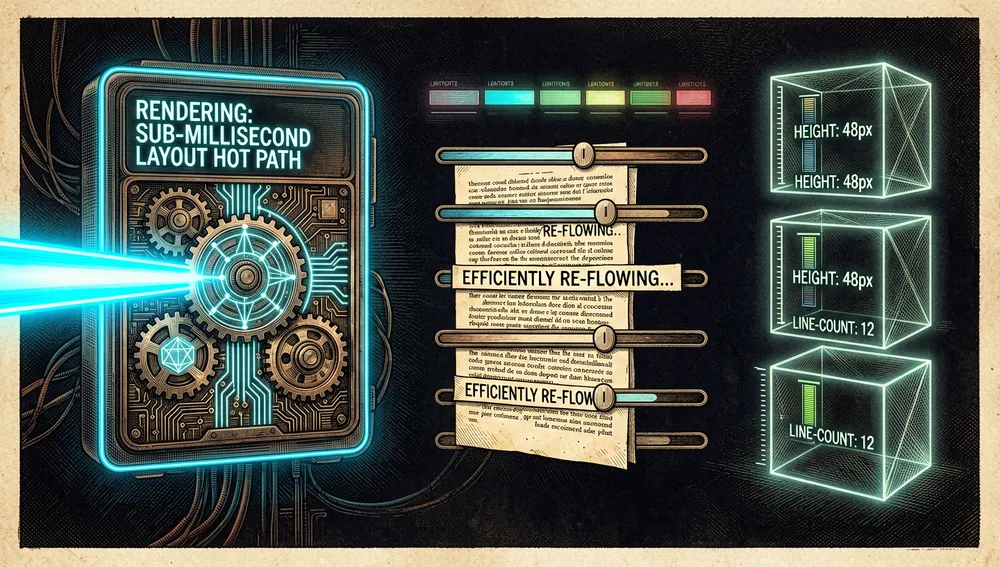
Its core principle is separating what’s expensive from what’s repeatable: analyze and measure once, and recompute line breaks at many widths using cached data. The README warns in plain terms: “Don’t re-run prepare() for the same text and configuration; that would destroy its precomputation.” That’s the performance contract: prepare() is expensive but one-time; layout() is the hot path — sub-millisecond, with no DOM reads, no Canvas calls, and no string work.
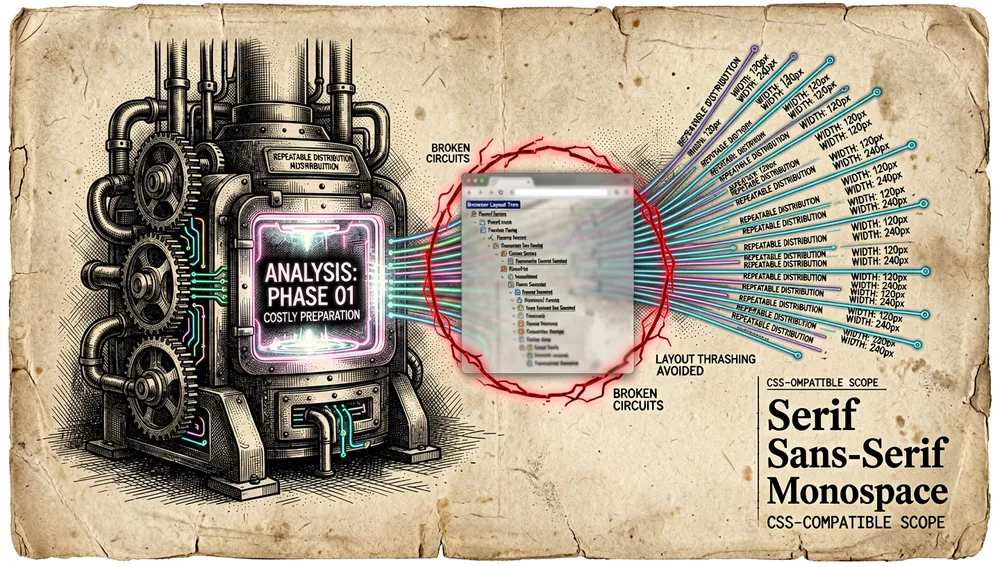
Another principle, visible in the code and internal documentation, is using the browser’s font engine as the reference rather than reinventing all of CSS. Pretext doesn’t separately model CSS properties that fall outside the canvas.font shortcut (like font-optical-sizing or font-feature-settings), and it limits its scope to common text configurations: white-space: normal and pre-wrap, word-break: normal and keep-all, overflow-wrap: break-word, line-break: auto, and letter-spacing as a numeric pixel value. That deliberate narrowness explains both its relative precision and its limits.
The platform-quirk correction approach — a bug “ledger” (PLATFORM_BUGS.md) linking to Chromium, Mozilla, and WebKit, with repros and capability-detected fixes — reflects a philosophy of honesty: rather than promising universal accuracy, it documents where it diverges from each browser and how that’s mitigated.

How it works
The browser computes an element’s final size within a tree of styles, fonts, containers, and flow rules. Querying geometry after DOM changes can force it to synchronize that work. For a handful of static labels it’s irrelevant; in large lists, streaming messages, animations, or many height corrections, alternating writes and reads produces layout thrashing and visible jank.
Pretext sidesteps the layout tree for estimation. It uses CanvasRenderingContext2D.measureText(), which returns text metrics per the active font, as its measurement reference; it then composes lines in user code. The advantage isn’t that Canvas is magically faster than all of CSS, but that layout()’s hot path doesn’t need to insert a temporary element or ask the DOM for geometry.

The core follows this sequence:
- Preparation.
prepare(text, font, options)takes the text and a font value in Canvas’s accepted format (for example,16px Inter). It segments the content, measures the spans once, and returns an opaque handle. Options:{ whiteSpace: 'pre-wrap' }to preserve spaces, tabs, and hard breaks;{ wordBreak: 'keep-all' }forword-break: keep-all(CJK/hangul);{ letterSpacing: n }in CSS pixels. - Layout.
layout(prepared, maxWidth, lineHeight)resolves how many lines fit and returns{ height, lineCount }. It’s the step designed to repeat when the width changes.
- Manual control, if needed.
prepareWithSegments()andlayoutWithLines()return the lines;walkLineRanges(),measureLineStats(),layoutNextLineRange(), andmaterializeLineRange()let you walk them row by row without materializing the whole text. That enables drawing to Canvas, SVG, or around an obstacle whose width changes per row (the README includes an example that flows text around a floating image).

The design relies on browser APIs rather than proprietary typography tables: Canvas provides segment widths, and Intl.Segmenter helps split words and graphemes for languages, emoji, and scripts without spaces. This matters because cutting a string by UTF-16 indices isn’t the same as cutting visible characters.
Official and semi-official status
The official surface is the README (the public source of truth for examples and limits), the development documentation (DEVELOPMENT.md), the platform bug registry (PLATFORM_BUGS.md), the CHANGELOG.md, the demos at chenglou.me/pretext, and the @chenglou/pretext npm package. It’s not part of any marketplace or formal standard; no organization “backs” it in a certification sense.
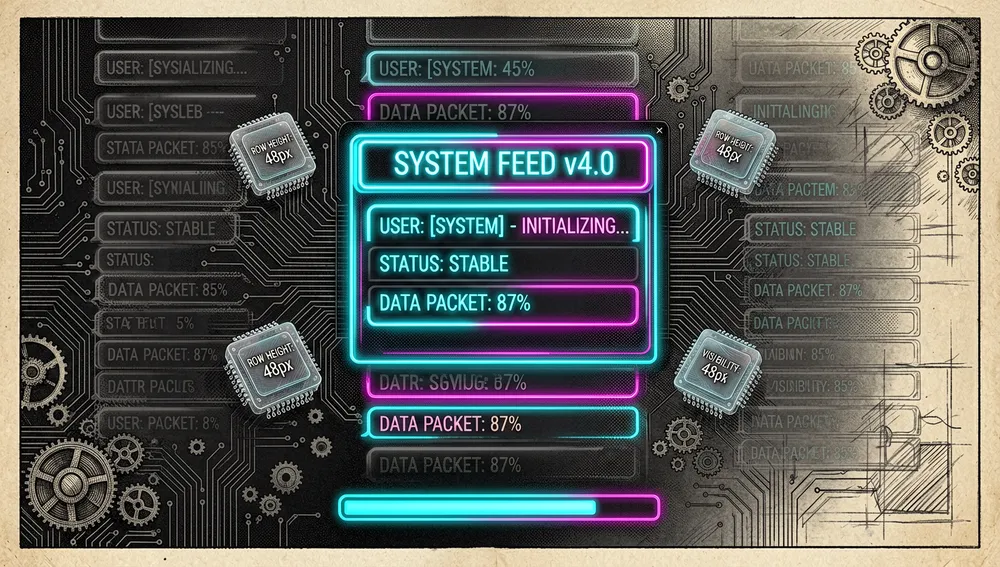
Its semi-official status, in practice, consists of TanStack Virtual’s adoption: TanStack’s official site dedicates a documentation page (“Text Measurement with Pretext”) to its use as a height estimator for text-dominated rows in chats, streams, feeds, comments, changelogs, and notifications, while TanStack keeps ownership of scroll, visible range, and positioning. None of these signals constitute a vendor endorsement of the methodology or its results; they’re integrations and technical references, not a standard designation.
The ecosystem
Pretext quickly became a reference platform for a wave of ports, adapters, and experiments.
Author’s repositories: chenglou/pretext (the main library), chenglou/text-layout (34 stars, Markbåge’s earlier project, preserved as a predecessor), chenglou/react-motion (21,914 stars, the animation library Lou originally created), and chenglou/freerange (594 stars, static @fit checks for TypeScript layout code).
Ports to other languages and platforms: tornikegomareli/swift-pretextkit (183 stars, a Swift port for Apple platforms, released three days after the original), wieslawsoltes/PretextSharp (27 stars, text prep and line layout for SkiaSharp), craigm26/pretext_dart (8 stars) and nathankim0/pretext_flutter (7 stars, Dart/Flutter ports), waleed-qamar/flutter_pretext (35 stars, another Flutter port), hyj1230/pretext-py (4 stars, a Python rewrite), mjshin82/UnityPretext (46 stars, a Unity adapter), and fifteen42/pretext-video (90 stars, turns the webcam into live typography by combining Pretext with MediaPipe).

Framework and tooling adapters: JubaKitiashvili/expo-pretext (259 stars, predicts React Native text heights before render), Agent-Pattern-Labs/textura (154 stars, “Pretext x Yoga = Textura,” a DOM-less layout engine), BaselAshraf81/layout-sans (67 stars, a pure-TypeScript 2D flex/grid layout engine powered by Pretext), LucasBassetti/react-pretext (2 stars, a headless React adapter), BALOTIAS/vite-pretext (4 stars, a zero-config Vite plugin to eliminate text-driven CLS), nikilok/virtual-text-layout (4 stars, a React hook that replaces TanStack Virtual’s measureElement), and lucascrespo23/pinch-type (112 stars, “pinch-to-zoom the text, not the page”).
Curated lists and neighboring projects: bluedusk/awesome-pretext (35 stars, a curated list of demos and tutorials), AsharibAli/pretext-skills (12 stars) and yaniv-golan/pretext-skill (15 stars), “skills” for AI agents. As a direct comparison, leeoniya published uWrap.js (mentioned in HN 43583478), a ~2 kb library for estimating ASCII row height, which they themselves contrasted against Pretext in the main thread.
The ecosystem’s overall pattern: a very small core that many extend to languages (Swift, C#, Dart, Python), to frameworks (React, React Native, Flutter, Vue, Vite, Unity), and to niche use cases (PDF, video, 3D), plus a layer of “skills” for AI agents.
Repo numbers
Measured: August 22, 2026, GitHub API and npm registry.
| Metric | Value |
|---|---|
| Stars | 49,966 |
| Forks | 2,729 |
| Real subscribers | 147 |
Commits (main branch) | 410 |
| Open issues + PRs | 90 |
| Primary language | TypeScript |
| License | MIT |
| Created | March 7, 2026 |
| Latest npm version | 0.0.8 (June 12, 2026) |
| npm downloads (week of Aug 14–20, 2026) | 905,501 |
| npm downloads (month of Jul 22–Aug 20, 2026) | 4,127,107 |
watchers_count mirrors the star count, so subscribers_count is reported as the real subscriber figure. open_issues_count includes open change requests. The releases API returned an empty list: Pretext doesn’t publish formal GitHub releases, but does have git tags (v0.0.4…v0.0.8) and npm versions with a per-version CHANGELOG.md; the reference version is the npm one (0.0.8).
The top contributors by contribution count are chenglou (403), bg-l2norm (2), and, with one contribution each, brandonmcconnell, cxa, threepointone, bytaesu, and somnai-dreams. The concentration of 403 of 410 contributions in a single author confirms this is a single-maintainer project.
Quick-start guide
Installation and first run
npm install @chenglou/pretextRequirements: a browser environment (or runtime) with Intl.Segmenter and Canvas 2D available. Pure Node without those APIs isn’t currently supported; server-side rendering is listed as future work. It’s ESM-only; there’s no direct CommonJS require() support.
First run in the browser:
import { prepare, layout } from '@chenglou/pretext'

const prepared = prepare('AGI 春天到了. بدأت الرحلة 🚀', '16px Inter')
const { height, lineCount } = layout(prepared, 320, 20)
// height and lineCount: pure arithmetic, no DOM layout or reflow
Common workflows
- Predicting a paragraph’s height before rendering.
prepare(text, '16px Inter')once;layout(prepared, width, 20)as many times as the width changes. The result gives{ height, lineCount }for anchoring scroll, sizing a virtualized row, or validating that a label fits inside a button. - Flowing text around an image (editorial layout). With
prepareWithSegmentsplus aLayoutCursor, calllayoutNextLineRange()per row with a width that shrinks while the row is next to the image, andmaterializeLineRange()to get that row’s text. - Multiline shrinkwrap (the minimum width that contains the text).
measureLineStats(prepared, width)returns{ lineCount, maxLineWidth };walkLineRanges()walks the lines without building strings — useful for a binary search over a “pretty” width. - Chat virtualization with TanStack Virtual. Cache
prepare()per text and style, runlayout()for the current width, and, when width/font/line-height change, reset Virtual’s measurements to recompute offsets.
Essential configuration
The 4–5 “settings” a new user will hit first are prepare()’s options and layout()’s parameters: font (a Canvas font string, e.g. 16px Inter, which must match the effective CSS of the measured text — use a named font, not system-ui), lineHeight (a layout() parameter that must match the CSS line-height), { whiteSpace: 'pre-wrap' } (for textarea-like text), { wordBreak: 'keep-all' } (for CJK/hangul), and { letterSpacing: n } (a CSS pixel value).
There are also two global helpers: setLocale(locale?) to set the word segmenter’s locale (and clear caches), and clearCache() to release the shared metrics cache when the app cycles through many fonts.
Common pitfalls and fixes
system-uiis unsafe on macOS. Canvas and DOM can resolve different fonts. Fix: use a named font.PLATFORM_BUGS.mdlinks Chromium bug #489579956 and Mozilla bug #2020917.- Apple Color Emoji measures larger in Canvas than in DOM at small sizes (macOS, Chrome, and Firefox). The correction is detected by capability once per font and subtracted per emoji grapheme; disabling it drops the accuracy sweep from 7680/7680 to ~7652–7660/7680.
- Wait for the font to load before preparing. If the font isn’t available, Canvas measurements will differ from what the browser applies later.
layout()with an empty string returns{ lineCount: 0, height: 0 }. If different behavior is needed, clamp withMath.max(1, lineCount) * lineHeight.- Don’t call
prepare()again without changes. It destroys the main advantage of precomputation; on a resize onlylayout()should re-run. - Safari needs a 1/64 px line-break tolerance (Chromium/Gecko use 0.005 px). And Safari 26.4 still fails WPT’s
word-break-keep-all-006; thebreakKeepAllAfterPunctuationfix stays in place until WebKit fixes it upstream. - Headless with
devicePixelRatio = 1masks the emoji and macOSsystem-uibugs. Re-test in a headed browser on a Retina display. - Automatic hyphenation isn’t built in. Insert soft hyphens before
prepare(). - CSS outside the
canvas.fontshortcut (font-optical-sizing,font-feature-settings,font-variation-settings) isn’t modeled separately.
Integrations and migration
- TanStack Virtual: officially documented integration as a height estimator for text-dominated rows. TanStack keeps ownership of scroll, range, and positioning; Pretext only supplies the estimate.
- Migrating from DOM measurements: the migration pattern is replacing
getBoundingClientRect()/offsetHeightwithprepare()+layout()on the hot path, while keeping the real text in the DOM for accessibility. - Migrating from uWrap.js (leeoniya): uWrap is ~2 kb, ASCII/Latin only,
white-space: pre-lineonly, with no soft hyphens or emoji; Pretext coversnormalandpre-wrap, soft hyphens, emoji, and full multiline support. It’s a scope change, not an API change. - Integration with MCP/CI/editors: a dev-time use (verifying a label fits without a browser) and CI cases (geometry as a unit test), SSR (precomputed heights on hydration), and 3D/WebGL (line positions as coordinates). No official Pretext MCP server is documented.
Contributing
The development process is documented in DEVELOPMENT.md and AGENTS.md: one-time install with bun install (the project uses Bun, not npm, for development); daily development with bun start (serves the local demo site at http://localhost:3000); verification with bun run check (type-checking with tsc, linting with oxlint, dead-code scanning with knip) and bun test; Pretext-specific accuracy and benchmarking (bun run accuracy-check, accuracy-snapshot, benchmark-check, corpus-check/corpus-sweep); packaging with bun run build:package.
Documented rules: keep the README as the public source of truth; no monkey-patching (fix the root cause, not the symptom); the changelog carries only user-facing notes; diffs that change the hot engine must regenerate the accuracy and benchmark snapshots.
How the community received it
The recovered evidence shows strong enthusiasm, but also concrete criticism about performance and what people are paying attention to.
The main Hacker News thread (397 points, 69 comments, posted March 28, 2026) gathered notable opinions. simonw: “This thing is very impressive. The problem it solves is efficiently calculating the height of wrapped text on a web page, without rendering that text first (very expensive). It does this by precomputing the width/height of individual segments — think words — and caching…” rattray: “Regardless of the subject matter, the tweets announcing this are a masterclass in why an architectural/platform improvement can be high-impact.”
leeoniya (uWrap.js’s author) produced the most technical exchange: “I wrote something similar for this purpose, but much simpler and 2 kb, no AI, a year ago: uWrap.js… For ASCII text, mine finishes in 80ms, while Pretext takes 2200ms.” simonw replied that uWrap only handles Latin and no soft hyphens/emoji, and only pre-line. liuliu (a project collaborator) countered that prepare uses measureText in a loop and that “this library is meant to do prepare once and layout many times. layout calls should be sub-1ms.” leeoniya tried concatenating 100k sentences with line breaks: “wasn’t much faster, ~1880ms.”
lewisjoe: “Quick summary of pretext: if you want to lay out text on the web, you have to use the canvas.measureText API and implement wrapping/segmentation/RTL yourself. Pretext makes this easier.” rikroots: “Text layout engines are absurdly hard. You start thinking ‘it’s a hard task, but I can’ and three months later you find yourself in a corner screaming ‘why, Chinese?’” tadfisher (from Mozilla): “I’d love for exposing the browser’s text layout measurer to become a web API someday.”
In a secondary thread (16 points), sublinear objected: “As cool as this is, I find it hard to see this in a production web page. If there’s a JS dependency for styling, the dev still has to write fallback CSS.” In another thread (14 points, 5 comments), lewisjoe corrected an article about Pretext: “Pretext doesn’t free browser text layout entirely (at least not yet). It still uses canvas.measureText, which does the critical heavy lifting”; the article’s author, cyrusradfar, agreed and updated the post.
Simon Willison’s blog (March 29, 2026) presents it as “an exciting new browser library,” highlighting the The Great Gatsby verification method and the multilingual corpora. Den Odell’s blog (March 30, 2026, Dev.to) argues that “the community has spent three days building dragons [canvas demos]. It should be building chat interfaces” — the real feature, in his view, is predicting height without reading from the DOM.
Honest summary: enthusiasm is broad and high-level (397 points on the main thread). The real criticism comes from leeoniya (prepare performance in a loop) and sublinear (difficulty of production adoption due to the JS dependency for styling). cyrusradfar himself notes the SSR limitation still depends on Canvas.
Pretext versus other proposals
| Proposal | Verifiable overlap | Verifiable difference |
|---|---|---|
leeoniya / uWrap.js | Estimates row height for virtualization using Canvas’s measureText. | uWrap is ~2 kb, Latin/ASCII only, white-space: pre-line only, no soft hyphens or emoji; Pretext covers normal and pre-wrap, soft hyphens, emoji, and full multiline support. |
| Skia-wasm (mentioned on HN) | Renders text without depending on the browser DOM. | Skia is a full rendering engine that “brings the world”; Pretext only measures and lays out, delegating the final render to the browser. |
DOM measurements (getBoundingClientRect, offsetHeight) | Return real, definitive geometry. | Force synchronized reflow; in large lists they produce layout thrashing. Pretext avoids that read on the hot path. |
CSS text-wrap: balance/pretty (mentioned on HN) | Adjusts the number of words per line. | Doesn’t eliminate empty space on the right edge or give height before render; it’s a complement, not a substitute. |
The most useful comparison isn’t about popularity: Pretext stands out when repeated measurement sits on the critical path or when the app needs to explicitly own line breaks. For an ordinary web page with stable content, CSS, ResizeObserver, and semantic structure remain simpler and more appropriate.
Use cases and who this repository can help
- Teams virtualizing text-dense lists (chats, feeds, comments, notifications, timelines) can use
prepare()+layout()with TanStack Virtual to predict each row’s height and anchor scroll without visible corrections. - Builders of rich-text editors or streaming AI chat can recompute heights as tokens arrive without a shifting bubble continuously correcting the scroll position.
- Canvas, SVG, WebGL, or 3D-engine developers can obtain lines and ranges to draw text in a DOM-less renderer, or compute line positions as coordinates and texture size before allocating GPU memory.
- SSR/hydration teams can precompute heights during server rendering to hydrate the client with correct dimensions from the first frame and avoid CLS.
- Anyone doing dev-time interface validation can verify that a label fits inside a button or that a 50-character string fits on a card without opening the browser.
- Cross-platform teams can start from the core and use verified ports: Swift, React Native, Flutter, C#/SkiaSharp, or Python.
- For an ordinary web page with stable content, CSS +
ResizeObserver+ semantic structure remain simpler and more appropriate.
Resources
- Repository: https://github.com/chenglou/pretext
- Documentation / demos: https://chenglou.me/pretext/
- npm package: https://www.npmjs.com/package/@chenglou/pretext (ESM-only, 0.0.8)
- Development guide: https://github.com/chenglou/pretext/blob/main/DEVELOPMENT.md
- Platform bug registry: https://github.com/chenglou/pretext/blob/main/PLATFORM_BUGS.md
- TanStack Virtual (official integration): https://tanstack.com/virtual/latest/docs/pretext
- Curated list: https://github.com/bluedusk/awesome-pretext
Note: this article combines the README, DEVELOPMENT.md, PLATFORM_BUGS.md, the CHANGELOG.md, the @chenglou/pretext npm registry, the GitHub API, and articles by Simon Willison, Den Odell, and Cyrus Radfar, all consulted on August 22, 2026. Star, download, and contribution figures change over time.


Comments