


witr: a CLI that answers why a process is running
pranshuparmar/witr · 22,498★ · 786 forks
witr is a command-line utility and interactive terminal interface (TUI) written in Go that answers a single question: “Why is this running?” Given a process, a port, a container, or an open file, it reconstructs the exact causal chain that spawned that instance — the init system, the supervisor, the session, the container, or the cron — and presents it as human-readable output, JSON, or a TUI. As of September 4, 2026 it carries 22,073 stars.
The queue entry was malformed (129 127_pranshuparmar_witr); it resolves unambiguously to the pranshuparmar/witr repository on GitHub, the only one with that name under that user.
Origin
The repository was created on December 20, 2025 by Pranshu Parmar (pranshuparmar), whose email pranshu.parmar@gmail.com appears as maintainer in the release configuration (.goreleaser.yml). Six days later, on December 26, 2025, Parmar posted “Show HN: Witr – Explain why a process is running on your Linux system” on Hacker News (thread 46392910), which reached 526 points and 105 comments.
The README links to a story by the author himself on Medium (“witr: Why is this running,” by @pranshu.parmar) and to the Hacker News thread as design-context reference. In that thread, the author clarifies scope from the start: witr doesn’t aim to replace monitoring or observability tools, but rather to cover “those moments where you SSH into a box and need to quickly understand why something is running without manually digging through configs, cron jobs, or service trees.”
The project has organically and communally gained distribution surface: the launch conversation produced an AUR entry at the author’s own request, a suggestion for Nix support (PR #5, contributed by user sestep), and later its entry into Homebrew, conda-forge, and official Debian/Ubuntu repositories. The most recent version consulted is v0.3.3 (June 24, 2026).
A detail the community picked up on: the project’s documentation discloses it was built with AI/LLM assistance (GitHub Copilot, ChatGPT, and similar tools), “supervised by a human who sometimes knew what he was doing.” In the launch thread, user zenoprax questioned the contradiction of asking for trust during incidents from a tool built with AI assistance; the author replied that such support lowers the effort and knowledge barrier needed to build it.
Philosophy and principles
The README condenses the philosophy around making causality explicit versus existing tools. It states that ps, top, lsof, ss, systemctl, and docker ps expose state and metadata: they show what is running, but leave the user to infer why by manually correlating several outputs. witr instead answers four questions per target:
- What is running?
- How did it start?
- What keeps it running?
- What context does it belong to?
A central principle is treating everything as a process question: ports, services, containers, and commands ultimately resolve to a PID, and the causal chain is built on top of that PID. The stated output principles are: a single default screen (reasonable effort), deterministic ordering, narrative-format explanation, and best-effort detection with explicit uncertainty — that is, witr declares when it isn’t sure rather than inventing a cause.
The README defines concrete success criteria: that a user can answer “why is this running?” in seconds, that it reduces dependence on several tools, that the output is understandable under stress, and that the user trusts it during incidents.
How it works
witr identifies the target (by name, PID, port, file, or container), resolves the PID, and builds the ancestry chain. Standard output is organized into sections:
- Target: what the user queried.
- Process: executable, PID, user, command, start time, and restart count.
- Why It Exists: the causal ancestry chain (e.g.,
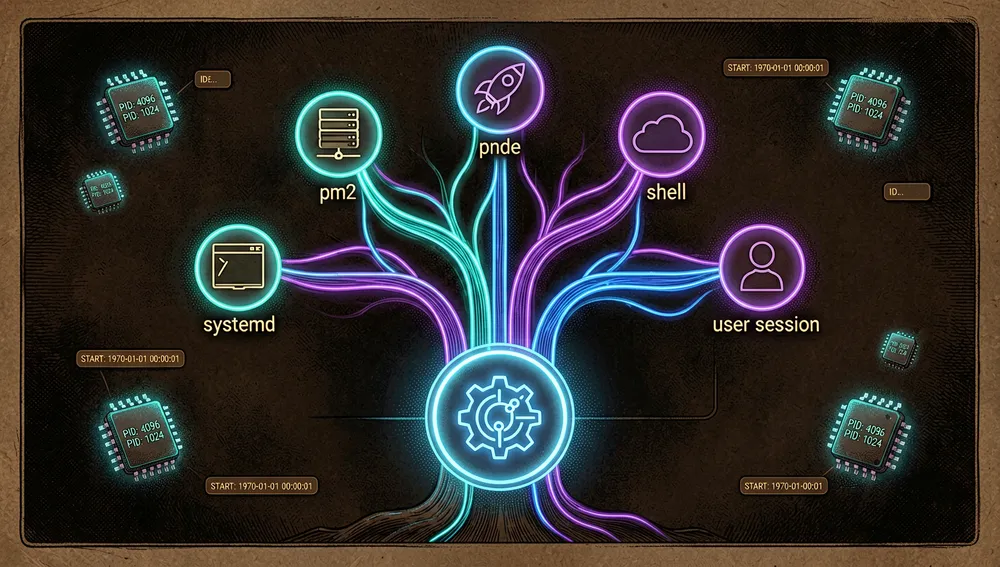
systemd (pid 1) → pm2 (pid 5034) → node (pid 14233)). This is the tool’s central value. - Source: the primary system responsible for starting or supervising the process (best-effort). Only one primary source is selected: systemd unit (with timer detail), launchd service (with schedule), SSH session (with remote IP and terminal), Docker container, pm2, cron, interactive shell (detects tmux/screen), or Snap/Flatpak sandbox.
- Context: working directory, git repository name and branch (searched upward from the working directory until
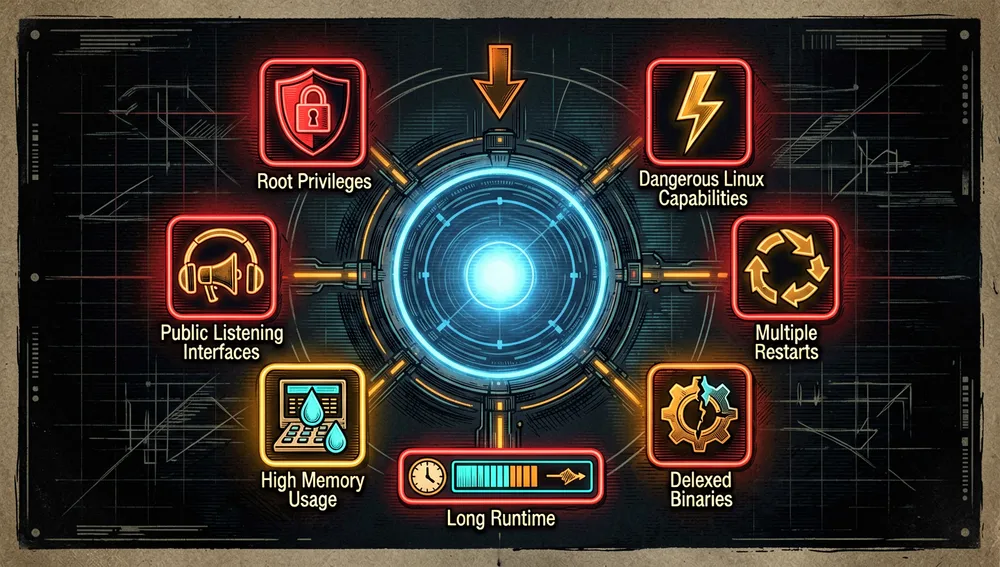
.gitis found), container name/image, and whether the connection is public or private. - Warnings: non-blocking observations, such as a process running as root, dangerous Linux capabilities on non-root processes, listening on a public interface (
0.0.0.0/::), multiple restarts, high memory usage (>1 GB RSS), runtime >90 days, a deleted binary, or library-injection indicators (LD_PRELOAD,DYLD_*).
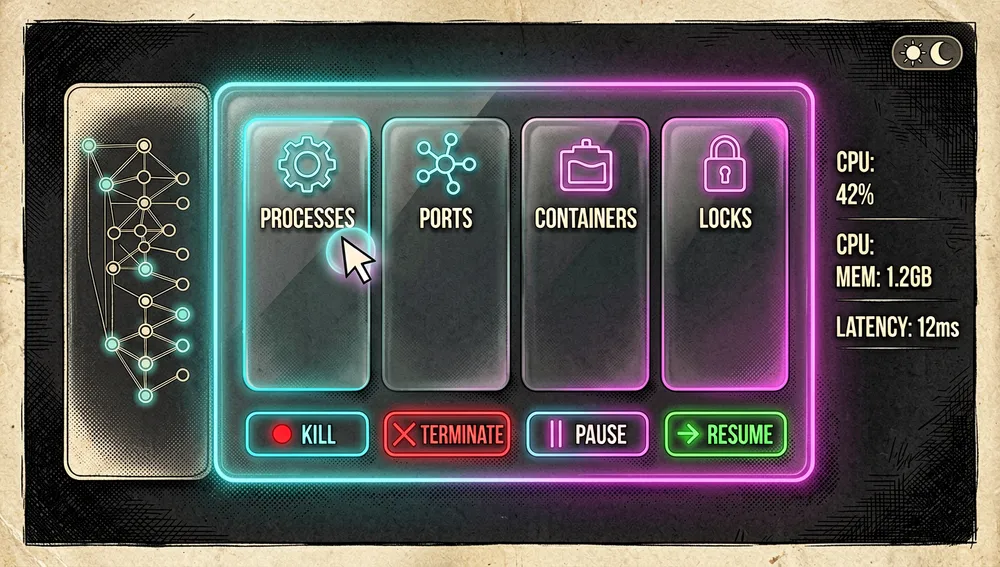
Interactive mode (TUI): running witr with no arguments or with -i opens a real-time panel with four tabs — Processes, Ports, Containers, and Locks — with a side panel showing the highlighted process’s ancestry tree. It lets you send signals (Kill, Terminate, Pause, Resume) and renice from the interface (Unix only), mouse navigation, an adaptive light/dark theme, and auto-refresh with adaptive cadence (starts at 3s and backs off under load).
Exit codes (documented for scripts, CI, and monitoring):
| Code | Meaning |
|---|---|
| 0 | Clean: process found, no warnings |
| 1 | Warnings: process found with one or more warnings |
| 2 | Not found: no matching process or service |
| 3 | Permission denied: insufficient privileges |
| 4 | Invalid input: bad arguments or ambiguous match |
| 5 | Internal error: unexpected failure |
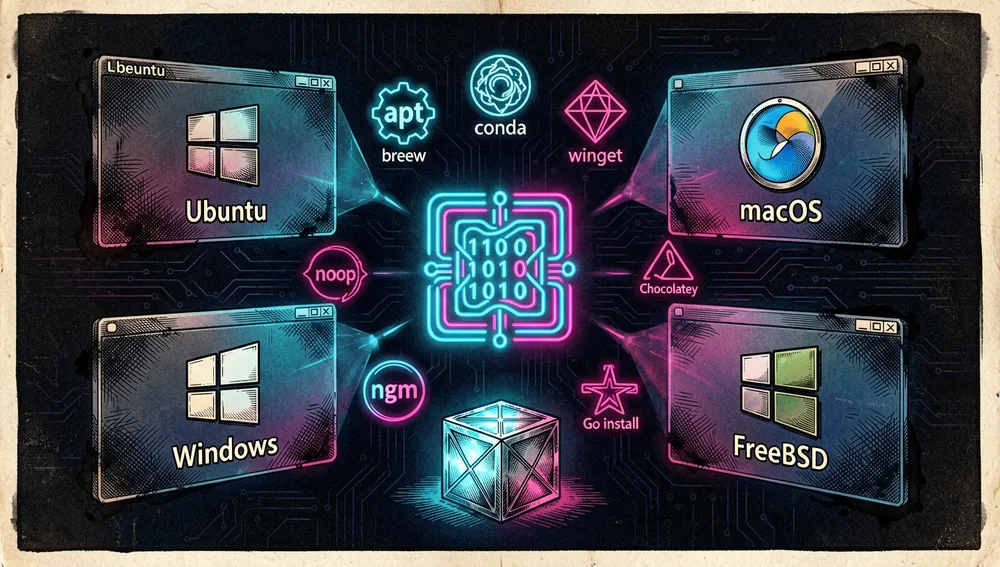
Platform support (per the README’s matrix): Linux (x86_64, arm64) with full support via /proc; macOS with ps, lsof, sysctl, pgrep; Windows with native Win32 APIs (ToolHelp32, PSAPI, Service Control Manager, without relying on PowerShell or WMI); and FreeBSD with procstat, ps, lsof. Containers are detected across Docker, Podman, nerdctl, K8s/crictl, Incus, LXC, LXD, and FreeBSD jails.
The ecosystem
The author’s repositories. Besides witr (22,073 stars), pranshuparmar maintains pranshuparmar/witr-pkgs (1 star), a “self-maintained” package container holding the Chocolatey, npm, Scoop, and winget definitions with automatic update workflows. The rest of the user’s repositories are smaller personal projects (Three.js browser games like neon-mayhem with 2 stars and downhill-mayhem with 11, yolovest, joke, sudoku-creator-solver), with no functional relation to witr.
Community ports and reimplementations (star counts per the GitHub API during this research):
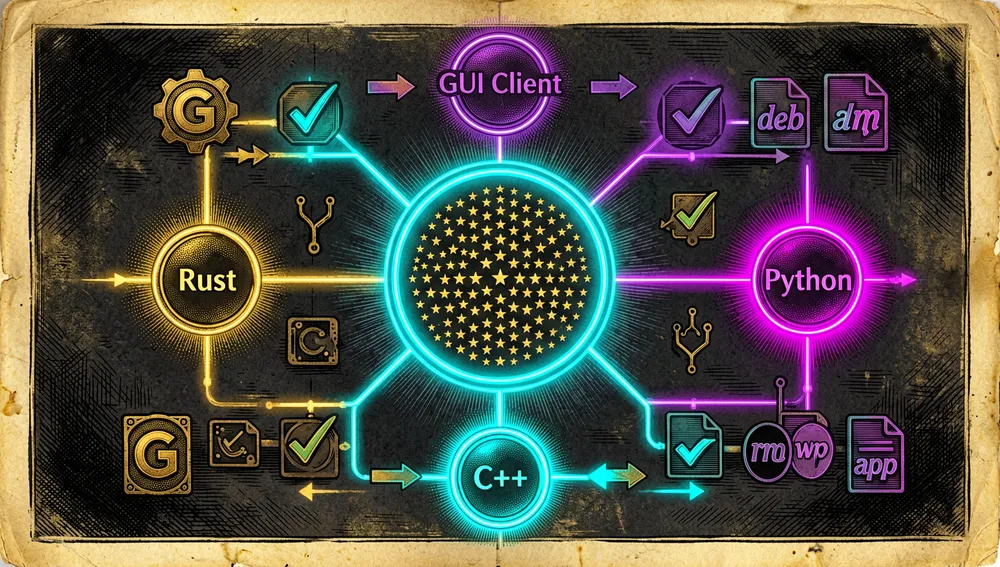
rewrite-everything-in-rust/witr-rs— a full Rust rewrite of witr claiming feature parity plus added type safety; 14 stars, created December 29, 2025.bobozi-cmd/witr-py— a Python reimplementation of the project (tagline in Chinese: “基于 witr 项目,使用 python 进行复刻”); 6 stars, created January 4, 2026.supervoidcoder/win-witr— a Windows reimplementation in pure C++, marked WIP; 3 stars, created January 1, 2026. Its author states they started it before the original developer released a Windows version.dmitrymx/witr-gui— a graphical client (Electron/React/Vite) for Windows described as a “process monitor and security analyzer” built on witr, with a Russian-documented interface; 2 stars, created May 15, 2026.
The repository has accumulated 772 forks; the retrieved forks page shows copies with no substantial differences, so the four projects above are the visible non-trivial derivatives. The project also inspired a homage/parody fork, Fantastic-Computing-Machine/wtftr (“Why the fuck is this running?”), with no additional documented functionality. The README credits Tim Colson (timcolson) and Rijurekh Bose (R-Bose) as sponsors.
Release tooling. Releases are generated with GoReleaser (.goreleaser.yml), which produces binaries, a SHA256SUMS file, and .deb, .rpm, and .apk packages via nfpm, and injects version/commit/date metadata for witr --version.
Official and semi-official status
witr doesn’t have the backing of a single major vendor, but it has achieved notable de facto adoption in the open-source distribution ecosystem:
- Official distribution repositories: the README documents installation via
sudo apt install witrfrom the official Debian (sid) and Ubuntu 26.04+ repositories, as well as derivatives like Kali, Devuan, and Raspbian. It’s also in Homebrew core (brew install witr, formulawitr0.3.3), conda-forge (conda install -c conda-forge witr), MacPorts, FreeBSD ports (pkg install witr), GNU Guix, and AOSC OS. - Windows: manifests on winget (
winget install -e --id PranshuParmar.witr), Chocolatey (choco install witr), and Scoop (scoop install main/witr). - npm: package
@pranshuparmar/witr(version 0.3.3). - Product Hunt: the project is listed as featured (post 1211309) with the tagline “ps, top and lsof tell you what is running. witr tells you why.”
- Trendshift: present on the trending-repositories list (badge
trendshift.io/repositories/18714).
In practice, this means witr is installable from the official catalogs of most major platforms, though the README warns community packages may lag behind the latest GitHub version. There’s no formal “standard” designation, but its cross-cutting presence across distro repositories and package managers positions it as a de facto reference for answering the process-causality question.
Quick-start guide
Installation and first boot
Prerequisite: a Linux, macOS, Windows, or FreeBSD system. Documented options:
# Unix (Linux, macOS, and FreeBSD) — detects OS and architecture, installs to /usr/local/bin/witr
curl -fsSL https://raw.githubusercontent.com/pranshuparmar/witr/main/install.sh | bash
# Windows (PowerShell) — downloads the zip, verifies checksum, and installs to %LocalAppData%\witr\bin
irm https://raw.githubusercontent.com/pranshuparmar/witr/main/install.ps1 | iexBy package manager:
sudo apt install witr                # Debian sid / Ubuntu 26.04+
brew install witr                    # Homebrew
conda install -c conda-forge witr    # conda-forge (also mamba / pixi)
yay -S witr-bin                      # AUR (Arch)
npm install -g @pranshuparmar/witr   # npm (cross-platform)
winget install -e --id PranshuParmar.witr # Windows
choco install witr # Chocolatey
scoop install main/witr # ScoopFrom source: go install github.com/pranshuparmar/witr/cmd/witr@latest. On Nix, nix run github:pranshuparmar/witr -- --help.
On first launch, witr --version and man witr verify the install. Running witr with no arguments opens the TUI. The README recommends, if using a package manager, installing that way to ease updates; otherwise, the install script is the fastest route. There’s also an interactive browser demo (no installation) at https://pranshuparmar.github.io/witr/ that simulates a Linux machine with a guided tutorial and a free mode.
Common workflows
- Track by name:
witr nodeshows the process, user, command, when it started, and thesystemd → pm2 → nodechain, along with the working directory, git repository, and sockets. - Resolve a port:
witr --port 5000 --shortreturns the chain on a single line, e.g.,systemd (pid 1) → PM2 ... → python (pid ...). - Inspect a PID as a tree:
witr --pid 143895 --treeprints the ancestry tree and includes up to 10 child processes, highlighting the target. - Query a container:
witr --container redissearches across all detected runtimes (Docker, Podman, nerdctl, K8s/crictl, Incus, LXC, LXD, FreeBSD jails) by name, image, command, or compose label;--verboseadds mounts, networks, and compose metadata. - Mixed inputs:
witr nginx --port 5432 --pid 1234shows the results sequentially with labeled separators. - Script usage:
witr nginx --short; echo $?and act based on the exit code (0 clean, 2 not found, 3 permissions, etc.).
Essential configuration
witr doesn’t use a persistent configuration file; the “configuration” is its flags, of which a new user will touch first:
-i, --interactive: opens the TUI. Also triggers automatically if no arguments or target flags are given.-x, --exact: exact name match (default is partial/fuzzy matching).--json: machine-readable output for pipeline integration.--no-color: disables color (useful when redirecting to files or logs).--verbose: shows extended information (mounts, networks, compose metadata, etc.).
All target flags (--pid, --port, --file, --container) are repeatable and combinable with each other and with positional arguments. Shell completions are generated with witr completion bash|zsh|fish|powershell.
Common pitfalls and fixes
- Lack of permissions: witr inspects system directories that may require elevated privileges. Documented fix: run with
sudo witr [...](Linux/FreeBSD) or in PowerShell as Administrator (Windows). - A
nohup-disowned process: on the Hacker News thread, usertatrefflagged that a disowned/nohupprocess shows up withPPID 1(systemd), which was incorrect; the author acknowledged it as a pending bug. This is a known limitation of ancestry tracing in certain cases. - macOS and SIP: due to System Integrity Protection, some system process details aren’t accessible even with
sudo. - Name ambiguity: when querying a name with partial matching, witr lists the matches (e.g.,
nginxandngrok) and asks you to re-run with--pid. Use--exactto avoid partial matching. - Installing via
curl: several Hacker News users (vzaliva) distrusted installing a binary viacurl. The author replied he kept it simple for the first launch and later added official packages; today there are.deb,.rpm,.apkpackages and package managers as alternatives. - PID reuse in the ancestry chain: a Product Hunt review by Omri Ben-Shoham (July 31, 2026) notes that ancestry tracing doesn’t yet validate the parent PID’s start time, leaving a theoretical PID-reuse edge case; per the review, an issue is already open for it.
Integrations and migration
witr integrates via its --json output and its exit codes in scripts, CI, and monitoring tools. The README shows an example with case $? for automation. TUI mode mirrors the panel layout for interactive use. To migrate: witr doesn’t replace ps/lsof/systemctl but adds to them; it can be used as a “why” layer over the state information the system already provides. The web demo (docs/) serves as a tutorial equivalent without installing the binary. Ports activated via systemd socket activation or a container runtime are resolved via a fallback through the Docker CLI.
Current metrics
Measured: September 4, 2026, GitHub API.
| Metric | Value |
|---|---|
| Stars | 22,073 |
| Forks | 772 |
| Subscribers | 46 |
| Commits | 588 |
| Open issues per the API | 16 |
| Primary language | Go (676,496 bytes); secondary: Shell, PowerShell, Nix, Makefile |
| License | Apache-2.0 |
| Created | December 20, 2025 |
| Last metadata update | September 4, 2026 |
| Last push | August 15, 2026 |
| Latest release | v0.3.3, June 24, 2026 |
Top contributors returned by the API, by contribution count, were pranshuparmar (398), claude (25), chojs23 (18), gaod (15), amerine (12), github-actions[bot] (11), ggmolly (10), and RikSmits06 (8). The 588 count was obtained from the pagination header (rel="last" → page 588) of the commits endpoint. The GitHub API exposes open_issues_count, which may include open pull requests; hence it shouldn’t be read as an issues-only count. watchers_count mirrors the star count, so subscribers_count is reported separately as real subscribers.
Community reception
The evidence gathered comes mostly from the Hacker News launch thread (46392910), with 526 points and 105 comments, where the author himself replied frequently. Enthusiasm is broad and there’s concrete criticism:
Recognition and enthusiasm:
dcminter: “This is very clever. I’ve often needed to figure out what some running process was actually for (…) but it never occurred to me that one could have a tool to answer that question. Well done.” He added an edit clarifying he’d mistakenly thought it also explained what the process did.properbrew: “This is extremely useful, will be added to the toolbox. Thanks for sharing.”dontdieych: “Nice and installed then starred.”scrame: praised the port 3306 example and said “having a purpose to explain a purpose seems like a good pitch.”Sarisandcanxerian: “This looks very handy to have around!” and “Great idea!”techsystems: “I’m really loving this! ‘Responsibility chain’ will become a trendy phrase.”
Criticism and concrete objections:
tatrefflagged a real defect: the tracing “only checks for the parent processes” and “a disowned/nohup process will show up as PPID 1 (systemd), which is not correct.” The author replied: “Yes, this is a bug. Planning to fix it soon.”darrenfquestioned the novelty: “Is that notwhatis?” The author replied thatwhatishelps in that case but that he’d keep witr focused on explaining PIDs.wyldfireargued: “ps uaxfgives me pretty similar output.” The author listed the differences (when it started, what ports it uses, what user started it, from what directory,--envflag,--json).vzalivaobjected to thecurlinstall over security concerns (“doesn’t sit right with me”) and requested.deb/snap packages; the author explained it was the first launch and later confirmed brew, AUR, deb/rpm/apk, and Nix were already available.- A side thread focused on the README’s GIF animation:
mh-,Neywiny,godelski, andthaumasiotesasked for the image to be static or a still capture; the author replied “already switched it to a static image.” filterfishsuggested looking up the binary in the package manager (APT/dpkg) as an additional information source;ajbreplied thatdpkg -Salready allows that.klooneynoted thatsystemctl status $pidalready gives a lot, andjamescunsuggested GoReleaser, which the author ended up using.saidnooneeverobjected that the output shows “who did it,” not really “why it started” (service file, autorun, execve), since it largely just reports the parent PID as the cause, and recommended greppable/JSON output be the default for automation.tototrainsshared a real-world anecdote: Claude Code, leaning on a similar tool, found a cryptocurrency miner that had gone undetected for about five months on an up-to-date Windows 10 machine, within minutes — an individual experience, not a project metric.
Beyond Hacker News. The project also appears on Product Hunt (page published July 30, 2026), with a 5.0 rating; a review there by Omri Ben-Shoham praises how ancestry tracing walks through container shims to the real host process instead of stopping at “Docker started it.” The repository also runs GitHub Discussions, with threads like “Better README image needed!” (10 comments) and a TUI discussion from the author himself (referencing PR 59). On YouTube, the video “Stop Guessing. Debug Faster with WITR.” from channel Hack the Clown (27,700 subscribers) has 8,170 views.
No announcement with broader discussion outside Hacker News was found in the sources consulted, so the balance is drawn from that thread and no broader consensus than the sources show is inferred.
Comparison with similar projects

| Project | Verifiable overlap | Verifiable difference |
|---|---|---|
ps, top, lsof, ss, systemctl, docker ps | Native tools that expose process/port/service state. | The README states these show what is running but not why; witr adds the causal chain and context (git, container, source). |
pstree | Shows the parent/child process hierarchy. | On Hacker News, q2dg and mathfailure confirmed pstree “doesn’t answer the why” — it doesn’t explain cause. |
whatis | Explains what a command corresponds to. | The author acknowledges it’s useful for that specific case, but witr focuses on explaining PIDs, not describing utilities. |
rewrite-everything-in-rust/witr-rs | Reimplements the same goal (tracing ancestry) in Rust. | It’s a community rewrite with declared parity, not the original project. |
supervoidcoder/win-witr | Reimplements witr for Windows in C++. | WIP with no original code; the original project already includes Windows with native Win32 APIs. |
dmitrymx/witr-gui | Adds a graphical interface (Electron/React) on top of witr for Windows. | It’s a third-party GUI client, not part of the official repository. |
The most useful comparison: witr stands out when you need the cause (not just the state) of a process or port, in a portable way with programmable output. Native tools remain the backbone of state information; community ports (Rust, Python, C++, GUI) are unofficial variants that don’t replace the original cross-platform binary.
How to contribute
The repository documents a concrete process in CONTRIBUTING.md:
- Build from source: requires Go 1.25+;
git clone,go build -o witr ./cmd/witr, and./witr --helpas a quick check. The-ldflagsblock injects commit/date metadata forwitr --version. - Fork flow: fork, clone the fork (
git clone https://github.com/YOUR_USERNAME/witr.git), create afeature/your-feature-namebranch, andgo mod download. - Development: follow the existing style,
gofmt, write unit tests, and ensurego test ./...passes. - Pull request: squash commits into one logical commit, rebase onto the
stagingbranch (notmain), open the PR againststaging, fill in the PR template, wait for maintainer review, and merge with Squash and Merge (a strict policy to keepmain’s history clean). - Local PR validation:
test -z $(gofmt -l .),go vet ./...,go test -v ./..., and cross-compilation checks (GOOS/GOARCHfor linux/darwin, amd64/arm64), or withact(requires Docker):act -j validate,act -j build.
CI (.github/workflows/pr-check.yml) runs golangci-lint on the four systems (linux, darwin, windows, freebsd), govulncheck for vulnerabilities, a check that vendor is in sync, unit tests with -race (on linux and macOS), and an informational coverage measure. There’s a pr-title.yml workflow that’s blocking and requires semantic PR titles (amannn/action-semantic-pull-request). Commit message format follows Conventional Commits (<type>(<scope>): <description>). Issues use a structured template (bug_report.yml) requesting OS, version, and architecture. The contribution license is Apache-2.0, and there’s a Code of Conduct.
Use cases and who this repository can help
- System administrators and operators who SSH into an unfamiliar machine can use
witr --port <port>orwitr <name>to answer in seconds what systemd/supervisor/cron/container chain originated a service, instead of correlatingps,lsof, andsystemctl. The “under stress” output and exit codes make it suitable for incidents. - Those handling a conflicting-port or resource incident (e.g.,
EADDRINUSE) can trace which process holds a port, who started it, and from what directory/git repo, and decide whether to stop it. The TUI allows sending signals (Kill/Terminate/Pause) directly. - Engineering/Security teams can rely on the Warnings section (process as root, dangerous capabilities, public listening, deleted binary,
LD_PRELOAD/DYLD_*indicators) for a quick attack-surface sweep during a review, and use--jsonto integrate it into their pipeline. - Developers debugging why a process “won’t die” or starts on its own can see the supervisor (pm2, cron, launchd, systemd timer) keeping it alive and restarting it, and the container context (Docker/Podman/K8s/Incus/LXC).
- Integrators and automation authors can rely on
--jsonmode and the 0–5 exit codes to chain witr into scripts, CI, or monitoring tools. - Those evaluating the tool without installing it can use the browser playground (
https://pranshuparmar.github.io/witr/), a simulated Linux box with a guided tutorial, to get familiar with the outputs before adopting it.
Resources
- Repository: https://github.com/pranshuparmar/witr
- Documentation / official site: https://pranshuparmar.github.io/witr/ (browser playground, no installation)
- Man page and CLI reference: https://github.com/pranshuparmar/witr/tree/main/docs/cli
- Installation: README (install.sh / install.ps1 / package managers)
- Origin story (Medium): https://medium.com/@pranshu.parmar/witr-why-is-this-running-a9a97cbedd18
- Releases: https://github.com/pranshuparmar/witr/releases
- Community packages: https://repology.org/project/witr/versions
- Package registries:
- npm
@pranshuparmar/witr: https://www.npmjs.com/package/@pranshuparmar/witr (v0.3.3; ~78 downloads in the last month, ~17 the last week per the npm API in this check) - Homebrew: https://formulae.brew.sh/formula/witr (0.3.3, with bottle)
- conda-forge: https://anaconda.org/conda-forge/witr
- AUR: https://aur.archlinux.org/packages/witr-bin
- winget: https://winstall.app/apps/PranshuParmar.witr
- npm
- Product Hunt: https://www.producthunt.com/products/witr
- Hacker News thread: https://news.ycombinator.com/item?id=46392910 (526 points, 105 comments)
- Related community repositories:
rewrite-everything-in-rust/witr-rs,bobozi-cmd/witr-py,supervoidcoder/win-witr,dmitrymx/witr-gui
Methodology note: this article draws on the repository’s README, release configuration, and workflows, the GitHub API, package registries (npm, Homebrew, AUR, conda-forge), and the Hacker News launch thread consulted on September 4, 2026. Star, download, and version figures change over time. Data from the Medium article and Product Hunt’s upvote count couldn’t be read in detail in this research due to access restrictions (HTTP 403), so their existence is cited but not their full metrics.
Comments