

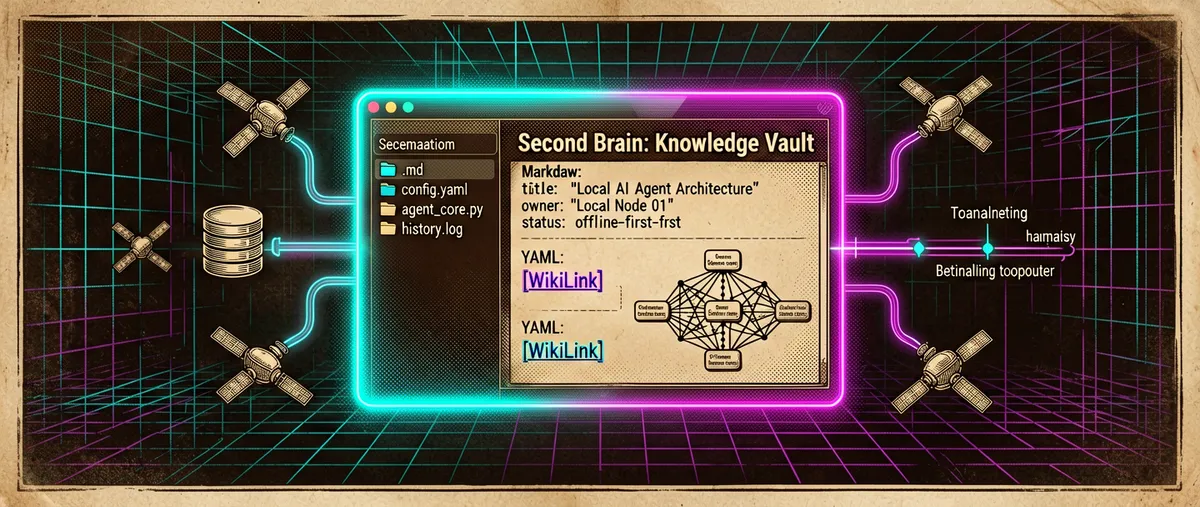
Tolaria: a local Markdown second brain built for the AI agent era
refactoringhq/tolaria · 19,895★ · 1,385 forks
A desktop app (macOS, Windows, and Linux) for managing Markdown knowledge bases: flat files with YAML frontmatter, Git as the history and sync layer, a block-by-block Notion-style editor, and first-class integration with AI agents (Claude Code, Codex, and others).
What it is
refactoringhq/tolaria is an open desktop app (AGPL-3.0 license) for managing Markdown knowledge bases. Every note is a plain .md file with YAML frontmatter; every “vault” is a folder that can be a Git repository; the interface offers a rich block-by-block editor (slash commands, wikilinks with autocomplete, tables, spreadsheets, saved views) over those files, with no database and no proprietary format.
Three uses the README explicitly states:
- Running a “second brain” and personal knowledge base.
- Organizing a company’s documentation as context for AI.
- Storing the memory and procedures of assistants/agents (the README mentions OpenClaw and assistants in general).
The author, Luca Rossi (LucaRonin on GitHub, lucaronin on X), built it to manage his own workspace of over 10,000 notes, accumulated over five years writing the technical newsletter Refactoring (refactoring.fm, over 170,000 subscribers per his site, and 300+ articles). Public documentation lives inside the repository itself (the site/ folder, published to GitHub Pages), and the official site is tolaria.md.
Origin
The repository was created on February 14, 2026 under the refactoringhq GitHub organization. docs/VISION.md (written by “Brian” from conversations with Luca Rossi between February and March 2026) documents the genesis: after five years writing Refactoring full-time, Rossi accumulated 9,000+ notes in a Notion workspace, “learned a lot about knowledge management, productivity, and, more recently, about working well with AI over documents,” and, unable to find an existing tool that fit, built one.
One detail from the same document: Tolaria started in Swift, but Luca ran into real limitations on the Markdown editor side (it’s hard to build something “Notion-like” in Swift) and migrated to Tauri 2 + React + TypeScript (with src-tauri in Rust). Luca himself confirms this on Hacker News in response to the “webwrapper” criticism.
The launch narrative is also documented: on April 22, 2026 he posted the tolaria.md site on HN (thread 47865031, 3 points, 0 comments), and the next day, April 23, 2026, the main “Show HN” (47882697, 318 points, 142 comments). In the submission text Luca introduces himself and explains: he built Tolaria for himself (10K notes, 300+ articles over more than 6 years of newsletter), it’s offline-first, file-based, has first-class Git, and “strong opinions” about how to organize notes (types, relationships).
VISION.md also explains why it’s free and open source: the project’s success works as a reputation and acquisition channel for the Refactoring newsletter (“it’s not a product searching for a market; it’s a tool built by its first power user, for an audience that already knows and trusts him”). The first stable release note kept in the repository (release-notes/stable-v2026.5.2.md, May 2026) already included Polish interface support, marking the starting point of the “stable” line.
Philosophy and principles
The README states nine verifiable principles:
- Files-first — notes are plain Markdown: portable, editable with any editor, no export step needed.
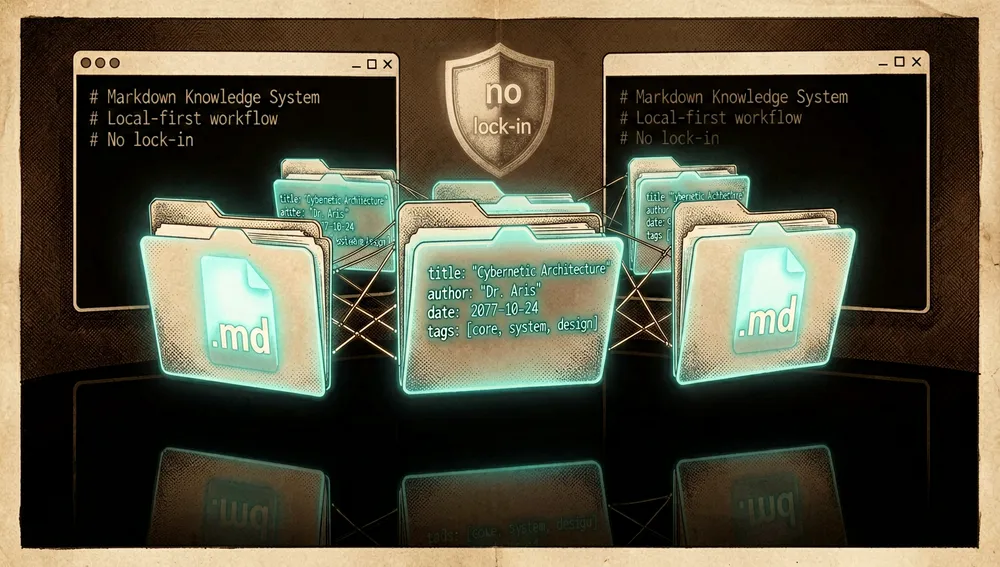
- Git-first — every vault is a Git repository: full history, any remote, zero dependency on Tolaria servers.
- Offline-first, zero lock-in — no accounts, no subscriptions, no cloud.
- Open source — free and open; built for himself and to share.
- Standards-based — Markdown + YAML frontmatter; no proprietary formats.
- Types as lenses, not schemas — types are navigation aids, not enforcement mechanisms: no required fields, no validation.
- AI-first but not AI-only — a file vault works great with AI agents, but can be edited with any tool; it supports config paths for Claude Code, Codex CLI, and Gemini CLI, and provides an
AGENTS.mdfile for agents to interpret. - Keyboard-first — designed for power users: an editor and command palette centered on the keyboard.
- Built from real use — born to manage 10,000+ of his own notes; “every feature exists because it solved a real problem.”
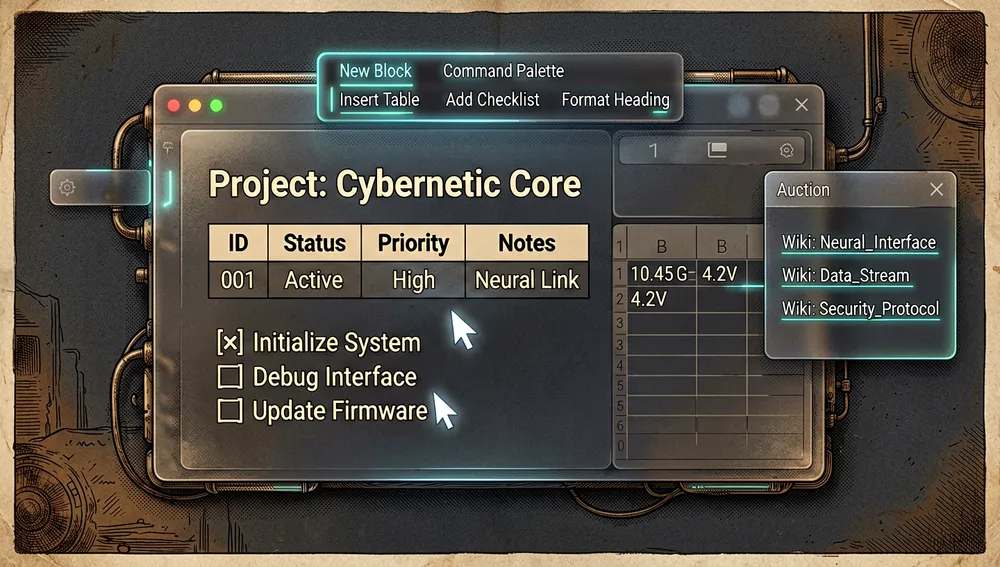
The vision document adds a methodological layer — “the method ships together with the tool”:
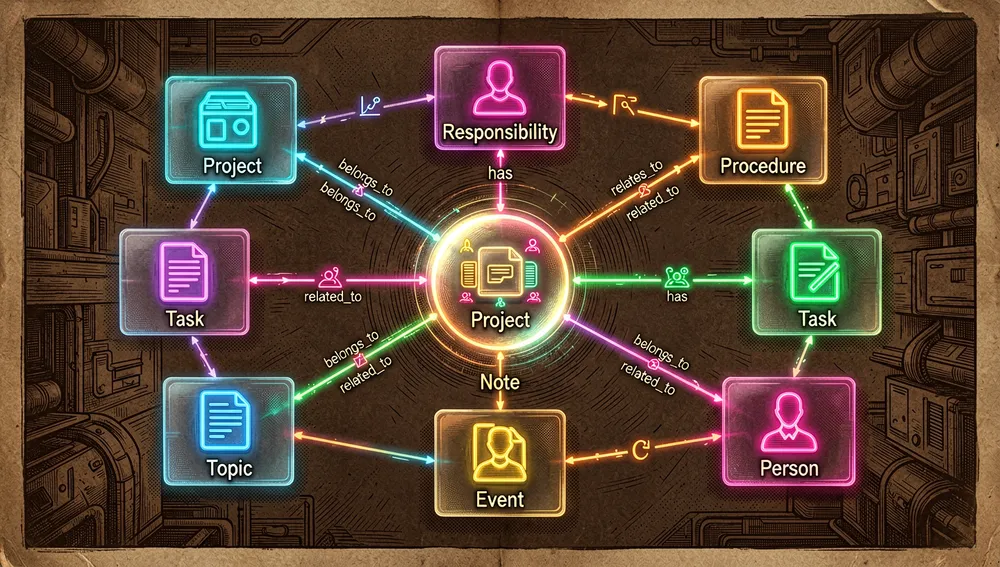
- Knowledge ontology: two axes (once / recurring × multi-session / single-session) that generate Project, Responsibility, Procedure, and Task, plus context: Notes, Topics, Events, People.
- Knowledge has a purpose: “notes exist to do things,” not to be stored.
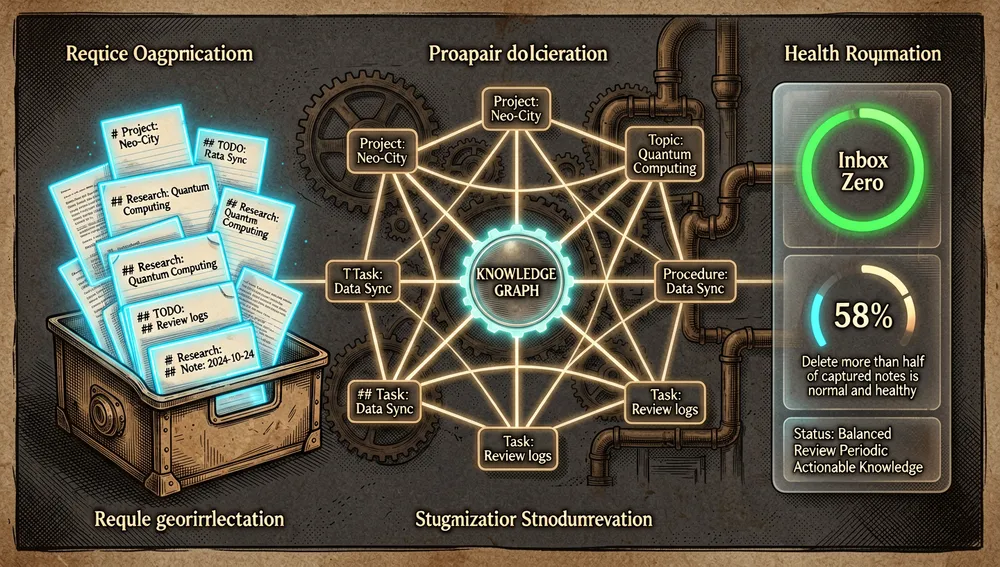
- Two phases: capture and organize. Capture fast and frictionlessly; organize deliberately and periodically (the Inbox shows notes with no outgoing relations; the goal is weekly “Inbox Zero”; deleting more than 50% of what was captured “is normal and healthy”).
- Convention over configuration: meaningful fields (
status:,Workspace:,Belongs to:,start_date:/end_date:) trigger rich behavior without configuring anything; overrides live in vault files (config/relations.md,config/semantic-properties.md). - Why not Obsidian (a dedicated VISION section): Obsidian is an infinitely configurable “blank canvas” that treats Git as an add-on (its business model revolves around proprietary sync); Tolaria is opinionated, ships a complete knowledge framework by default, and treats Git as a first-class citizen.
How it works
Data model. A vault is the folder the app reads and writes; the filesystem is the single source of truth, and app state and cache are derived from the files. Notes are Markdown with YAML frontmatter; attachments are normal files inside the vault; type definitions and saved views are also files.
Types. The type: field assigns a note to a type (Project, Person, Topic, Procedure, Event, or any custom category). Tolaria does not infer type from folder location. Types are preferred over folders. “Type documents” (notes with type: Type in their frontmatter) define icon (_icon), color (_color), label and sidebar order, pinned properties, and new-note templates.
Relationships. Any frontmatter field containing wikilinks becomes a relationship. Default fields are belongs_to, has, and related_to; custom fields with wikilinks are detected dynamically. Default relationships have automatically calculated inverses (if a note belongs_to a project, the project shows it under has). Incoming links and inverse relationships appear in the properties panel and in Neighborhood mode (a graph view around the selected note).
Inbox. A derived section (not a folder) that shows every note with no outgoing relationships. It’s optional: it can be turned off in Settings > Workflow.
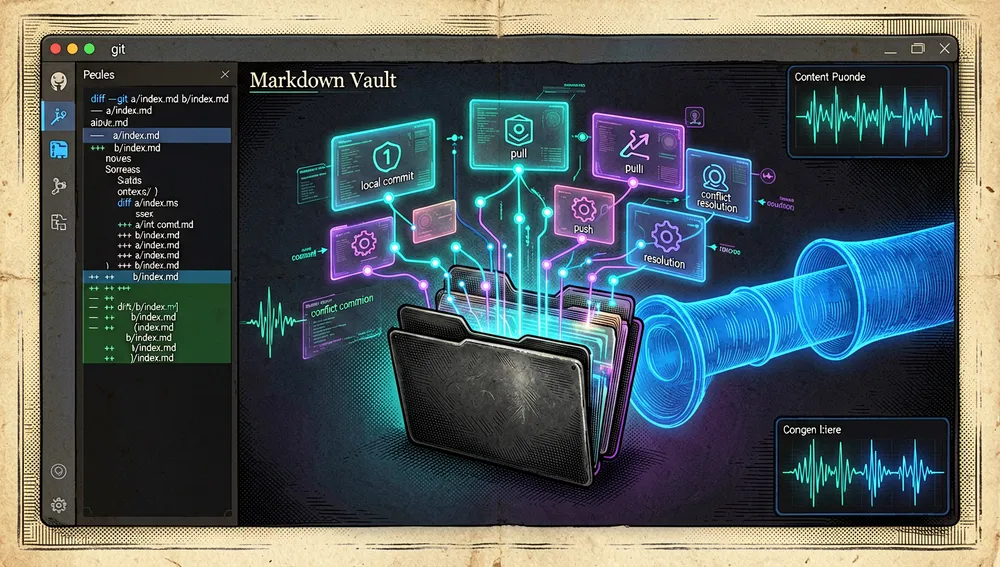
Integrated Git. Tolaria acts as a lightweight Git client for the vault: full-vault and per-note history and diffs, local commits, pull/push, conflict detection and resolution, and remote connections. It uses the system’s Git authentication (GitHub CLI, SSH, credential helpers, Keychain). AutoGit creates conservative automatic commits and pushes after editing pauses or when the app goes idle. A vault can be a folder inside a larger repo: Tolaria discovers the parent worktree but scopes status/diffs/commits to the vault’s files only.
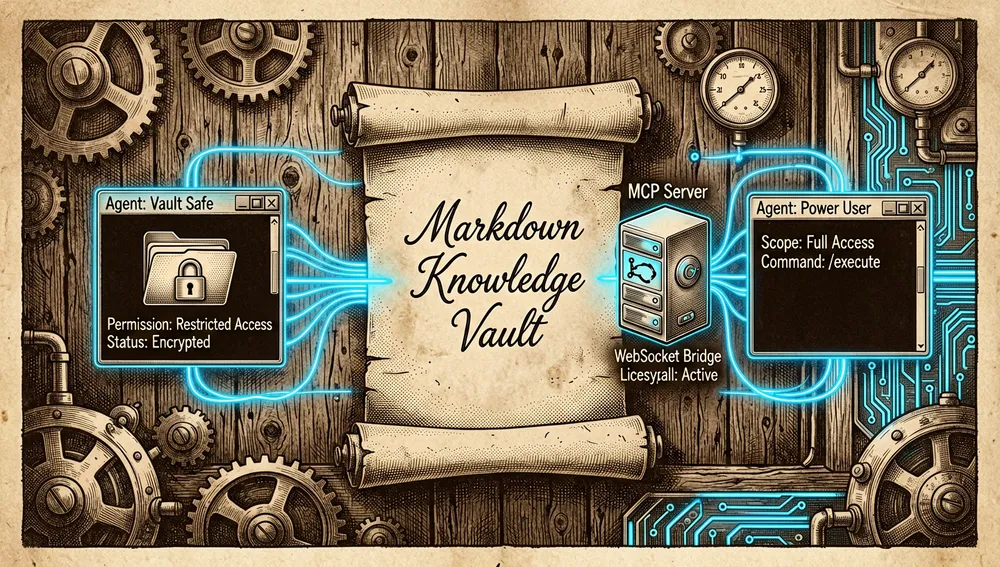
AI, two paths. (1) Code agents: the AI panel streams local CLI agents through a normalized event layer. Documented supported agents: Claude Code, Codex, GitHub Copilot, OpenCode, Pi, Antigravity CLI, Kiro, and Hermes Agent. Each agent keeps its own authentication. Two permission modes per vault: Vault Safe (limited to file, search, and edit tools) and Power User (allows local shell scoped to the active vault, for agents that support it). Some agents expose a model picker (Codex and Claude Code’s documented aliases). (2) Direct models: chat over the note’s context (active note, linked context, and conversation history), without vault write tools or shell access. Providers: Ollama, LM Studio (local) and OpenAI, Anthropic, Gemini, OpenRouter, or OpenAI-compatible endpoints. The inline prompt is triggered with Cmd+K + space.
MCP. Tolaria includes an MCP server (mcp-server/ directory, Node.js with ws-bridge.js and vault-lifecycle.js) for external tools. The setup flow can write Tolaria’s MCP entry into Claude Code, Antigravity CLI, and Cursor configs, into a generic MCP config path, or copy the exact JSON snippet for manual setup; it’s explicit (closing the dialog doesn’t touch third-party files). Tools: search and read vault content, create notes, update a whole note (with an optional modification-time guard for safer read-modify-write), and append to existing notes; writes refresh Tolaria after the change.
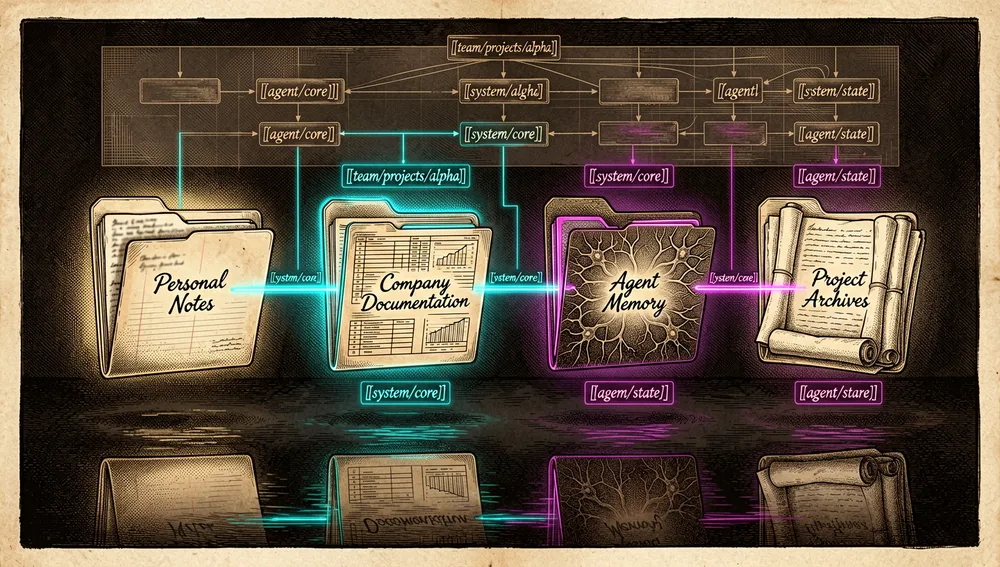
Multi-vault. Multiple registered vaults can be loaded into a unified graph (Settings -> Vaults -> “Use multiple vaults at the same time”); cross-vault wikilinks use stable aliases for the destination vault, e.g. [[team/projects/alpha]].
The ecosystem
Sibling repositories under the refactoringhq organization (GitHub API, August 25, 2026):
refactoringhq/portent(69 stars) — an open specification for portable knowledge bases. Defines 8 default types in two groups: PORT (Project, Operation, Responsibility, Task — actionable things) and ENTP (Event, Note, Topic, Person — knowledge records); two default relations (belongs_to,related_to) and a three-state lifecycle (capture → organize → archive). “Portent is easiest to implement in Tolaria, but designed to be portable across file-based systems, note apps, doc tools, and agent-readable vaults.” Site: portent.md.refactoringhq/portent-vault-template(84 stars) — a starter vault template with Portent’s default type definitions.refactoringhq/tolaria-getting-started(31 stars) — the “Getting Started” vault the app offers to clone on first launch (cloned locally and disconnected from its remote so the tutorial is safe to edit).
Community forks and ports:
primitiver/tolaria-zh(6 stars) — a Chinese translation of the README and project material (a swapped-in Mandarin README).hhungxun/tolaria-docs— a standalone documentation site for Tolaria built with Astro and Starlight (published to GitHub Pages).feir/Save-To-Tolaria— a Chrome extension that saves web content as clean Markdown notes in a Tolaria vault: layered extraction (Twitter/X APIs via FxTwitter, Reddit, GitHub, YouTube; then Defuddle; then Jina Reader as fallback), frontmatter-aware of the vault’s types, URL-pattern rules, optional LLM summarization (OpenAI- or Claude-compatible endpoints), aCmd+Shift+S/Ctrl+Shift+Sshortcut, and live vault refresh over WebSocket.pcamp96/tolaria-sync— a live sync client for Tolaria’s editor (an early-stage project).
Related projects and competitors with real grounding (described in the launch HN thread and on GitHub):
sig-ai-app/sig-releases(82 stars, created April 24, 2026, a day after the Show HN) — “Sig — Your AI finally knows what’s going on at work.” The author, Adam Ramirez (smadam9on HN), announces it in the thread itself: “you beat me by a day… the architectural overlap is obvious: macOS, plain Markdown, Git-versioned, designed as context for AI agents. The difference is where it starts in the workflow: Tolaria seems to shine organizing knowledge that already exists; Sig…” (the repo redirects fromadamjramirez/sig-releases).rillmd/rill(6 stars) — a PKM with voice journaling and AI knowledge distillation, “Markdown + Git,” built as a vault layer over Claude Code; mentioned bytarr1124in the HN thread.- Alternatives cited by users on HN (only ones verifiable in the thread): octarine.app (mentioned by
stock_toaster), HelixNotes (codeberg.org/ArkHost/HelixNotes, mentioned byBarbing), mdnb.app (a native macOS Markdown app, mentioned twice bynicoritschel).
Tools Tolaria uses/sponsors: Codacy, CodeScene, CircleCI, and Unblocked appear as a sponsor panel in the README.
Official / semi-official status
Tolaria has not been accepted into any official marketplace and has no vendor endorsement; its status is that of an independent author/organization’s open-source project. What could be verified in this run:
- Homebrew: an official cask exists in the Homebrew registry (
brew install --cask tolaria), confirmed via theformulae.brew.shAPI (name “Tolaria,” description “Markdown knowledgebase manager”). It’s the supported macOS install path and a standard community-adoption signal. - Its own specification: the org published Portent as an “open specification for portable knowledge base systems” (portent.md), a bet on becoming the de-facto reference point for agent-readable vaults, though still without verifiable external adoption beyond
refactoringhq’s own repo family. - De-facto compatibility with the agent ecosystem: by exposing an MCP server and
AGENTS.md/CLAUDE.md/GEMINI.mdfiles, Tolaria fits the dominant “local vault + CLI agent” pattern used with Claude Code, Codex, Cursor, and similar tools, without formal certification from any of those vendors. - Trending: the repository has hit GitHub’s trending lists (several YouTube Shorts title themselves “GitHub Trending Repositories: refactoringhq/tolaria” and “tolaria - GitHub Trending Today”), though a screenshot of the actual list wasn’t verified.
- Trademark: a
trademarks.mdexists in the repo; the README clarifies that Tolaria’s name and logo remain covered by the project’s trademark policy (the license is AGPL-3.0-or-later, but the trademark is separate).
Quick-start guide
Installation and first launch
- macOS (Homebrew):
brew install --cask tolaria - Manual download (macOS, Windows, or Linux) from the downloads page:
https://tolaria.md/download/(or from GitHub releases). Per-platform status per the docs: macOS is the primary target (Apple Silicon and Intel, with Homebrew); Windows (“Supported, early”): NSIS installers and Tauri-signed update bundles; the install docs note the publisher’s Authenticode signature will be added once the Windows certificate is provisioned, and managed corporate devices (SmartScreen/WDAC) may require IT approval. Linux (“Supported, early”): AppImage,.deb, and RPM are published; behavior depends on the distro’s WebKitGTK and input-method integration. - First launch: Tolaria offers three options: create or clone the Getting Started vault (cloned locally and then disconnected from its remote), open an existing local vault (any folder of Markdown files), or create a new empty one. Documented starting commands:
Cmd+K/Ctrl+Kopens the command palette;New Note;Open Getting Started Vault;Reload Vault. - Building from source (to contribute or develop): prerequisites are Node.js 20+, pnpm 8+, Rust stable, and macOS or Linux. On Linux (Tauri 2), WebKit2GTK 4.1 and GTK 3 are required (e.g. on Debian/Ubuntu:
sudo apt install libwebkit2gtk-4.1-dev build-essential ... librsvg2-dev libsoup-3.0-dev patchelf). Then:
On Linux, the bundled MCP server launches the system’spnpm install pnpm dev # mock mode in the browser (http://localhost:5173) pnpm tauri dev # native desktop appnodebinary at runtime, so it’s worth installing Node from the package manager if you want the external AI-tool flow.
Common workflows
- Capture, then organize: create a note (or save one from the web); it starts with no outgoing relations and appears in the Inbox. During the weekly organizing pass: give it a clear H1, assign
type:, addstatus/dates/URL if relevant, and connect it with wikilinks or frontmatter fields (belongs_to,related_to). Once connected, it automatically leaves the Inbox. - Version and sync with Git: open the remote chip in the bottom status bar (or
Add Remotefrom the command palette), paste the remote URL and confirm the name; Tolaria uses the system’s Git authentication (SSH, GitHub CLI, Keychain). For automatic checkpointing, enable AutoGit in Settings: it commits and pushes after an idle pause. - Work with AI: in Settings, choose the default AI target — a code agent (Claude Code, Codex, GitHub Copilot, OpenCode, Pi, Antigravity CLI, Kiro, or Hermes Agent) for tool-driven vault editing, or a local/API model for write-free chat. For a one-off prompt while typing:
Cmd+K+ space, then type the prompt in the note’s context. Review changes like file edits: diff and Git history before committing. - Connect an external agent via MCP: open the MCP setup flow from the app; choose to write the entry into Claude Code, Antigravity CLI, or Cursor config, into a generic MCP path, or copy the exact JSON snippet for manual setup. The agent can then search/read the vault, create notes, update them (with an optional mtime guard), or append content.
Essential configuration
- The vault folder — the only essential “file”: your notes are the
.mdfiles inside it; everything durable (types, saved views, attachments) travels with it. type:in each note’s frontmatter — assigns the note to its type; it’s the main organizing lever (the sidebar, templates, and pinned properties all depend on it).- Type documents (
type: Type) — define icon, color, order, pinned properties, and new-note templates; starting by copying theportent-vault-templatevault gives a complete base. config/relations.mdandconfig/semantic-properties.md(per VISION.md) — overrides to default conventions: which relation fields appear and how properties render.- Settings > Workflow / Settings > Vaults — toggle the Inbox and enable unified multi-vault, respectively.
Common pitfalls and fixes
- Windows and Linux are “Supported, early.” Open issues documented at the time of this research:
#1145([[]]wikilinks not working in the Windows app),#1155(on Windows, in spreadsheet-type notes the title becomes the full file path and cell edits are lost),#1077(drag-and-drop of files and reorganizing folders doesn’t work). - The Homebrew cask has shown an incorrect latest version: issue
#1160(“Incorrect latest Tolaria version via Homebrew”). Check the releases page if the cask’s version looks stale. #recyclefolder on Synology NAS: issue#1159— the vault crashes with anopdirerror when scanning the NAS’s recycle folder; the practical fix is to exclude that NAS vault or delete/rename the folder.- Importing from Obsidian: the “copy the folder with
cp -aand open it as a vault” flow is the de-facto documented path (via discussions and the HN thread), butwkchengreported on the Show HN (100% reproducible): after the first Git commit, sorting by “last modified” stopped working; the author replied he’d investigate. If importing a large vault, check sorting early. - The app rewrites files / odd MCP search: issue
#1144documents Tolaria rewriting files and an MCP search issue; if an external agent doesn’t see your changes, check whether the app refreshed after the write (MCP writes refresh Tolaria, but not always the reverse). - The mobile app is experimental:
#1102documents that the mobile app (apps/mobile, React Native) traps (crashes) on physical iPads — not just in the simulator — due to a keyboard-command API only available in simulation. Don’t rely on it for mobile capture. - The “webwrapper” criticism: several HN users object that Tauri is a browser wrapper (
ikdiendoehdj: “absolutely disgusting, either go native or don’t bother”). The author’s reply: he started in Swift and hit real Markdown-editor limits; the most nuanced technical rebuttal came frommsephton(who built an 8ms-restyle iOS Markdown editor). If this is a blocker for you, try the app before deciding. - Linux: without WebKit2GTK 4.1 + GTK 3, the build fails; and without
nodeinstalled, the MCP server won’t launch for the external-tools flow.
Integrations and migration
- Code agents: the AI panel directly integrates Claude Code, Codex, GitHub Copilot, OpenCode, Pi, Antigravity CLI, Kiro, and Hermes Agent (it detects the ones installed on the machine and uses their own credentials); Vault Safe / Power User modes scope what they can do.
- MCP: a bundled server with assisted setup for Claude Code, Cursor, and Antigravity CLI, or generic JSON.
- Browser: the community extension
feir/Save-To-Tolaria(Cmd/Ctrl+Shift+S) saves pages as notes with type-aware frontmatter. - Migrating from Obsidian/Logseq/Notion: open the Markdown folder directly as a vault (legacy Obsidian vaults work; there’s a dedicated discussion,
#391, on legacy vaults). From Notion, you need to export to Markdown first. - Leaving Tolaria: there’s nothing to migrate — your files are plain Markdown + Git; any editor,
grep, or version-control system consumes them (the “zero lock-in” principle, explicit in the README and the VISION).
Repo numbers
Measured: August 25, 2026, GitHub API.
| Metric | Value |
|---|---|
| Stars | 19,584 |
| Forks | 1,360 |
| Subscribers (notifications) | 51 |
| Open issues per API | 55 |
| Commits (main branch) | 3,672 |
| Primary language | TypeScript |
| License | AGPL-3.0-or-later |
| Created | February 14, 2026 |
| Last push | August 24, 2026 |
| Latest stable release | v2026-08-19 (August 19, 2026) |
| Most recent alpha release | alpha-v2026.8.24-alpha.0001 (August 24, 2026) |
Top contributors returned by the API (of 24 total): LucaRonin (3,409 contributions — practically all of the development), github-actions[bot] (208), evolankakis (10), riipandi (5), the-jwoo (3), mvanhorn (3), AlessandroMason (3), oksusucha (3).
Caveats: GitHub’s open_issues_count (55) can include open PRs, it’s not an issues-only count. watchers_count mirrors star count; the real notification-subscriber figure is 51 (subscribers_count). The commit count (3,672) was derived from the commits API’s Link pagination header (rel="last"). The releases list shows daily alpha tags; /releases/latest points to stable v2026-08-19. The star count visible on tolaria.md at the time of consultation was 9,946 (a cached site value, lagging the API).
How to contribute
CONTRIBUTING.md documents an open, explicit process:
- Where to share what: bugs → GitHub Issues (including Tolaria version, OS, reproduction steps, expected vs. actual behavior, and screenshots if helpful); ideas and feature requests → Canny (
https://tolaria.canny.io/), where it’s worth upvoting what already exists before building it. - PRs welcome, with rules: small, focused, easy-to-review PRs; a brief explanation of the problem and the solution; don’t mix in unrelated refactors; for large features, check Canny first (avoid what’s marked “in progress”; what’s marked “planned” is a good contribution target).
- Follow the
AGENTS.mddevelopment process, which documents the repo’s quality discipline (also used by the AI agents working in the codebase):- Mandatory TDD: red → green → refactor → commit, one cycle per commit; for bugs, a failing regression test first.
- Check suite on every push:
pnpm lint && npx tsc --noEmit && pnpm test && pnpm test:coverage(frontend ≥70% coverage) andcargo test && cargo llvm-cov ... --fail-under-lines 85(Rust ≥85%). - CodeScene as a code-health gate with “ratchet”-style thresholds (only go up, in
.codescene-thresholds); Codacy as a security gate with a zero-new-findings rule. - Playwright for core flows (open a vault, create/save/delete a note, search, wikilink navigation, commit/push, conflict resolution); the smoke suite must stay under 5 minutes.
- Localization: all UI copy lives in
src/lib/locales/en.jsonand is translated intolara.yaml’s target languages withpnpm l10n:translate(already includes Polish). - PostHog: new features should emit analytics events (with safe metadata, no PII or note content).
- ADRs in
docs/adr/for architecture decisions; documentation (docs/ARCHITECTURE.md,docs/ABSTRACTIONS.md,docs/GETTING-STARTED.md) updated in the same commit as the change. - Authoritative CI/CD: CircleCI (
.circleci/config.yml) owns validation, cross-platform release builds, and publishing to GitHub Releases and GitHub Pages.
Note: AGENTS.md also describes the owner’s internal workflow (direct-to-main with commits every 20–30 minutes, task management in Todoist, documented exceptions approved by the owner) — that’s the manual for his own development agents, not the branching flow an external contributor should follow, which opens PRs per CONTRIBUTING.md.
How the community received it
The main Hacker News thread is 47882697 — “Show HN: Tolaria – Open-source macOS app to manage Markdown knowledge bases,” submitted by lucaronin on April 23, 2026, with 318 points and 142 comments. There’s a smaller second submission, the tolaria.md site, at 47865031 (3 points, 0 comments, April 22, 2026).
Enthusiasm, with concrete names and arguments:
johntopia(a heavy Obsidian user): “nice work Luca, I’ve been a heavy user of obsidian but I really like your inbox concept.”r0bbie: used Logseq but never liked the UI; “clean and I love the git-backed approach.” Asked for dark mode.Pym: “better than what I was planning to build for myself. I love the UI, I love that it’s built with Tauri.”ajbd: “the ‘types as lenses, not schemas’ principle and the focus on structure + relationships really stand out.”tarr1124frames the discussion: Obsidian assumes “human reads and curates; plugins optionally enhance,” while the AI-first cohort (Tolaria, Sig, and several others) “assumes AI reads and writes as a first-class agent.”fiatpandasasked to be able to “see” the AI working in the vault “like a Google Docs session”; lucaronin replied that git-first is exactly for that: “you can configure the AI as a git contributor and clearly see its changes.”smadam9(Sig’s author): “you beat me by a day… the architectural overlap is obvious: macOS, plain Markdown, Git-versioned, designed as context for AI agents.”crashabrmentioned moment.dev, an early-stage startup doing live agent presence in vaults.
Criticism, also concrete:
jryio(the most-upvoted-in-spirit objection): “just another disposable piece of software maintained by one person that does 80% of what other apps do, but worse. 2-year max lifespan.” It received firm replies:rglover(“Please take this down. You don’t want to live in a world where individuals are discouraged from building good things”),lbreakjai,BirAdam(“Did you know that once described GCC and Linux?”).kskzjsjdjw: “A f***ing web app? Boo. No thanks.”droidjjreplied: “at least it’s Tauri.”ikdiendoehdj(a technical criticism repeated across several comment threads): “a webwrapper is absolutely disgusting, either go native or don’t bother”; also objected to the npm ecosystem’s risk.sdevonoesqualified: “it’s not about speed, it’s about the npm ecosystem: I try to avoid running npm dependencies on my personal PC.”lucaroninreplied that he started in Swift but hit real Markdown-editor limits, and that “Tauri is very fast.”antonkochubey: “Doesn’t Obsidian already do basically the same thing?”dragonfax: “somehow I didn’t know Obsidian wasn’t open source.”lucaroninanswered with a list of differences (types and relationships, Notion-style UX, first-class Git, AI-oriented design decisions, and above all: open source).wkchengreported the sorting bug after importing an Obsidian vault and making the first commit (100% reproducible:cp -athe vault → open in Tolaria → “Restore Tolaria AI Guidance” → sorting by last-modified breaks).msephton: “I’d take it all if it were a native macOS app.”enola-magasked about Windows (in April the app was described as a “macOS app” per the Show HN title; Windows/Linux are now published as “supported, early”).
GitHub Discussions (the official community channel): “iOS workflow” (#259, 12 comments), “Does Tolaria have support for Tabs” (#300, 12 comments), “Claude Code finished without returning a reply” (#389, 17 comments), “Legacy Obsidian vaults: reveal note in folder” (#391, 2 comments).
Video (YouTube search on August 25, 2026): “Tolaria — The Markdown Knowledge Base Born For Claude Code” by Prism Labs (7:14, ~5,600 views); “Tolaria: A Markdown Second Brain Built for the Claude Code Era” by AwesomeFOSS (~7,300 views, compares Tolaria vs. Obsidian vs. Notion); “Tolaria GitHub Setup Guide: Markdown Knowledge Bases for Version-Controlled Personal Knowledge” by Alex Hitt (8:11, ~531 views, covers MCP, AutoGit, Tauri/React/Rust, and agent instruction files). Several niche Shorts promote it (2,400, 1,600, and 728 views; “Stop letting Notion hold your notes hostage,” “I Finally Deleted Notion And Found The Ultimate Free Alternative”). Luca himself publishes three Loom walkthroughs in the README: how he organizes his workspace, his inbox workflow, and how he saves web resources.
Reddit and Product Hunt: no threads or launch pages could be verified in this run (Reddit’s JSON endpoint returned an anti-bot page, and PullPush didn’t index relevant posts; Product Hunt blocked the query behind Cloudflare verification). No reactions are inferred beyond what the sources show.
Tolaria versus other approaches
| Project | Verifiable overlap | Verifiable difference |
|---|---|---|
| Obsidian | A local Markdown vault with wikilinks; both operate on the same kinds of files. | Obsidian isn’t open source (as dragonfax and lucaronin note on HN), its model revolves around proprietary sync, and Git is an add-on; Tolaria ships its own method (types, relationships, inbox) and first-class Git, with no plugin ecosystem. |
| Notion | A rich block-by-block editor, “Notion-style UX” (the VISION’s own description). | Notion is SaaS with a proprietary format on remote servers; Tolaria is local files + Git, offline-first, and account-free. |
| Logseq | A local PKM, Markdown, aimed at power users. | Logseq is an outliner with its own file model; on HN, r0bbie switched to Tolaria for the UI and the git-backed approach. |
| Zettlr | A desktop Markdown editor with a writing focus. | Zettlr is an editor (not a vault with types/relationships or built-in AI); on HN morelikeborelax reports it crashing when Markdown changes in the background. |
| Typora | A WYSIWYG Markdown editor (suggested by astrocat on HN for anyone wanting “Bear Notes polish” over plain Markdown). | A simple editor, no note graph, no Git, no AI agents. |
Sig (sig-ai-app/sig-releases, 82 stars) | macOS, plain Markdown, Git-versioned, context for AI agents (same architectural author per his own HN comment). | Starts from the team-work workflow (commits to a shared central repo) instead of organizing existing knowledge. |
rill (rillmd/rill, 6 stars) | A Markdown + Git vault with a layer over Claude Code. | Adds voice journaling and knowledge distillation; lacks the types/relationships framework. |
The comparison that came up most at launch was with Obsidian (antonkochubey’s question); the author’s and the VISION’s official answer is philosophical: Obsidian is an infinitely configurable blank canvas; Tolaria is opinionated, with Git as a collaboration layer and AI as a first-class collaborator.
Use cases
- Writers and technical content creators (the author’s own case: 300+ articles sustained on a vault of 10,000+ notes). The documented “capture → evergreen notes → articles” flow and the Inbox Zero concept give a complete method, not just an editor; the VISION explicitly documents that writers’ output is articles and that evergreen notes are the reusable intermediate layer.
- Developers running code agents daily (Claude Code, Codex, Copilot, OpenCode, Kiro, Antigravity, Hermes Agent). Tolaria gives them persistent, navigable context for their agents: an MCP server with mtime-guarded writes, Vault Safe/Power User modes, an
AGENTS.mdfile in the vault for agent instructions, and Git as an audit layer for AI changes (diffs, history, rollback) — the “agent commits as a git contributor” pattern the author defends on HN. - Small teams that want to document their product as AI context. The VISION describes stage 3 (teams): the same ontology (projects, responsibilities, procedures, people) scaled up, with workspace filtering and access control via Git; the README explicitly states “organize company docs as context for AI.”
- Notion migrants who want local ownership of their data. Offline-first, account-free, subscription-free, plain files exportable by construction; the VISION points directly at people “frustrated with Notion’s performance, complexity, or lock-in” who are comfortable with Git.
- Obsidian users who want structure without plugin hunting. Open the existing vault directly (discussion
#391on legacy vaults), and gain the types/relationships/inbox framework with default conventions, first-class Git, and open source — without the plugin ecosystem. - Builders of agents/assistants that need persistent memory. The README declares “store OpenClaw/assistants memory and procedures”; the combination of Markdown vault + Git + MCP + Portent (a type and lifecycle spec) is a base readable by both humans and agents, with the
portentspec explicitly designed to be portable to other systems. - Keyboard power users. A command palette (
Cmd/Ctrl+K), documented shortcuts, and a “keyboard-first” design declared as a principle; the app can be operated almost entirely without a mouse.
Resources
- Repository: https://github.com/refactoringhq/tolaria
- Official site / documentation: https://tolaria.md (docs in the repo’s
site/folder, published to GitHub Pages; start withsite/start/install.mdandsite/start/first-launch.md) - Downloads: https://tolaria.md/download/ · releases: https://github.com/refactoringhq/tolaria/releases · release notes: the repo’s
release-notes/folder - Homebrew: cask
tolaria(brew install --cask tolaria) - Organization repositories:
refactoringhq/portent(specification, https://portent.md) ·refactoringhq/portent-vault-template·refactoringhq/tolaria-getting-started - Official walkthroughs (Loom, from the author): How I Organize My Own Tolaria Workspace · My Inbox Workflow · How I Save Web Resources to Tolaria
- Video (YouTube): “Tolaria — The Markdown Knowledge Base Born For Claude Code” (Prism Labs) · “Tolaria: A Markdown Second Brain Built for the Claude Code Era” (AwesomeFOSS) · “Tolaria GitHub Setup Guide” (Alex Hitt) — see the reception section for view counts
- Relevant HN threads: 47882697 (Show HN, 318 points, 142 comments) · 47865031
- Community: GitHub Discussions · Canny (feature requests) (no official Discord server was verified in the consulted sources)
- Developer docs:
docs/GETTING-STARTED.md,docs/ARCHITECTURE.md,docs/ABSTRACTIONS.md,docs/adr/,AGENTS.md - Chinese translation:
primitiver/tolaria-zh· Chrome extension:feir/Save-To-Tolaria
This article combines the README, CONTRIBUTING.md, AGENTS.md, docs/VISION.md, and the repository’s site/ user documentation, sibling repos under the refactoringhq organization, the GitHub API (metrics, releases, contributors, issues, discussions), the Homebrew formulae API, the full Hacker News thread 47882697, the tolaria.md site, and YouTube search, consulted on August 25, 2026. Star and fork counts for companion repositories change over time. No Reddit threads or a Product Hunt page could be verified in this run (anti-bot blocking); they’re omitted rather than inferred.
Comments